
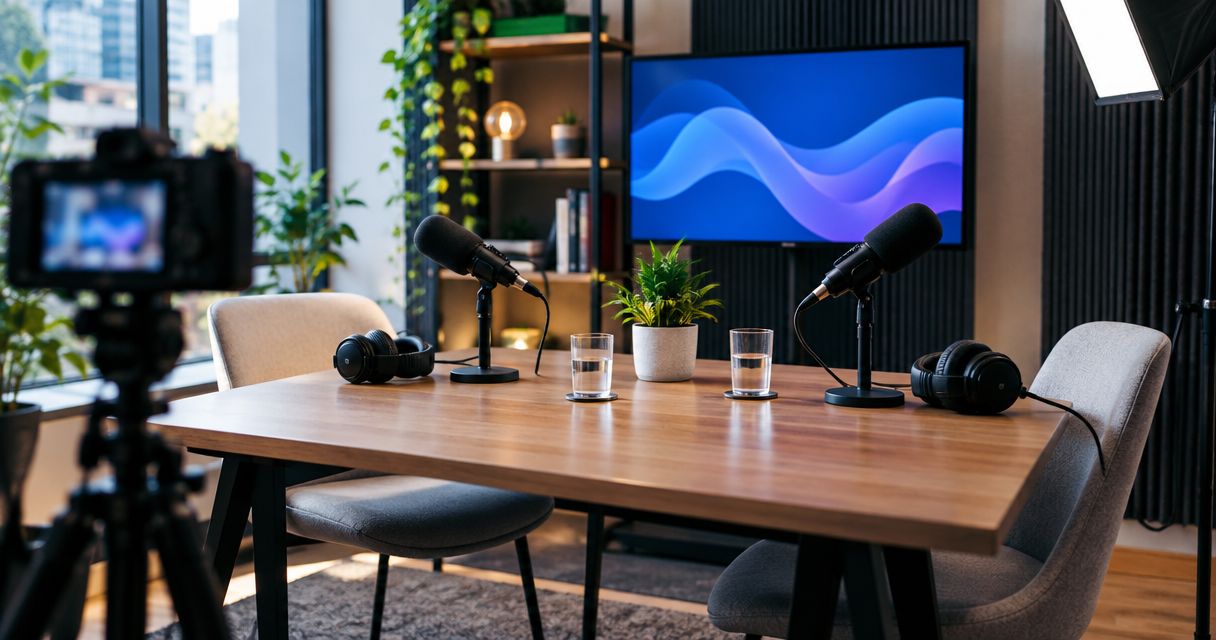
E-commerce brands' podcast studio rental is the use of a recording space to create customer education, founder interviews, and product conversations that support buying decisions. This 2026 guide explains how to choose a recording format, book the right setup, and turn the files into useful content without confusing studio rental with finished production.
- Podcast studio rental for e-commerce brands works best when each recording answers a specific customer question.
- Justpushrecord suits teams seeking one-button, three-camera recording without a crew, with files delivered through Google Drive.
- Choose a home setup for hands-on demonstrations; confirm studio suitability before bringing products or filming close-ups.
- Plan editing, approvals, and distribution before booking; recorded files are not a finished publishing campaign.
Why podcast studio rental matters for e-commerce brands
Your product page explains the offer. A podcast can explain the reasoning behind it: who the product serves, how to choose an option, and what a customer should understand before buying. Rent a studio when conversation is the right format, not simply because you need more content.
An e-commerce recording also has to work outside the full episode. A customer watching a short excerpt needs enough context to understand the product category, the question, and the answer without hearing the introduction.
For your 2026 content plan, separate customer education from promotional announcements. An explanation of how to choose a material can remain useful after a campaign ends; an offer-specific segment requires review when that offer changes.
The guide to video podcast studios provides a related starting point when you are deciding whether to record video alongside audio. Make that decision before booking, because it affects framing, clothing, product placement, and the editing brief.
Plan the session from brief to measurement
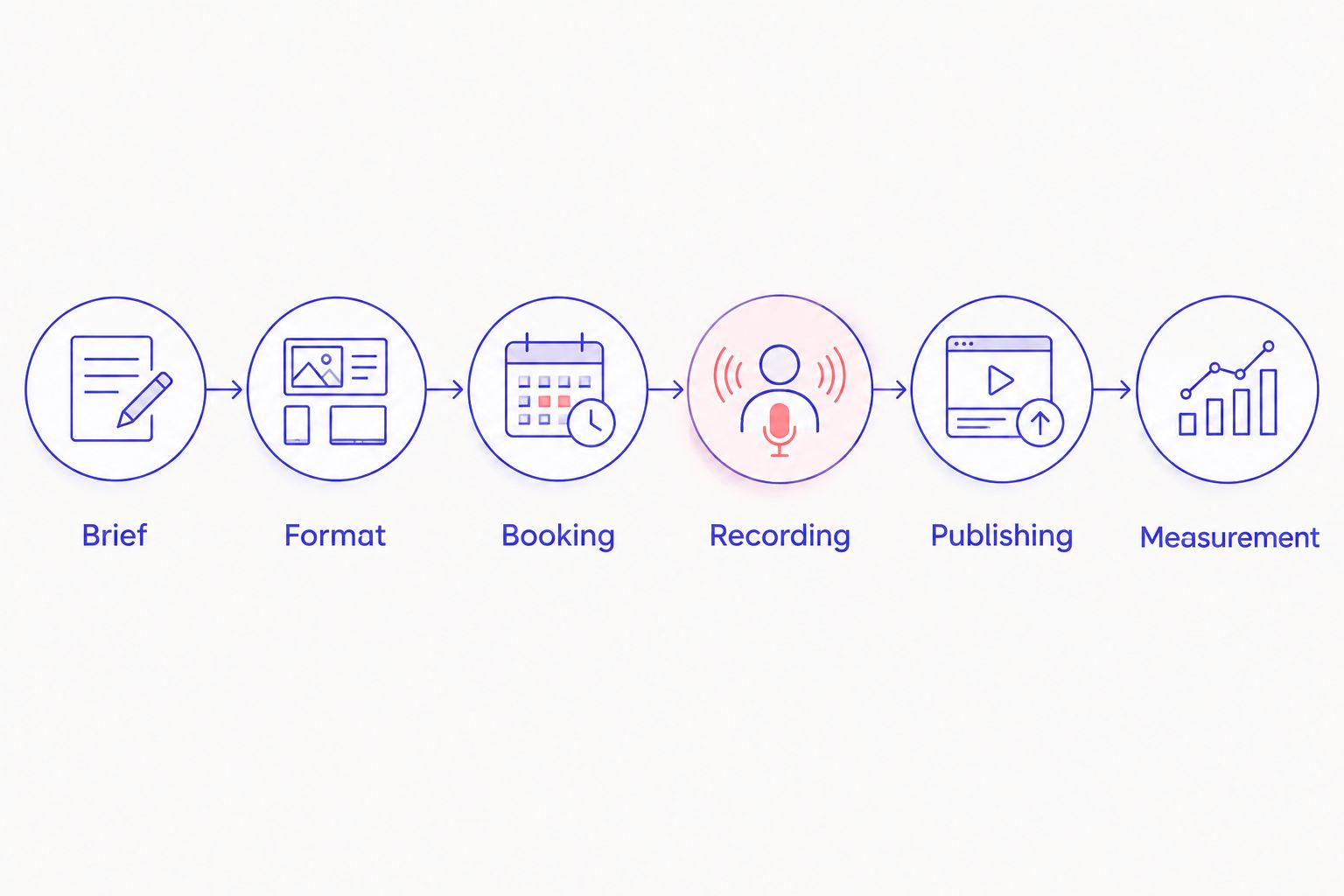
Use this sequence: Brief, Format, Booking, Recording, Publishing, Measurement. Decide what happens after the recording before you commit to the room; otherwise, editing and approvals become unresolved work after the session.
Define the customer question and business outcome
Start with information you already have. Read customer support messages, product reviews, and questions from your sales or social channels. Group questions by the decision they address rather than by the product you want to promote.
Write a plain-language brief in a shared document. Identify the audience, the question, the person qualified to answer it, and the action you want the viewer to take. A founder story and a product-selection explanation need different outlines.
For your first 2026 session, choose one primary outcome. Customer education, qualified site visits, and retention content are separate goals; treating them as interchangeable makes the episode harder to evaluate.
Best for: teams that need useful topics before committing to a recurring show.
- Copy recurring customer questions into a shared planning document.
- Select one question that fits a spoken explanation.
- Name the intended viewer and their buying stage.
- Assign a speaker with direct knowledge of the subject.
- Choose one destination for the episode's call to action.
Choose a format that fits the product
Rehearse the conversation with a phone or laptop before renting a studio. Listen for vague answers, unexplained terminology, and sections that require a physical demonstration. Fix the outline while changing it is still easy.
A founder interview fits origin stories and business decisions. A host-and-expert conversation fits product education. A scripted segment fits information that needs exact wording, but the speaker must deliver it naturally.
Not every product belongs in a seated conversation. If customers need to see assembly, texture, fit, or movement, plan those visuals separately or confirm that the recording space supports them. Multiple cameras do not establish that a studio can capture every demonstration you need.
Best for: teams choosing between interviews, scripted explanations, and hands-on content.
- Rehearse the opening question and the main answer.
- Use an outline for conversational sections.
- Script product claims that require precise wording.
- Mark demonstrations that need a separate camera setup.
- Decide whether each section must work as an audio-only excerpt.
Confirm the studio workflow before booking
Compare the session requirements against the studio's stated workflow. Ask about access, participant capacity, recording controls, file delivery, and any restrictions on bringing products. Do not treat a general description as confirmation of your particular setup.
Justpushrecord offers automated podcast studio rentals using one button and three cameras, with files delivered through Google Drive. Its stated locations include Austin, Atlanta, Dallas, Houston, Charlotte, and Phoenix. Confirm the details for the location you intend to use.
Justpushrecord is best for e-commerce teams that want one-button, three-camera recording without a crew. The trade-off is ownership of preparation: your team still needs an outline, a confident host, and a publishing plan. Do not assume rental includes live direction, editing, or additional deliverables.
Best for: prepared teams that want a self-serve recording workflow.
- Confirm the selected location and session instructions.
- Ask whether your participant count fits the room.
- Describe any products or props you intend to bring.
- Confirm the file types and delivery process you need.
- Establish who handles editing and approvals afterward.
Prepare the speakers and record in usable sections
Share the outline before recording day. Explain who the audience is, which questions the session answers, and which statements need verification. Your host should know the difference between a follow-up question and an invitation to make an unsupported claim.
Use a short test recording before the main conversation, following the studio's instructions. A 30-second test is a practical check, not a promise about any studio's operating process. Review what you can access and resolve issues before continuing.
For a 2026 campaign, check product names and campaign references against approved materials. Record reusable explanations separately from time-sensitive announcements so an editor can remove the announcement without breaking the explanation.
Best for: teams that want clear answers and fewer avoidable pickups.
- Bring an outline and approved reference notes.
- Record a 30-second test before the main discussion.
- Ask speakers to finish one answer before changing topics.
- Repeat unclear answers as complete, standalone statements.
- Note sections that need factual review or replacement.
Assign delivery, editing, and publishing ownership
Start with a shared folder and a simple tracking sheet. Name the person responsible for receiving files, checking them, assigning edits, and approving the finished content. A handoff without an owner is not a production process.
Justpushrecord delivers recording files through Google Drive. Treat delivery as the start of your post-recording workflow, not confirmation that the material is ready to publish. Verify what you received against the deliverables agreed for your session.
As a planning target, identify three clip candidates from each conversation: a clear answer, a useful explanation, and a relevant objection. This is an editorial exercise, not a guaranteed output count. Reject excerpts that lose necessary context when separated from the episode.
Best for: small marketing teams sharing recording and publishing duties.
- Assign a file recipient and an editor before the session.
- Check that expected files open and contain the intended recording.
- Preserve original files separately from working edits.
- Review captions, names, and product statements before publishing.
- Give each approved asset a destination and an owner.
Measure the action each asset was designed to support
Use your existing analytics and a tracking sheet first. Label links consistently, record publication dates, and connect each asset to the outcome in its brief. You do not need a new reporting system to establish basic accountability.
A customer-education clip should answer its intended question clearly. A product-page video should help explain the product. A campaign excerpt should lead to the relevant destination. Views alone do not establish that any of those jobs happened.
For your 2026 review, compare like with like: similar topics, destinations, and distribution conditions. If an episode generates attention but no relevant action, inspect the topic, call to action, and destination before changing the recording setup.
Best for: teams deciding which recording topics deserve another session.
- Record the intended outcome beside each published asset.
- Use consistent campaign labels on links you control.
- Separate full-episode results from short-clip results.
- Review customer questions generated by the content.
- Continue topics that support the stated goal; revise those that do not.
Compare recording options for your e-commerce team
Choose by production responsibility, not by camera count alone. A self-serve studio reduces the recording controls your team must operate, while a home setup gives you direct control of the surroundings. A staffed production arrangement adds assigned roles only when those roles are included in the agreement.
The options below describe workflows, not promises about every provider. Confirm the actual scope before booking.
| Option | Best for | Main advantage | Key limitation | What to confirm |
|---|---|---|---|---|
| Existing home or office setup | Product demonstrations and early format rehearsals | You control the space and can practice before renting | Your team handles the recording environment and technical setup | Noise, framing, lighting, and recording reliability |
| Justpushrecord automated studio rental | Prepared teams wanting one-button, three-camera recording without a crew | A self-serve recording workflow with Google Drive file delivery | It does not replace your outline, host preparation, or publishing ownership | Location instructions, participant needs, and agreed deliverables |
| Staffed recording session | Teams that want assigned recording or directing roles | You can arrange production responsibilities with the provider | Support depends on the specific service agreement | Operator duties, direction, editing, and delivery scope |
| Remote interview workflow | Guests who cannot attend the same location | Speakers participate from separate places | Each participant's environment and connection need attention | Local recording, guest instructions, and backup arrangements |
For a product demonstration, the home or office option can be the right fit even when you rent a studio for interviews. Use different recording environments for different content jobs rather than forcing every asset into the same format.
Review the recording workflow
See whether one-button, three-camera recording fits your next e-commerce content session.
Common mistakes e-commerce brands make
Recording a product catalog instead of answering questions
Listing features does not create a useful conversation. Choose a customer decision, explain the trade-offs, and show where the product fits. Keep unrelated product announcements out of the answer.
Assuming three cameras cover every product detail
An interview view and a close-up demonstration serve different purposes. Confirm framing and demonstration requirements before booking. If the viewer needs to inspect a small detail, plan a separate shot rather than assuming it will appear clearly.
Leaving product claims to improvisation
A confident speaker can still use inaccurate wording. Put approved statements in the outline and flag comparisons that need support. Review the final edit, because removing context can change what a claim means.
Booking without an editing owner
Recording files do not assign themselves to a timeline. Decide who edits, who checks accuracy, and who approves publication before the session. Match the recording plan to the team's actual capacity to finish the work.
Sending every viewer to the homepage
A broad destination can leave a specific question unanswered. Match the call to action to the topic: the relevant product information, an explanation, or a signup destination your business actually maintains. Confirm the destination still matches the recording before publication.
FAQ
What's the best podcast studio rental for an e-commerce brand?
The best fit depends on the recording job and how much production responsibility your team wants. Justpushrecord suits prepared teams seeking one-button, three-camera recording without a crew; confirm the selected location's details before booking.
Should an e-commerce brand record a podcast or product videos?
Use a podcast for conversations and product videos for demonstrations that viewers need to see. You can record interviews in a studio and capture detailed demonstrations separately rather than choosing one format for every asset.
Can we bring products into a podcast studio?
Confirm permission and suitability with the selected studio before bringing products. Describe the items, props, and demonstration you intend to record, including any handling or space requirements.
Do we need a full script for a brand podcast?
Use an outline for conversation and exact wording for statements that require accuracy. Rehearse both so the host can guide the discussion without turning every answer into a recitation.
Does studio rental include editing and social clips?
Treat editing and social clips as separate deliverables unless the booking explicitly includes them. Confirm who edits, which assets you receive, and who approves the final content before recording.
Can a small e-commerce team record without a camera crew?
A prepared team can use an automated recording studio without a camera crew. The team still needs someone to guide the conversation, check the content, and own the publishing workflow.
How do we know whether a recorded episode helped the business?
Evaluate the episode against the outcome named in its brief. Track relevant actions and customer responses separately from views, and compare assets with similar topics and distribution conditions.
One last thing
Before your first 2026 booking, write the episode's closing sentence. State what the viewer should understand and what they should do next. If that sentence does not fit the questions in your outline, fix the outline before you record.
A useful session starts with a customer question and ends with a relevant next step. The room handles recording; your brief determines what the recording is for.


