
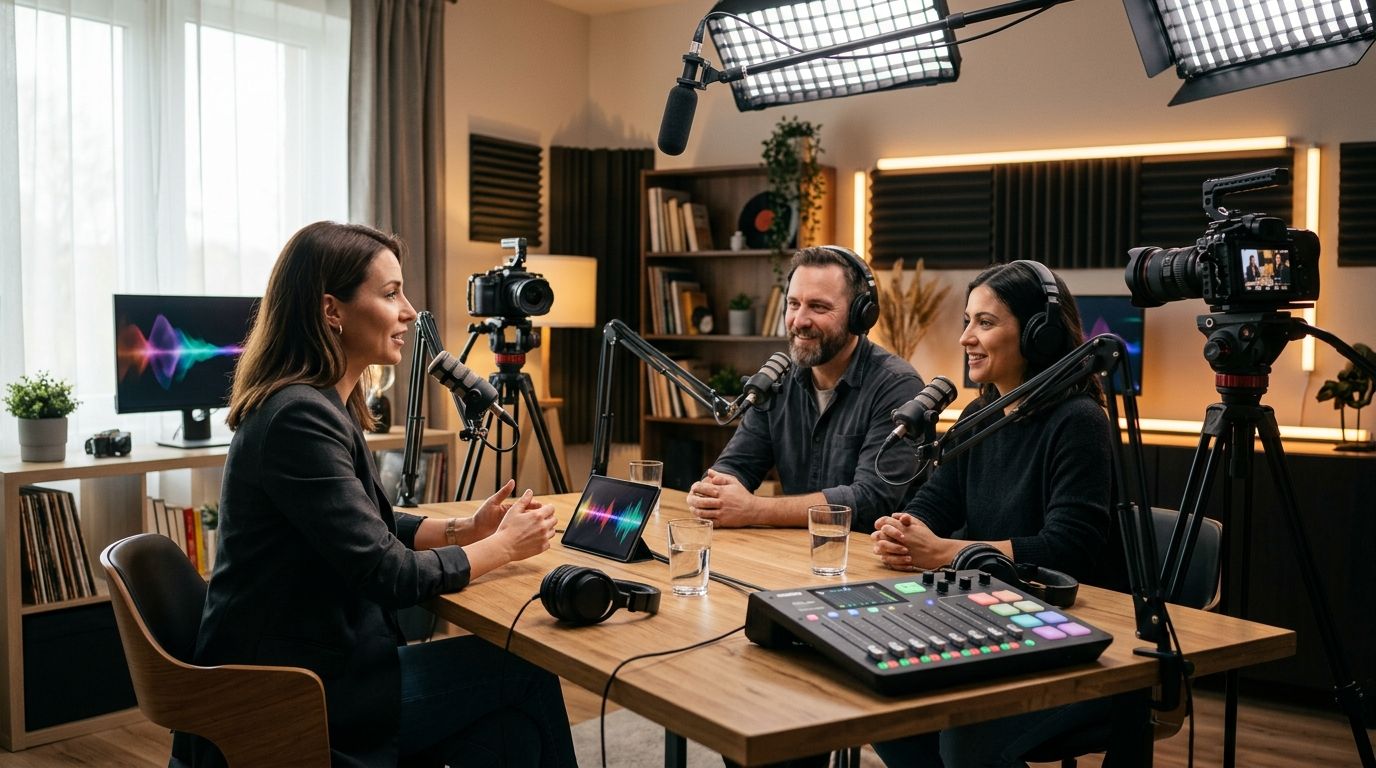
Video podcast studios split into five real setups in 2026, and the right one depends on how many cameras you need, whether you want a crew, and how fast you need finished files. JPR Studios' automated one-button rooms are the best overall pick for solo and multi-guest hosts who want three-camera video without hiring anyone. A traditional crewed production studio is the best pick for branded video series that need custom lighting and on-site direction. A home studio setup is the best budget option for hosts who record weekly and already own a camera and mic.
JPR Studios runs its automated rooms in Austin, Atlanta, Dallas, Houston, Charlotte, and Phoenix, which is where this comparison starts before widening out to crewed studios, home setups, coworking spaces, and mobile crews.
- JPR Studios' one-button, three-camera rooms are the best podcast studios for video podcasts pick for solo and multi-guest shows.
- Traditional crewed production studios cost more staff time but suit branded video series needing custom lighting.
- Home studio setups stay the lowest-overhead route if you already own a camera and microphone.
- JPR Studios operates automated video podcast rooms across six cities: Austin, Atlanta, Dallas, Houston, Charlotte, and Phoenix.
Why this matters
A video podcast lives or dies on whether it looks like a real production or a webcam call. Multi-camera coverage, clean audio, and a fast handoff of files matter more than the room's decor.
Most hosts default to whatever is closest or cheapest, then find out later the setup can't cut between angles or the files take a week to reach them. Picking the right category of studio before you book saves a re-shoot.
What makes the best video podcast studio
- Camera coverage — at least two angles, ideally three, so editors can cut between wide and close shots
- Audio isolation — a treated or dedicated room, not an open office corner
- Setup time — how long it takes a host to start recording once they walk in
- File delivery — how the finished footage gets to the host and in what format
- Location coverage — whether the option exists in your city or requires travel
- Crew dependency — whether you need to schedule a producer or can record solo on your own timeline
At a glance
| Option | Best for | Standout feature | Key limitation |
|---|---|---|---|
| JPR Studios (automated) | Solo and multi-guest hosts avoiding a crew | Three-camera, one-button recording with Google Drive delivery | Fixed studio locations, no on-site producer |
| Traditional crewed studio | Branded video series with custom lighting needs | Full crew handles cameras, lighting, and live direction | Requires scheduling a crew in advance |
| Home studio setup | Hosts recording weekly at low overhead | Full control of space and schedule | Quality depends entirely on your own gear |
| Coworking studio membership | Teams needing occasional studio access | Bundled with other office amenities | Equipment varies by location and tier |
| Mobile production crew | Event coverage and off-site interviews | Crew travels to your guest | Setup and logistics add time versus a fixed room |
1. JPR Studios: best video podcast studio for solo and multi-guest hosts who don't want a crew
JPR Studios sets up a three-camera room with the recording start built into a single button. You walk in, hit start, and record without briefing a crew or adjusting lighting rigs yourself. Finished files land in Google Drive rather than requiring a separate pickup or shipping step.
The rooms run in Austin, Atlanta, Dallas, Houston, Charlotte, and Phoenix. If you want to compare what's available locally, the podcast studios in Houston breakdown covers that market specifically, and similar guides exist for the other cities.
JPR Studios pros:
- Three-camera video with no crew to coordinate
- One-button start, no technical setup for the host
- Files delivered via Google Drive
- Available across six metro areas
JPR Studios cons:
- No producer on-site to direct the shoot
- Custom lighting or set design isn't part of the automated format
- Only useful if one of the six cities is within reach
JPR Studios pricing: check current rates and availability directly on the site for your city.
Best for: solo hosts and interview-format shows that want multi-camera video without managing a crew.
Verdict: Book it if you're recording a standard interview or panel format and want to walk in and hit record.
2. Traditional crewed production studio: best video podcast studio for branded video series
A crewed studio puts operators behind each camera, a lighting designer on the set, and often a director calling shots live. This setup makes sense when a video podcast is really a branded content series with sponsor integrations, custom graphics, or a set design that needs to be built and lit for the shot.
The tradeoff is coordination. You're scheduling a crew, not just a room, which means locking dates further out and briefing people on the format before the cameras roll.
Crewed studio pros:
- Custom lighting and set design possible
- Live direction can catch mistakes in real time
- Scales to multi-camera setups beyond three angles
Crewed studio cons:
- Requires scheduling a full crew, not just a room
- Higher coordination overhead for recurring episodes
- Less flexible for last-minute or weekly recording cadence
Best for: branded video podcast series with sponsor segments or a custom set.
Verdict: Consider it if your show is a scripted branded series rather than a conversational interview format.
3. Home studio setup: best video podcast studio for frequent, low-overhead recording
A home studio means you own the camera, mic, and lighting, and you record in a dedicated room or corner you've treated for sound. This is the cheapest path per episode once the initial gear is bought, and it fits hosts who record two or three times a week and can't justify traveling to a studio each time.
The catch is quality control sits entirely on you. A cluttered room, mismatched lighting, or an untreated wall shows up in every episode until you fix it.
Home setup pros:
- No booking or travel required
- Full control over schedule
- One-time gear cost instead of recurring studio fees
Home setup cons:
- Audio and lighting quality depend entirely on your own setup
- No backup if your gear fails mid-recording
- Harder to get a true three-camera cut without buying multiple cameras and a switcher
Best for: hosts recording weekly or more who already own basic camera and audio gear.
Verdict: Book it (your own room) if your recording cadence is high enough to justify owning the gear outright.
4. Coworking studio membership: best video podcast studio for teams with occasional needs
Some coworking spaces include a podcast or video room as part of a broader membership. This works for a small team that records occasionally and doesn't want a dedicated studio subscription just for that.
Equipment quality is the variable here. Some memberships include a real multi-camera setup; others hand you a single camera and a ring light. Check the room's actual gear before assuming it matches a dedicated studio.
Coworking studio pros:
- Bundled with other office or meeting amenities
- No separate studio contract needed
- Convenient if your team already works from that space
Coworking studio cons:
- Equipment quality varies widely by location
- Camera and lighting setups aren't standardized across the membership network
- Room availability competes with other coworking bookings
Best for: teams that already hold a coworking membership and record only occasionally.
Verdict: Skip it as a primary studio unless you've confirmed the room's actual camera setup matches your needs.
5. Mobile production crew: best video podcast studio for on-location interviews
A mobile crew brings the cameras, lighting, and audio gear to your guest instead of the other way around. This fits event coverage, on-site executive interviews, or any episode where the guest can't come to a fixed studio.
Setup and teardown add time that a fixed room doesn't require, and location sound quality depends on the venue, not the studio.
Mobile crew pros:
- Records guests who can't travel to a studio
- Fits event coverage and location shoots
- Full camera and lighting control on-site
Mobile crew cons:
- Setup and teardown time cuts into the recording window
- Location audio quality varies with the venue
- Typically the most expensive option per episode
Best for: event coverage and interviews that have to happen off-site.
Verdict: Book it only when the guest or event genuinely can't come to you.
How we ranked these
Each option is scored against the six criteria above: camera coverage, audio isolation, setup time, file delivery, location coverage, and crew dependency. The automated studio format wins on setup time and crew dependency; the crewed studio wins on camera and lighting control; home setups win on cost and schedule flexibility. No single option wins on every criterion, which is why the right pick depends on your show's format, not a single "best" studio.
Which video podcast studio should you choose in 2026?
If you're recording a standard interview or panel-format video podcast and want to avoid managing a crew, JPR Studios' automated three-camera rooms are the default pick, especially if you're already in Austin, Atlanta, Dallas, Houston, Charlotte, or Phoenix. If your show is a scripted branded series with sponsor segments, a traditional crewed studio earns the extra coordination. If you record several times a week and already own gear, a home setup keeps cost per episode lowest. Mobile crews and coworking memberships fill narrower gaps — off-site guests and occasional team use, respectively.
FAQ
What's the best studio setup for a video podcast in 2026?
An automated three-camera studio like JPR Studios' one-button rooms works best for solo and multi-guest interview shows. Branded video series with custom lighting needs are better served by a traditional crewed production studio.
Is a one-button automated studio good enough for video podcasts?
Yes, for interview and panel formats. A one-button studio with three cameras covers the standard multi-angle cut most video podcasts need without a producer or crew.
How many cameras do I need for a video podcast?
Three cameras is the standard for a multi-angle edit: one wide shot and one close shot per host or guest. Two cameras works for a single-host format but limits editing options.
Can I record a video podcast at home?
Yes, if you own a camera, microphone, and have a room with basic sound treatment. Quality depends entirely on your own gear and setup, unlike a dedicated studio.
How does file delivery work after a podcast recording session?
At JPR Studios, finished recordings are delivered through Google Drive after the session. Other studio types vary — confirm delivery method and format before booking.
Which cities have automated podcast studios?
JPR Studios operates automated one-button studios in Austin, Atlanta, Dallas, Houston, Charlotte, and Phoenix as of 2026.
Do I need a producer to record a video podcast?
No, if you're using an automated one-button studio designed for self-serve recording. A producer becomes necessary for crewed studios with live direction or custom lighting.
What's the difference between an automated studio and a traditional production studio?
An automated studio like JPR Studios lets you start a three-camera recording yourself with one button and no crew. A traditional production studio staffs camera operators and a director, which adds cost and scheduling but allows custom lighting and set design.
One last thing
The detail most hosts miss: camera count matters less than what happens after the button is pressed. A three-camera room with no editor to cut between angles produces the same flat footage as a single webcam. Confirm what happens to the raw files — whether they land in Google Drive ready to edit or sit on a drive you have to request — before you judge a studio by camera count alone.


