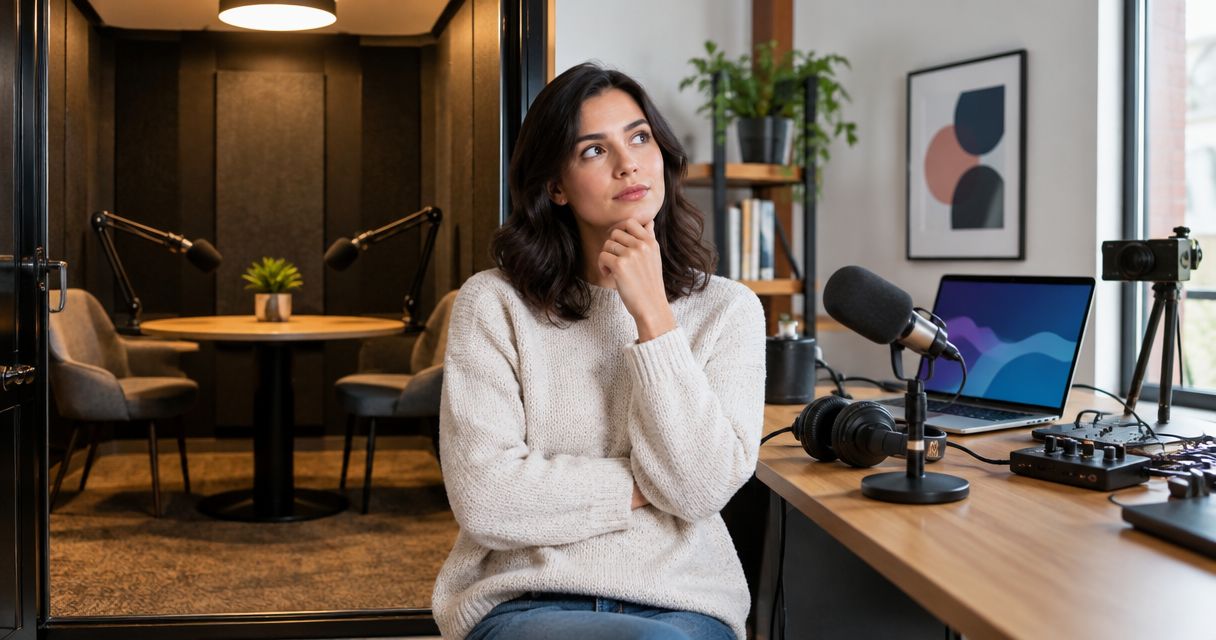
Recording a podcast in Austin costs what your booking covers: studio time, the recording setup, production help, and any editing you commission. For a 2026 booking, compare the total needed to produce a publishable episode—not just the room reservation. Confirm whether the quote ends with recorded files or includes finished audio and video.
- For podcast studio cost Austin comparisons, match studio rental quotes by deliverables, not room time alone.
- Justpushrecord offers self-serve podcast recording with three cameras, one button, and Google Drive delivery.
- Confirm editing separately; receiving recording files does not establish that a finished episode is included.
- Choose the recording workflow your host can operate and your editor can finish.
How much does it cost to record a podcast in Austin?
Your useful comparison is the total scope of an episode, not an isolated rental figure. Start with the studio booking. Then confirm which recording services and post-production tasks belong to that booking and which require a separate agreement.
For a broader explanation of booking charges, read the guide to podcast studio rental cost per hour. An hourly figure becomes useful only after you know what happens during that hour and what you receive afterward.
Use this breakdown when requesting a quote in 2026:
| Budget component | What to confirm | Why it belongs in your comparison |
|---|---|---|
| Studio booking | Reserved time, access instructions, and session boundaries | Your conversation is only part of the session |
| Recording setup | Audio capture, video capture, and guest configuration | The setup must match your show |
| Production support | Self-serve operation or a person handling production | Your host needs a workable recording process |
| File delivery | File types, transfer method, and access | Your editor needs usable source material |
| Editing | Audio cleanup, cuts, video assembly, and revisions | Capturing an episode and finishing it are different tasks |
| Publishing work | Titles, descriptions, uploads, and clips | Recording does not complete your release workflow |
Do not assume every row creates a separate charge. Ask which rows are included, which are optional, and which remain your responsibility. That written scope is the basis for comparing bookings.
Why this matters
A studio reservation is a production purchase. You are buying a way to capture a conversation and move it toward publication, not simply permission to sit in a room.
A quote that stops at recording files serves a different need from one that covers editing and publishing. Neither scope is automatically better. Choose the scope that matches the work your team can actually complete.
For your 2026 budget, keep recording and post-production visible as separate tasks even when a provider combines them. You should know who owns each task before your guest arrives.
Which recording setup fits your episode?
Start with your host's responsibilities. Does the host want to arrive with questions and operate the recording controls, or does the session need someone else managing production?
The table below compares workflows, not named studios. Confirm the actual services in each booking rather than assuming a category guarantees them.
| Recording approach | Best for | Practical advantage | Limitation to plan around |
|---|---|---|---|
| Self-serve studio | Hosts comfortable following a defined recording process | Keeps the session centered on the host and guests | You remain responsible for preparation and following instructions |
| Staffed recording session | Teams that want another person managing capture | Separates hosting from agreed production duties | You must define what the production role includes |
| Home recording | Creators who want direct control over their setup | Lets you build your process around your own space | Setup, room conditions, and troubleshooting remain your responsibility |
Justpushrecord is best for podcast hosts, creators, and businesses seeking self-serve, three-camera recording without a crew. Its podcast recording studios use one-button operation and deliver files through Google Drive.
That model addresses recording operation. It does not remove your responsibility to prepare the conversation or decide how the files become a finished episode. Confirm any editing requirements separately before booking.
Use Justpushrecord to review the studio workflow against your recording needs. Choose it because the self-serve process fits your show—not because you assume every production task belongs to the rental.
Why podcast recording costs vary
The scope of your session explains the difference between quotes. Use these factors to describe what you need, then ask the studio to confirm its terms.
- Booked time. Include the work that must happen inside the room, not just the intended episode length. Ask how arrival, setup, and wrap-up fit within your reservation.
- Audio and video requirements. State whether you need audio, video, or both. Identify the files your editor expects before selecting a recording workflow.
- Production responsibility. Decide whether you will operate the session or need someone else to handle agreed technical tasks. Do not treat those arrangements as interchangeable.
- Guest configuration. Describe who will participate and whether anyone will join remotely. Confirm the studio supports that exact arrangement.
- Post-production scope. List the work needed after capture, including cuts, cleanup, video assembly, or clips. Ask which tasks are included rather than assuming.
- Delivery requirements. Explain your publishing deadline and required handoff. Confirm delivery terms directly instead of building a release date around an assumption.
These are quote questions, not claims that every Austin studio charges separately for each item. The purpose is to expose differences in scope before you commit.
How do you compare Austin studio quotes fairly?
Send the same recording brief to each provider. If one quote covers a different session or deliverable, ask for clarification before comparing it with the others.
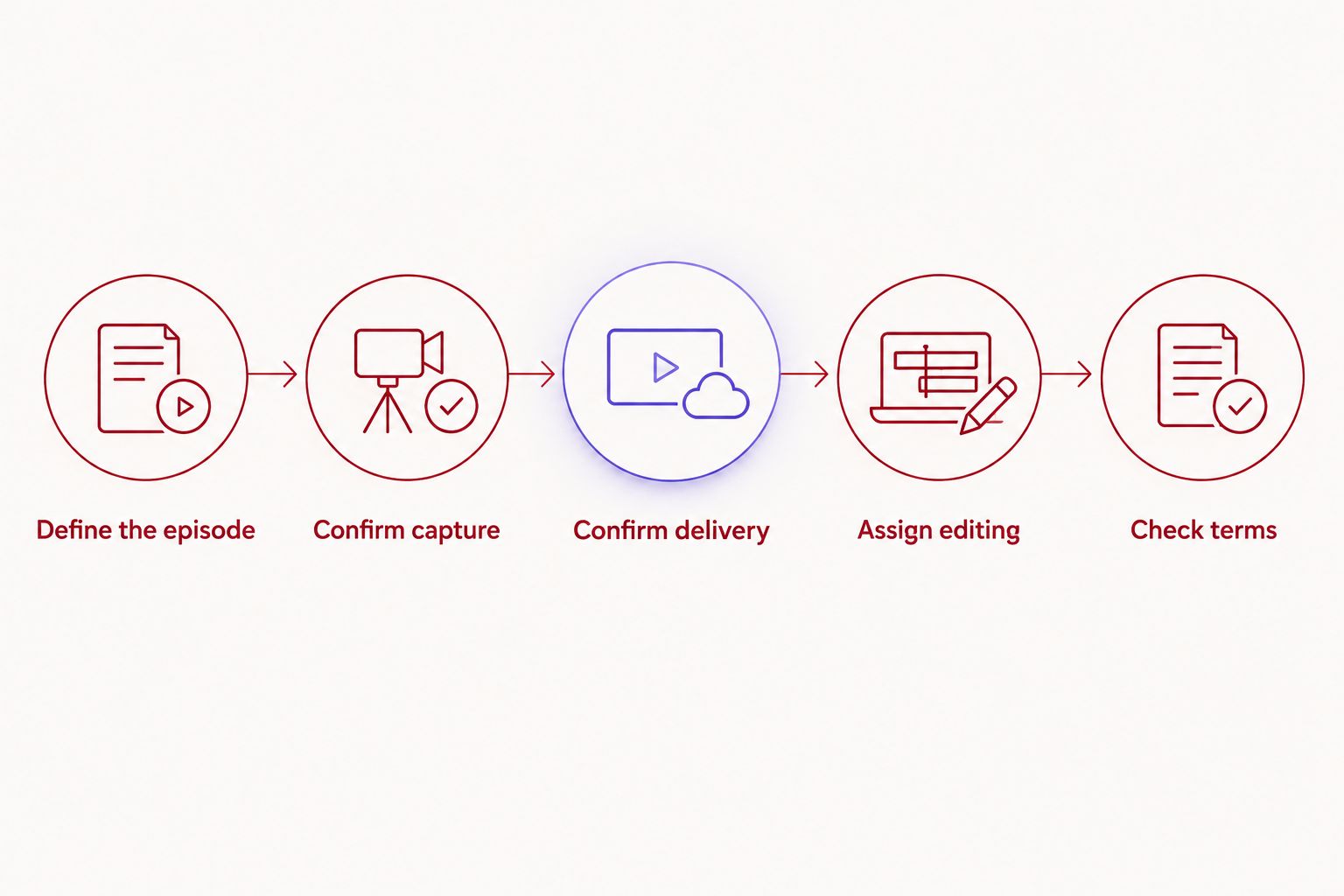
1. Define the episode
Write down the format, participants, and intended output. An interview, solo episode, and business discussion can place different demands on your preparation and production process.
Specify whether your final destination needs audio, video, or both. That decision should come before the studio booking, not after the recording is complete.
2. Confirm capture
Ask what the studio records and what you must do to start and stop the session. Confirm any requirements for remote participants or additional material you intend to bring.
Avoid treating equipment descriptions as a delivery promise. Knowing that cameras are present does not answer every question about the files you receive.
3. Confirm delivery
Ask how files reach you, what formats they use, and who receives access. Give those details to your editor before recording so the handoff is agreed in advance.
For Google Drive delivery, identify the person responsible for receiving and organizing the files. A clear handoff prevents uncertainty over who has the source material.
4. Assign editing
Name the person or service that will turn the recording into a finished episode. State whether the deliverables include an audio episode, a video episode, clips, or other versions.
Ask about revisions and approval responsibilities when commissioning editing. A shared definition of finished work is more useful than an undefined promise of production.
5. Check terms
Read the booking terms before committing. Confirm the session boundaries, cancellation conditions, and process for any requested changes.
Keep the written scope with your production plan. For repeat recordings in 2026, use that same brief as your comparison baseline and update it when the show changes.
Is studio time the same as finished episode time?
Studio time and finished episode time are different measures. Your reservation covers access under the booking terms. Your published episode contains only the material you choose to keep.
Plan for introductions, pauses, corrections, and any necessary checks. Do not build a session plan that assumes every moment in the room becomes part of the release.
Write a run of show before you book. Put the opening, discussion topics, guest transitions, and closing in order. Mark which material is essential so you can prioritize it during recording.
For a recurring show, keep the planning format consistent. Compare what you intended to record with what you actually captured, then use that experience to plan the next booking. Your own session history is a better scheduling guide than a generic promise about episode length.
Does a studio booking include podcast editing?
A studio booking includes editing only when the agreed scope says it does. Recording creates source material; editing turns selected material into the version you publish.
Ask what the editing service actually covers. Removing mistakes, cleaning audio, assembling video, adding supplied graphics, and creating clips are distinct tasks. Request the tasks you need rather than relying on the word edited.
Also identify who approves the result. A business episode that requires internal review needs a clear approval owner, whether editing happens inside the studio agreement or elsewhere.
In your 2026 production plan, assign a person to each stage: recording, file receipt, editing, approval, and publishing. A booking is easier to evaluate when every downstream task has an owner.
How do you keep a recording session focused?
Preparation should remove decisions from the recording room. Agree on the episode's purpose, send the guest the discussion topics, and decide what the audience should understand by the end.
Use these practical checks before leaving for the studio:
- Opening: Prepare the introduction and the first question.
- Discussion: Put the essential topics in a clear order.
- Accuracy: Check names, job titles, and factual statements you intend to use.
- Closing: Decide how the conversation ends and what action you will ask listeners to take.
- Handoff: Tell your editor which outputs you need and how files will arrive.
An outline gives the host direction without requiring every sentence to be scripted. Use a full script where exact wording matters, and leave room for natural follow-up questions elsewhere.
Do not add deliverables simply because the room supports recording them. An extra introduction or promotional segment still needs preparation, review, and editing. Capture additional material when you have a clear use for it.
FAQ
How much should I budget to record a podcast in Austin?
Budget for the complete scope: the studio booking, any production support you need, and the work required to finish the episode. Request a current written quote that identifies included services and separate responsibilities.
What's the best way to compare podcast studio quotes?
Compare quotes against the same recording brief and final deliverables. Confirm session boundaries, capture requirements, file delivery, editing, and booking terms before choosing.
Can I record a podcast without hiring a crew?
Yes. Justpushrecord offers self-serve podcast recording studios with one-button operation and three cameras. You still need to prepare the episode and arrange the work needed after file delivery.
Does a podcast studio rental include video editing?
Video editing is included only when the booking agreement explicitly includes it. Confirm the editing tasks, final outputs, and revision process rather than assuming camera capture includes a finished video.
How will I receive my podcast recording files?
Justpushrecord delivers recording files through Google Drive. Confirm the recipient, required file formats, and delivery terms before scheduling your publishing work.
Is renting a studio better than recording at home?
Renting fits creators who want to use a studio recording setup; home recording fits creators who want to manage their own space and equipment. Compare the responsibilities and required output before deciding.
Should I book based on my planned episode length?
Plan the reservation around the entire session, not only the finished episode. Account for the work that must happen in the room and confirm how it fits within the booking terms.
One last thing
Choose the file handoff before you choose the room. Ask your editor what source material is required, then confirm that the booking provides it. This puts the decision in the right order: finished output, required files, recording setup, reservation.
For your next 2026 recording, write the episode brief before requesting a quote. You will have a concrete basis for deciding what belongs in the booking and what your team will handle afterward.