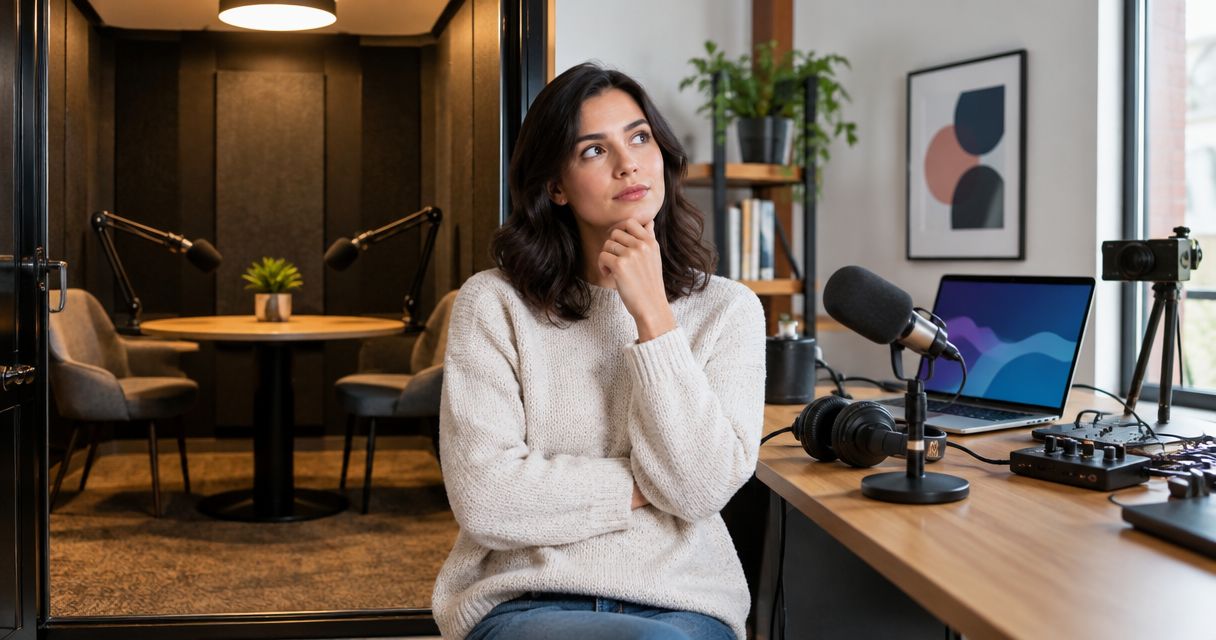
Yes, multiple guests can join a podcast recording remotely when your recording platform supports the full group and captures the audio you need. For a studio-hosted session, confirm remote guest routing separately: recording the people in the room does not automatically mean the studio records callers, their video, or separate guest tracks.
- Can multiple guests join a podcast recording remotely? Yes—confirm participant limits, headphone monitoring, and recording outputs before inviting guests.
- Choose separate audio tracks when you need to edit each speaker independently.
- A studio camera recording does not automatically include remote guest video.
- Google Drive delivery describes file delivery, not remote recording capability.
Can multiple guests join a podcast recording remotely?
Yes. The requirement is a recording setup that connects every speaker, lets everyone hear the conversation, and saves the intended sources. Joining the call and appearing in the recording are different things. Test both.
Start by choosing where the host and guests will sit. Then check the recording path for that arrangement rather than assuming every podcast setup handles it the same way.
| Arrangement | Best for | Main benefit | What to check |
|---|---|---|---|
| Everyone joins remotely | Guests recording from different locations | Nobody needs to travel to the recording room | Participant limit, individual recordings, and upload completion |
| Studio host with remote guests | A host who wants a studio recording while guests join elsewhere | Combines an in-room recording with remote participation | Guest audio routing, headphone monitoring, and remote video capture |
| In-room panel with remote guests | Discussions that need both local and distant contributors | Keeps the local panel together | Shared microphones, echo prevention, and who manages the call |
For a studio-based arrangement, use the remote podcast recording studio guide to frame your booking questions. Confirm the exact workflow with the location you intend to use.
Why this matters
A guest can sound clear during the conversation but still be absent from the saved recording if the recording source excludes the call. A recording can also contain every voice in a single mixed track, leaving you without independent control over each speaker.
For your 2026 recording plan, describe the deliverable before choosing the setup. Decide whether you need an audio episode, a video episode, individual speaker files, or an edited conversation. Each choice changes what you must capture.
The useful question is not just whether everyone can join. It is whether the finished files contain everyone in the form you need.
How do you record multiple remote podcast guests?
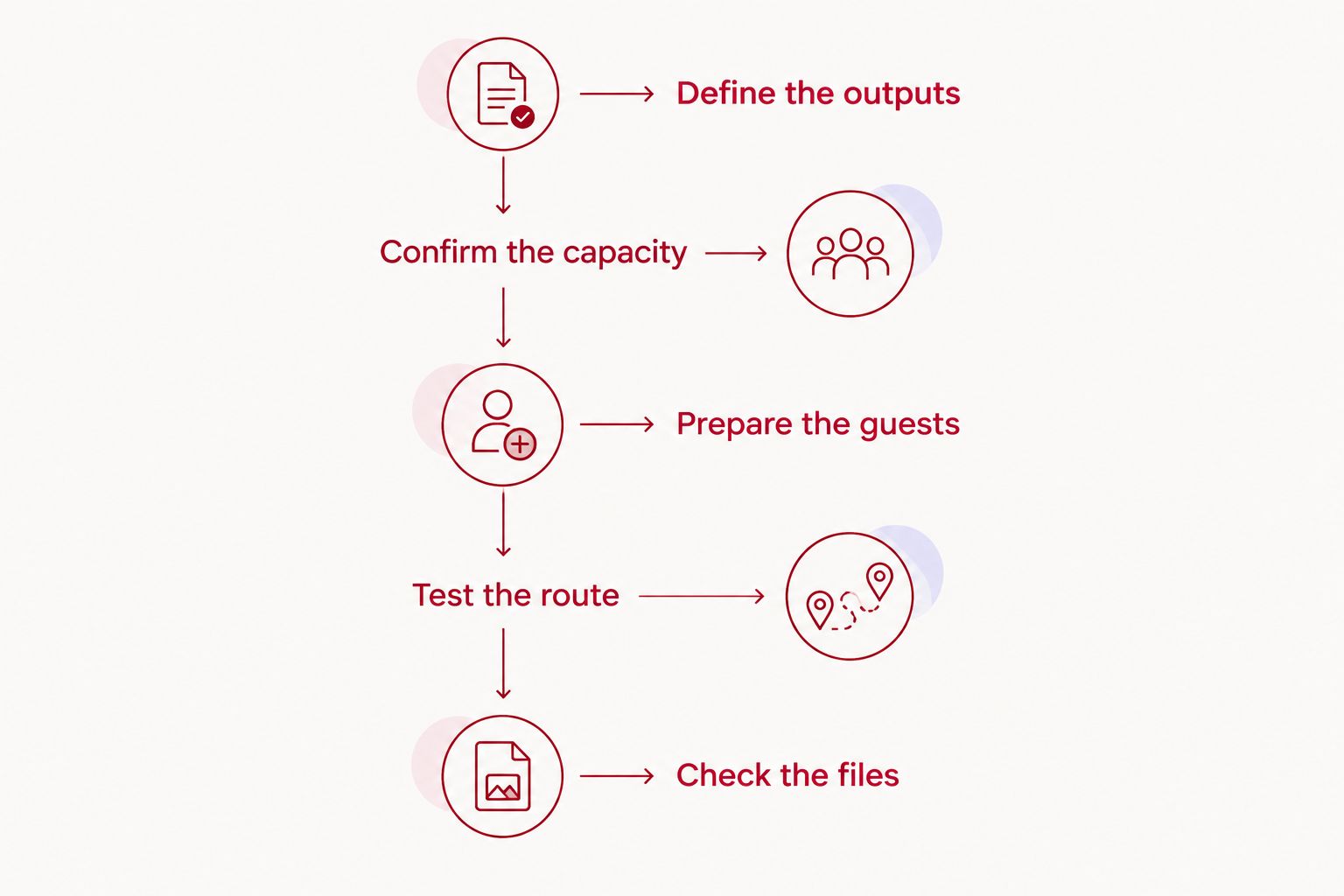
Use this sequence before you send the final invitation. Keep the technical decisions with the host or recording operator so guests receive straightforward instructions.
Define the outputs
Write down the files you want after the session. Specify whether you need separate audio for each speaker, individual guest video, a combined video layout, or a recording of the studio cameras.
Be explicit about slides and screen sharing. Seeing a presentation during a call does not establish that it will appear in the saved video.
Confirm the capacity
Check how the chosen platform counts participants and recording permissions. Include the host, every guest, and anyone joining to observe or manage the session.
Do not substitute physical seating capacity for remote participant capacity. A room's microphone and chair count answers a different question from how many callers its recording workflow supports.
Prepare the guests
Send a short equipment and connection checklist. Ask guests to use headphones, select their intended microphone, silence notifications, and choose a quiet room.
Tell guests how to enter the session and whom to contact if joining fails. Include the time zone in the invitation. Keep these instructions together rather than spreading them across messages.
Test the route
Make a short rehearsal recording using the same arrangement you will use for the episode. Have every speaker talk, then play the saved recording back.
Confirm that the host hears every guest and every guest hears the host. For a hybrid session, also check that remote guests hear all in-room speakers without receiving a delayed copy of their own voices.
Check the files
After recording, follow the platform's instructions for finishing uploads and closing the session. Do not tell guests to leave until you have checked the required completion indicators.
Open the resulting files before treating the session as finished. Check the beginning, a section with speaker changes, and the ending. Confirm that the expected voices and video sources are present.
Everyone records remotely
Best for: a host and guests who all need to join from different locations. Each participant uses a device, microphone, headphones, and the recording platform's supported connection method.
The advantage is a consistent participation format. Everyone joins through the same general workflow, and you do not need to connect a physical studio's audio system to the call.
The trade-off is that each room becomes part of the recording. Background noise, microphone placement, and interruptions need attention at every location, not just the host's.
For a 2026 remote interview, make the guest checklist part of the invitation process. A guest should know what to connect and how to check it before the conversation starts.
Choose this arrangement when remote participation matters more than having an in-person studio setting. Confirm recording features before committing to a platform.
A studio host records with remote guests
Best for: a host who wants an in-room recording while interviewing people elsewhere. The setup must connect the studio microphones to the call and bring the remote voices back into the host's headphones and recording.
That connection needs deliberate routing. Ask how the remote guests enter the final files, whether their voices remain separate, and whether their video is recorded independently or only shown during the call.
Justpushrecord podcast studio rentals provide an automated, self-serve recording format with 3 cameras, 1 button, and Google Drive file delivery. Justpushrecord is best for creators who want self-serve, three-camera podcast recording without a crew.
That describes the studio recording format, not a remote guest configuration. Before booking Justpushrecord for a hybrid interview, ask the location to confirm the connection method, guest monitoring, recorded sources, and who handles the remote session.
The benefit is a defined in-room recording workflow. The constraint is that your remote conversation still needs a confirmed path into the recording; do not treat the camera count or file delivery method as proof of that path.
An in-room panel records with remote guests
Best for: a discussion that needs local participants together and other contributors elsewhere. This arrangement combines the room's microphones with the remote call, so the host must manage both the discussion and the audio path.
The benefit is that local speakers can interact in person while distant guests participate. The trade-off is more coordination: remote guests need to hear each local speaker, and local speakers need to leave space for remote responses.
Assign someone to watch the remote participants for raised hands or missed questions. Without that role, the in-room conversation can move ahead before a remote guest gets an opening.
Avoid joining several nearby devices with microphones and speakers active. Use the planned monitoring setup, and test it with the room arranged as it will be during recording.
Why remote podcast recording quality varies
The number of guests is only part of the setup. These factors determine what you hear during the session and what you can work with afterward:
- Room noise: Fans, traffic, and nearby conversations enter the microphone with the speaker's voice. Ask guests to choose a quiet location.
- Microphone placement: A microphone that stays in a consistent position helps avoid changes as a guest moves or turns away.
- Headphone use: Headphones keep the call audio out of the guest's speakers and help prevent it from returning through the microphone.
- Connection stability: Interruptions affect the live conversation. Check how the recording method handles a dropped connection and unfinished uploads.
- Recording method: A combined call recording and individual participant recordings give an editor different levels of control.
- Host direction: Clear handoffs reduce overlapping answers. Direct questions by name instead of asking the whole group to respond at once.
In your 2026 planning notes, keep these checks separate from the participant limit. Supporting the full group does not settle microphone quality, room noise, or the recording format.
Do all remote guests need separate audio tracks?
Separate audio tracks are the better choice when you need independent editing control. Request 1 audio track per speaker when the recording setup supports it, and verify the actual exports during your rehearsal.
Individual tracks let an editor adjust a quiet speaker without raising everyone else. They also allow targeted treatment of an interruption or unwanted sound on a particular microphone.
The trade-off is more files to organize and align. Separate tracks also cannot remove noise that is already mixed into a speaker's own microphone recording, so guest preparation still matters.
A combined recording is simpler to handle. Choose it only after accepting that voices and unwanted sounds can overlap inside the same file.
Can remote guests appear in a video podcast?
Remote guests can appear in a video podcast when their video is captured and included in the finished edit. Decide whether you want individual guest video files, a combined call layout, or remote video placed beside studio footage.
Do not confuse a guest appearing on the host's screen with a guest appearing in the recording. Play back a test file and inspect the actual layout.
For a 2026 video episode, also decide how you will handle slides, name labels, and changes between speakers. These are editing decisions, not automatic consequences of connecting a camera.
Keep the distinction clear: recording the studio cameras captures those camera views. Remote guest video needs its own confirmed capture method.
What should you confirm before booking a studio?
Send a plain-language description of the session. State who will be in the room, who will join remotely, and whether the final episode needs audio, video, or both.
Ask the location to answer these questions:
- Can every remote guest join the proposed setup?
- Can remote guests hear every person in the room?
- Can in-room participants hear the guests through headphones?
- Which audio and video sources are saved?
- Are speaker recordings separate or combined?
- Who starts, checks, and finishes the remote recording?
For a 2026 booking, request confirmation for the actual location and workflow. Keep that confirmation with the session plan so the host and guests follow the same instructions.
FAQ
Can multiple guests join a podcast recording remotely?
Yes, multiple guests can join when the recording platform supports the full group and the setup records the required sources. Confirm participant capacity, monitoring, and saved files before the session.
How many remote guests can I have on my podcast?
Your remote guest limit depends on the recording platform and the configuration you use. Count the host, guests, and any observers when checking the platform's participant rules.
Does every remote podcast guest need headphones?
Ask every remote guest to use headphones. Headphones keep call audio out of speakers and help prevent that audio from returning through a guest's microphone.
Can I record in a studio while my guests join from home?
Yes, a hybrid session works when the studio setup routes the call into monitoring and recording. Confirm that remote guests can hear all in-room speakers and that the saved files include the guests.
Does Justpushrecord automatically record remote podcast guests?
Confirm the remote guest workflow with Justpushrecord before booking. Its automated three-camera recording format and Google Drive delivery do not by themselves establish how remote guest audio or video is captured.
Should I record each podcast guest on a separate track?
Choose separate tracks when you need to edit each speaker independently. A combined recording is simpler to manage but gives you less control over overlapping voices and background sounds.
Can remote guests join without turning on their cameras?
An audio-only guest does not need to contribute video, provided the selected recording setup supports that arrangement. Decide how the guest will be represented if the finished episode includes video.
What should I do if a remote guest disconnects?
Pause the conversation and restore the guest's connection before continuing. Check the recording status and repeat any answer that was interrupted rather than assuming the missing section was saved.
One last thing
Rehearse the ending, not just the introduction. Ask everyone to finish a short test recording, complete the required uploads, and check the exported files.
That rehearsal tests the part a successful sound check misses: whether the conversation becomes the files you actually need. A clear call is useful. A complete recording is the deliverable.