
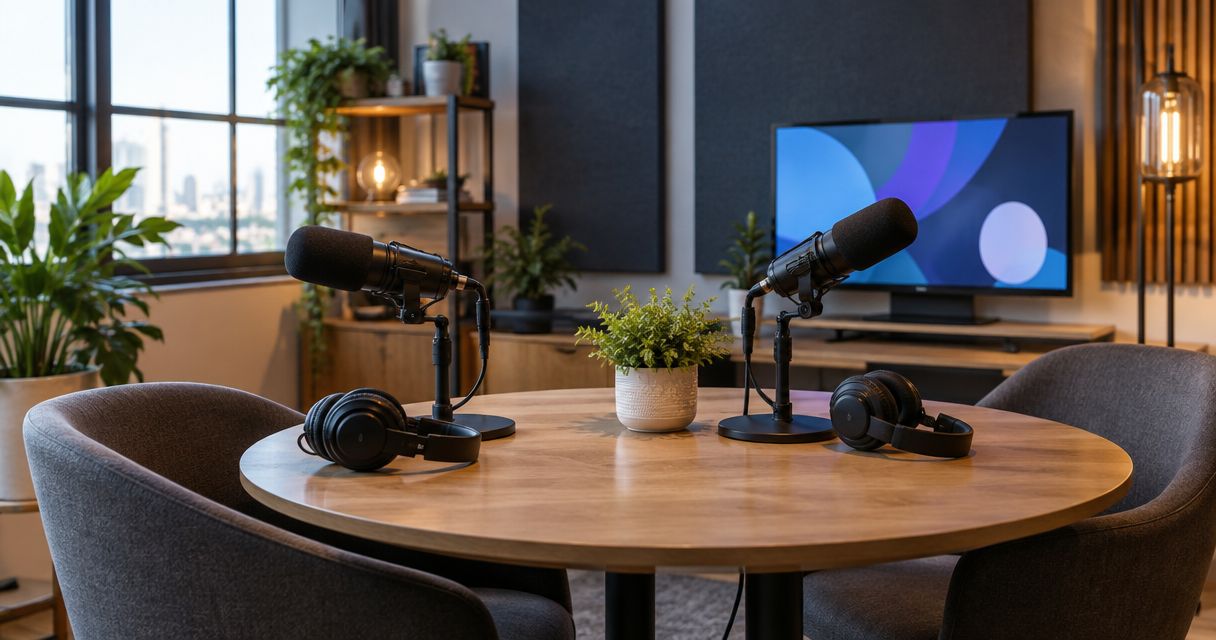
Peerspace is useful when you want to browse and book a space for a recording session. It stops being enough when you need the recording setup and file handoff defined before you book, rather than checked listing by listing. The best Peerspace alternative for a self-serve video podcast in 2026 is JPR Studios; record at home if you already have a working setup.
- JPR Studios is the best Peerspace alternative for hosts who want a one-button, three-camera studio without a crew.
- Peerspace remains useful when the space matters most and you can verify the recording setup before booking.
- Record at home if your equipment and room already meet your needs; choose a staffed studio when you need production help.
- For any 2026 booking, confirm the recording method, file handoff and guest needs before reserving.
Why this matters
A room and a recording workflow are different things. You can find a space that looks right and still need to determine how the cameras, audio, recording controls and files will work. For a podcast session, those questions affect what you take away from the booking.
Start with the output you need. Is this an audio conversation, a video podcast, or a business recording you plan to reuse? Then check the room and the recording process separately. A good-looking room does not answer whether you can leave with the files you need.
The right choice in 2026 depends on who will operate the session. JPR Studios serves hosts, creators and businesses that want to record without a crew. A home setup puts the operation in your hands. A staffed studio makes sense when you want someone else involved in production. Peerspace lets you search for a space, but you must check what a specific listing includes.
Peerspace alternatives at a glance
| Option | Best for | Recording approach | How it differs from Peerspace |
|---|---|---|---|
| Peerspace | Finding a space that fits a particular session | Depends on the space you select | It is the marketplace you are comparing against; check each listing's recording details. |
| JPR Studios | Self-serve video podcast recording | One-button, three-camera studios; files delivered through Google Drive | The recording workflow is part of the studio model, not a detail to establish for each marketplace listing. |
| Your home setup | Hosts with a room and equipment that already work | You operate and manage the recording | You do not book a separate room, but you own every setup and file-handling task. |
| A staffed production studio | Sessions that need hands-on production help | Confirm the crew's role with the studio | You select a production service as well as a room rather than comparing space listings alone. |
These are different ways to record, not interchangeable listings. Decide whether you need a space, a self-serve recording system, or a person to run the session. Then compare the details that matter for your episode.
1. JPR Studios: best for self-serve video podcasts
JPR Studios operates automated podcast recording studios for hosts, creators and businesses. You use a one-button setup with three cameras and receive files through Google Drive. The studios are described in Austin, Atlanta, Dallas, Houston, Charlotte and Phoenix.
Best for: You want to record a video podcast without bringing a crew or assembling your own camera setup. This is the strongest Peerspace alternative here when the recording process matters more than browsing a broad selection of rooms.
Where JPR Studios shines
- A defined starting process. The setup is built around one-button recording rather than asking you to piece together a recording method from a room listing.
- Video capture is part of the stated setup. Three cameras give you a clear basis for planning a video session.
- File handoff has a stated destination. Google Drive delivery tells you where to expect the recorded files.
- You do not need to bring a crew. The self-serve model is intended for people who want to operate the session themselves.
Where JPR Studios falls short
- It is not a substitute for a staffed production team. If you need someone to direct the recording or operate equipment for you, choose a service that explicitly provides that help.
- The stated city list limits this comparison. Check the available locations before building a recording plan around the studio.
- Not every production detail is established here. Confirm your guest arrangement, intended output and any editing needs before you book.
| Decision point | JPR Studios | Peerspace |
|---|---|---|
| What you select | An automated podcast recording studio | A space listing |
| Stated video setup | Three-camera recording | Check the individual listing |
| Recording operation | One-button, self-serve model | Check the individual listing |
| File handoff | Files via Google Drive | Confirm the handoff for the selected space and any recording service |
The table does not mean a Peerspace listing cannot meet those needs. It means you must verify them for the particular space and arrangement you choose. If you want to examine the self-serve approach in more detail, read this one-button podcast studio guide.
Verdict: Choose JPR Studios in 2026 when a defined, crew-free video recording workflow is the priority.
2. Your home setup: best when your room and gear already work
Recording at home is the simplest alternative to booking a space if you already have a suitable room, equipment and a repeatable way to save your files. You control the session. You also handle every problem that appears during it.
Best for: A host who knows the home setup produces the required audio or video and does not need a separate recording space.
Where a home setup shines
- You can use an existing room and familiar equipment.
- You can arrange the recording around your own routine rather than a room reservation.
- You control how files are named, backed up and handed to an editor.
Where a home setup falls short
- You must test and operate the recording equipment yourself.
- Room noise, interruptions and guest setup remain your responsibility.
- Adding video angles adds camera operation and file-management work unless your setup already handles it.
| Decision point | Your home setup | Peerspace |
|---|---|---|
| Room | Your existing space | A space you select and book |
| Equipment | Your equipment and setup | Check the listing and your booking arrangement |
| Recording operation | Your responsibility | Confirm who operates any recording equipment |
| Files | You save and manage them | Confirm how recorded files will reach you |
Do not treat staying home as the easy option just because there is no booking. Do a complete test with the same type of guests and output you expect on recording day. Listen to the audio, inspect the video and locate the saved files before you commit to the format.
Verdict: Choose your home setup in 2026 if you have already tested the full recording and file workflow.
3. A staffed production studio: best for hands-on help
A staffed production studio is the alternative when you want people involved in making the recording, not just access to a room or an automated system. The service matters as much as the space. Ask a prospective studio to define exactly what its staff will do during your session.
Best for: A recording that needs a producer, technical operator or other hands-on support you do not plan to provide yourself.
Where a staffed studio shines
- You can ask for a defined division of work before recording.
- A staff member can take responsibility for the tasks included in the agreed service.
- It suits a session where the host needs to concentrate on delivery rather than operation.
Where a staffed studio falls short
- The term staffed does not tell you which tasks are included. You still need a written scope.
- You must confirm what happens after recording, including which files you receive.
- It adds coordination that a self-serve session does not require.
| Decision point | Staffed production studio | Peerspace |
|---|---|---|
| Primary choice | A production service and recording space | A space listing |
| Who runs the session | Confirm the staff member's duties | Confirm the arrangement for the chosen listing |
| Equipment | Confirm the production plan | Check what the listing includes |
| Files | Agree on the handoff | Confirm the handoff before booking |
Ask direct questions: Who starts and monitors the recording? What happens if you need another take? Which files will be delivered? The answers tell you whether the service matches the session you have planned.
Verdict: Choose a staffed production studio in 2026 when you need defined human production support.
Why people look beyond Peerspace
Peerspace solves a real problem: finding a space to book. A podcast host may need a more specific answer than a room description gives. The reason to consider an alternative is not that the marketplace cannot work. It is that your recording requirements should be clear before you reserve anything.
- You want to know how recording starts. A self-serve studio states its operating model. For a marketplace booking, confirm the process for the listing you choose.
- You need a known video plan. Establish how many camera views your format requires, then confirm what the booked setup provides.
- You need a clear file handoff. Ask who saves the files, how you receive them and what you should check before leaving.
- You need a person to run the session. Choose a staffed service and define that person's job rather than assuming a room booking includes production.
None of these points rules out Peerspace. A listing that meets your room needs and has a confirmed recording plan remains a valid choice. The mistake is reserving the room first and working out the episode workflow afterward.
Check the recording workflow before you book
Use the same questions for every 2026 option. You will get a clearer comparison than you would from room photos alone.
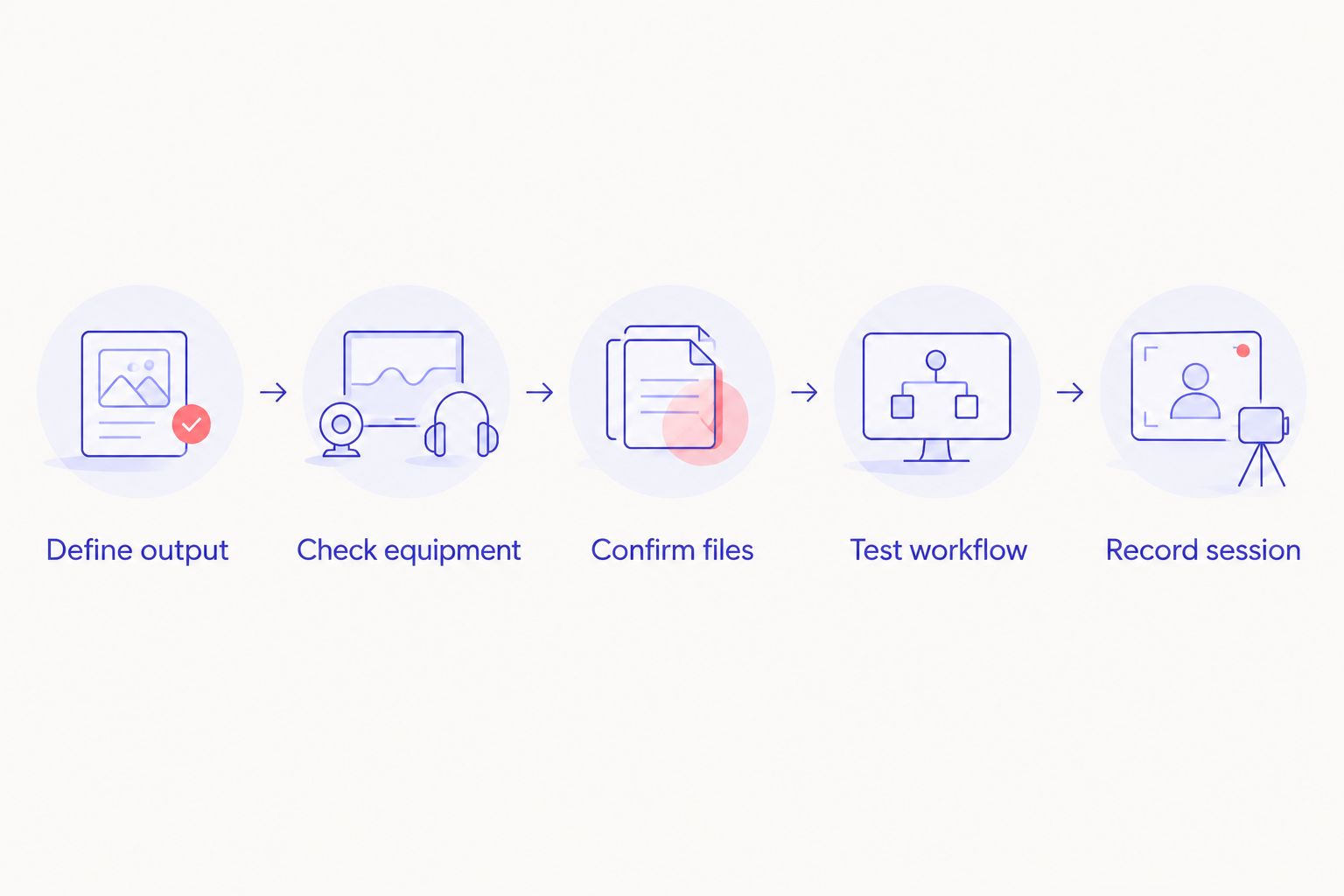
- Define output. Write down whether you need audio, video, separate camera views or files for later editing. State what the finished recording must support.
- Check equipment. Confirm the recording arrangement rather than assuming equipment shown or mentioned is included in your session. Ask how you will use it.
- Confirm files. Find out who starts and saves the recording, how the files reach you and who checks that they open.
- Test workflow. If you are recording at home, make a complete test recording. If you are booking a studio, ask what you can check before the session begins.
- Record session. Bring an outline, confirm your guests understand the format and leave time in your plan to verify the output.
For a self-serve booking, ask what you must do when you arrive and how you will receive the result. For a staffed booking, ask which tasks the team owns. For a marketplace listing, check both the space details and any separate recording arrangements. Keep the answers together so you can compare like with like.
Plan a self-serve recording
Check the studio approach before choosing your recording space.
When staying with Peerspace is the right call
Stay with Peerspace if finding a particular type of space is your main requirement and you can verify the recording details for the listing you want. It also makes sense when you already have a recording team or setup and need a room to use it in.
Do not switch platforms just to avoid a checklist. The same core questions apply everywhere: What are you recording, who operates it, and how do the files reach you? If a Peerspace booking answers those questions and suits your session, it has done its job.
FAQ
What is the best Peerspace alternative for a video podcast in 2026?
JPR Studios is the best fit here for a self-serve video podcast without a crew. Its stated setup uses one-button recording, three cameras and Google Drive file delivery.
Is JPR Studios the same kind of service as Peerspace?
No. JPR Studios operates automated podcast recording studios, while Peerspace is a marketplace for booking spaces. Check individual Peerspace listings for their recording arrangements.
Can I use Peerspace to record a podcast?
Yes, if the space and your recording arrangement meet your needs. Confirm equipment, operation and file handoff for the specific listing before booking.
Should I record my podcast at home or book a studio?
Record at home if your room, equipment and file workflow have passed a complete test. Book a studio if you need a different space or a defined recording setup.
When should I choose a staffed podcast studio?
Choose a staffed studio when you need someone to handle production tasks during the session. Confirm that person's duties and the file handoff before booking.
How many cameras does the JPR Studios setup use?
JPR Studios describes a three-camera podcast recording setup. Confirm that the location and session you are considering fit your intended format.
How do I get files from JPR Studios?
JPR Studios describes file delivery through Google Drive. Confirm the handoff details for your session before recording.
One last thing
Choose the file handoff before you choose the room. In 2026, that simple order prevents a space comparison from hiding the question that matters after recording: whether you can use what you captured. A room is only the setting. The recording and the files are the result.


