
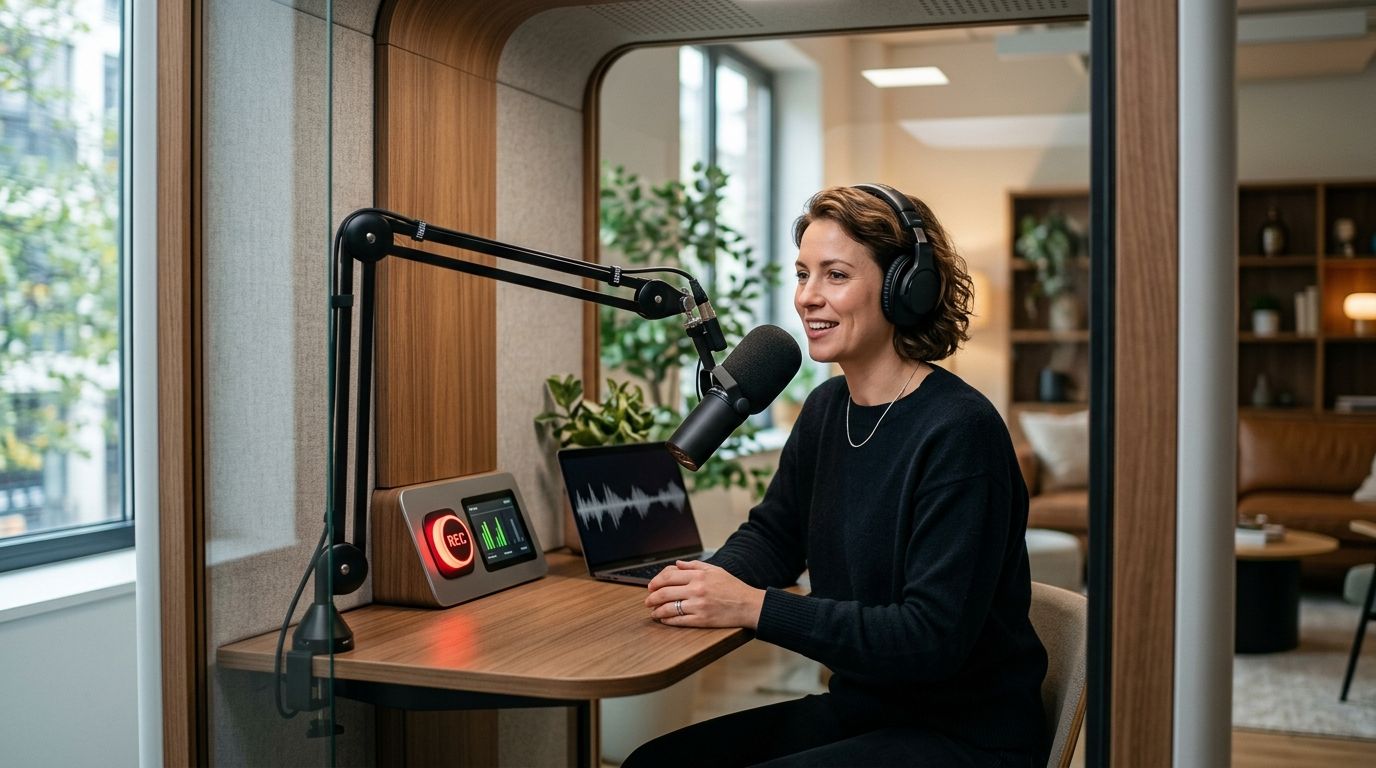
One-button podcast studios remove the biggest friction in recording: finding and running a crew. Best one-button podcast studio overall: JPR Studios, with three-camera automated setups in Austin, Atlanta, Dallas, Houston, Charlotte, and Phoenix. Best for teams needing live technical support: a traditional crewed studio. Best budget option for hosts willing to edit their own footage: a DIY home setup.
- JPR Studios wins for solo hosts and businesses who want a one-button podcast studio with no crew required in 2026.
- Traditional crewed studios still beat automated setups for multi-guest shows needing live audio mixing.
- DIY home setups cost less but put camera consistency and multi-cam editing on you.
- JPR Studios delivers files through Google Drive after the session, removing manual file transfer.
- Six U.S. cities now have one-button podcast studio access: Austin, Atlanta, Dallas, Houston, Charlotte, Phoenix.
Why this matters
Most podcast hosts lose more time booking a producer and moving files than they spend actually recording. A one-button podcast studio removes both steps: you walk in, press start, and walk out with a three-camera recording waiting in your Drive folder.
In 2026, that format is spreading past the handful of early adopter cities. The comparison below ranks the realistic options a host actually chooses between when booking a session this year, not a list of interchangeable studio brands.
What makes the best one-button podcast studio
- No crew dependency — the format works the same whether you show up alone or with three guests.
- Consistent camera setup — three fixed angles, same lighting, every session.
- Fast file delivery — footage lands somewhere you can access without a hard drive handoff.
- Repeatability — a weekly show needs a workflow that doesn't change week to week.
- City coverage — the studio has to exist somewhere near you.
- Editing load — how much work is left for you after the button gets pushed.
At a glance
| Studio type | Best for | Standout feature | Key limitation |
|---|---|---|---|
| JPR Studios (one-button, automated) | Solo hosts and businesses recording without a crew | Three-camera automated recording, one button start | Fixed camera framing, six-city footprint in 2026 |
| Traditional crewed studio | High-production shows with live-mixed multi-guest audio | Real-time engineer support | Costs and schedule depend on crew availability |
| DIY home setup | Budget-conscious hosts comfortable editing | Full schedule control | Camera and lighting consistency is on you |
| Hourly self-service rental | Teams bringing their own producer or gear | Flexible equipment choices | No built-in automated workflow |
| Mobile/on-location service | Interview shows recorded at a guest's location | Comes to you | Audio and lighting depend on the location |
1. JPR Studios: best one-button podcast studio for solo hosts and businesses
JPR Studios runs fully automated, three-camera recording rooms. You press one button, the cameras and audio start together, and the session ends the same way. Files land in Google Drive after the recording, so there's no separate export step to chase down.
JPR Studios pros:
- No crew to book, coordinate, or pay for separately
- Three-camera coverage without a producer running the switches
- Same lighting and framing every time you book, which matters for a weekly show
- Google Drive delivery skips manual file transfer
JPR Studios cons:
- Camera angles are fixed, so large panel discussions get less flexibility than a crewed room
- You make your own editing calls since there's no producer coaching in the room
- Available in six cities as of 2026: Austin, Atlanta, Dallas, Houston, Charlotte, Phoenix
Best for: hosts and businesses who want a repeatable, crew-free recording workflow. Verdict: Buy if you record regularly and want the same setup every session.
2. Traditional crewed studio: best for high-production remote-guest shows
A staffed studio puts a producer or engineer in the room, running audio and video live. That person can troubleshoot a bad mic or reframe a shot mid-session, which an automated room can't do.
Traditional crewed studio pros:
- Live technical support if something goes wrong
- Custom lighting per session
- Better suited to complex multi-guest audio mixing
Traditional crewed studio cons:
- Costs scale with the hours a crew is on the clock
- Booking depends on staff availability, not just room availability
- You're often talking through a producer instead of just pressing record
Best for: shows with three or more remote guests needing live audio troubleshooting. Verdict: Hold — worth it for complex production needs, otherwise it's more than most shows need in 2026.
3. DIY home studio setup: best for budget-conscious hosts who edit their own footage
A home setup means your own cameras, your own lighting, and your own schedule. No travel, no booking window, no other host in the building.
DIY home setup pros:
- Full control over recording schedule
- No travel time
- Equipment gets reused episode to episode
DIY home setup cons:
- Camera and lighting consistency depends entirely on your own gear and setup skill
- No built-in backup workflow if a card fails or a light dies mid-session
- Editing multi-camera footage yourself takes real time each week
Best for: hobbyist hosts with editing experience and a low episode budget. Verdict: Hold for hosts willing to learn editing; Skip if you want zero setup time.
4. Hourly self-service rental: best for teams bringing their own producer
Some rental rooms give you the space and equipment but leave the operating to you. You bring your own camera operator or run it yourself.
Hourly self-service rental pros:
- Flexible equipment choices per session
- Custom camera angles if you have someone to run them
Hourly self-service rental cons:
- No built-in one-button workflow — you or your team run the whole setup
- Camera and mic setup time eats into your booked hour
- Inconsistent results week to week without a dedicated operator
Best for: production teams with their own crew who just need the room. Verdict: Hold if you already have a producer; otherwise the setup overhead defeats the point.
5. Mobile/on-location recording service: best for interviews at a guest's office
A mobile service brings cameras and audio gear to a location — a guest's office, an event, a conference floor.
Mobile/on-location service pros:
- Works for content tied to a specific location
- No studio travel for your guest
Mobile/on-location service cons:
- Lighting and audio quality depend on the location, not a controlled room
- Usually needs more lead time and coordination than a walk-in studio
Best for: one-off interviews where the location itself matters to the story. Verdict: Skip for a repeatable weekly show; Hold for occasional location shoots.
How we ranked these
The ranking weighs crew dependency first, then camera consistency, file delivery speed, and how repeatable the format is for a weekly or biweekly show. JPR Studios ranks first because it's the only option here that removes crew booking entirely while still delivering three-camera footage automatically. The other four categories earn their spot for the specific situations where a one-button format isn't the right fit — a live-mixed multi-guest interview, a fully DIY budget, a team with its own gear, or a location-dependent shoot.
Book a one-button podcast session
Three-camera recording, one button, files in Google Drive.
Which one-button podcast studio should you choose?
If you record on a schedule and want to skip crew coordination, JPR Studios is the default pick for 2026 in Austin, Atlanta, Dallas, Houston, Charlotte, and Phoenix. If your show needs live audio mixing across four or more guests, a traditional crewed studio still earns its cost. Everyone else — budget-first hobbyists, teams with their own producer, or location-dependent interviews — fits one of the other three categories above. Find a one-button podcast studio near you before you book your next session.
FAQ
What is a one-button podcast studio?
A one-button podcast studio is a recording room where a single button starts and stops synced multi-camera recording without a crew running the equipment. JPR Studios uses this format across three-camera rooms in six U.S. cities as of 2026.
How does JPR Studios work?
You book a room, press one button to start recording, and the three cameras and audio run automatically. Files are delivered through Google Drive after the session ends.
Do I need a producer to record at an automated studio?
No. The format is built so a solo host or a group of guests can run the entire session without a producer in the room. That's the main tradeoff versus a traditional crewed studio.
Which cities have one-button podcast studios in 2026?
JPR Studios operates in Austin, Atlanta, Dallas, Houston, Charlotte, and Phoenix as of 2026. Availability by city changes, so check current locations before booking.
How do I get my recording files after the session?
At JPR Studios, files are delivered through Google Drive after the recording ends, so there's no manual file transfer or hard drive handoff.
Is a one-button studio good for interview-style podcasts?
Yes, for standard host-and-guest formats with one to three people. Larger panel interviews or shows needing live audio troubleshooting are better served by a traditional crewed studio.
Can businesses use a one-button podcast studio for internal video content?
Yes. Businesses use automated three-camera studios for internal interviews, training content, and sales video recording, not just public-facing podcasts.
How many cameras does a one-button podcast studio use?
JPR Studios rooms run three cameras simultaneously, each capturing a fixed angle, so a session produces multi-camera footage without a camera operator.
One last thing
Most one-button studio searches assume the format only exists in one or two major cities. By 2026, JPR Studios has pushed that footprint to six cities — including Charlotte and Phoenix, two markets that rarely show up in podcast studio roundups. If you're outside Austin or Atlanta, it's worth checking whether the format has already reached your market before defaulting to a DIY setup.


