
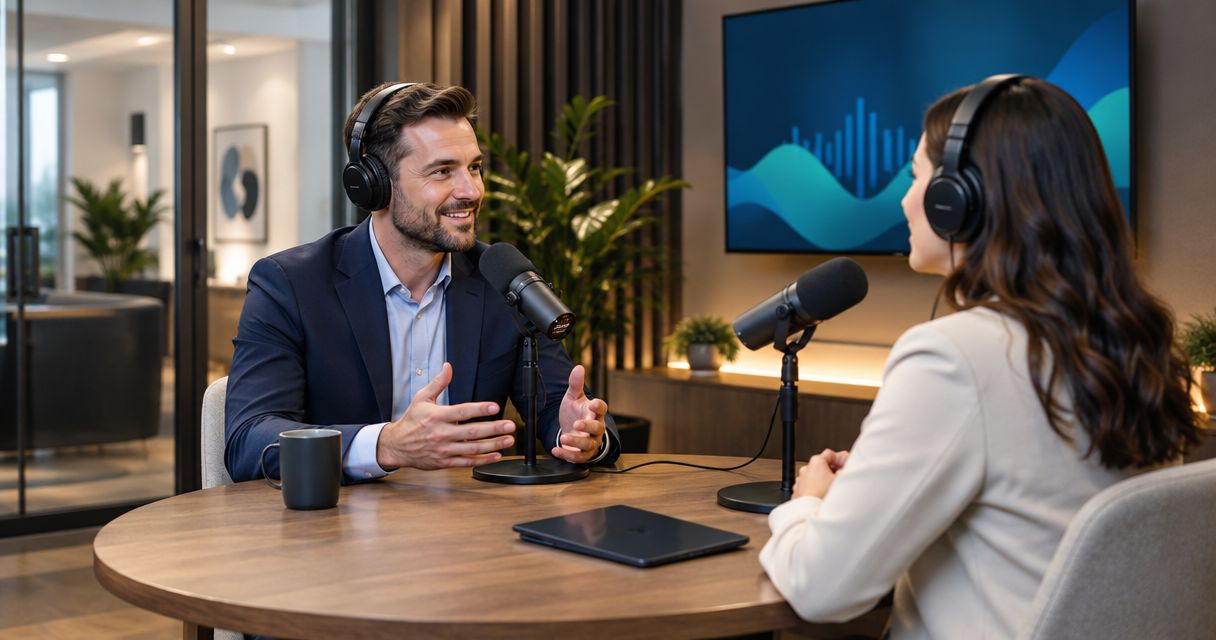
Financial advisors’ podcast studio rental is a way to record client education and business interviews in a dedicated space with the aim of explaining financial decisions clearly. This 2026 guide covers booking, preparation, recording, and review, with special attention to client privacy, financial claims, and publication approval.
- Podcast studio rental for financial advisors should fit your recording format, privacy requirements, and approval process.
- Justpushrecord suits advisors seeking self-serve, three-camera podcast recording without a crew.
- Prepare your financial education outline before booking; separate recording from compliance review and publication.
- Confirm file delivery, participant capacity, and session instructions before committing to a studio.
Why podcast studio rental matters for financial advisors
A financial advisor needs more than a room with microphones. You need a recording workflow that leaves room for accurate explanations, appropriate disclosures, and review before publication. A polished recording does not make an unsupported financial claim acceptable.
Justpushrecord podcast studio rental is best for financial advisors who want self-serve, three-camera recording without a crew. Justpushrecord operates automated, one-button studios and delivers recording files through Google Drive. The recording model removes the need to bring a crew; your firm still owns preparation, review, and publication decisions.
For your 2026 podcast plan, define the audience before choosing the room. A retirement education episode needs different preparation from an interview with a business owner. Both need a clear boundary between general education and advice about a listener’s circumstances.
Your studio choice should support that boundary. Confirm how files are delivered, who receives access, and how your team will move recordings into its approved review and retention process. Do not assume a rental includes editing, compliance review, or publishing.
How to plan and record your advisor podcast
1. Define the listener and the episode’s purpose
Start with a document, not a booking. Write a 1-page episode brief naming the listener, the question you will answer, and the action you want the listener to take. Keep the action appropriate to the subject: understand a concept, gather documents, or discuss a decision with a qualified professional.
Avoid an episode that tries to cover retirement, taxes, insurance, and investing at once. A narrow question gives the host a useful stopping point. It also makes the recording easier to review because the episode has a defined scope.
For a 2026 series, distinguish evergreen explanations from material that depends on current rules or market conditions. Date-sensitive claims need a source check before recording and again before publication.
- Name the audience in plain language, such as business owners preparing for retirement.
- Write the episode’s main question at the top of the brief.
- List 3 supporting questions that keep the discussion on topic.
- Mark claims that require a current primary source.
- Choose an educational call to action your firm can approve.
2. Set your review and privacy boundaries
Build the approval process before you record. Ask your firm’s compliance contact which policies apply to podcasts, video clips, guest statements, disclosures, and record retention. Use those answers to shape the outline rather than trying to repair the episode afterward.
Do not treat a generic disclaimer as permission to discuss anything. The substance of the recording still matters. Specific requirements depend on your registration, affiliations, content, and firm policies; get the applicable instructions from the person responsible for approval.
Use hypothetical examples that cannot identify a client. Removing a name does not remove every identifying detail. An employer, unusual transaction, family circumstance, or account value can make a story recognizable.
- Assign a named reviewer before the recording date.
- Confirm which topics need advance outline approval.
- Remove client-identifying details from examples and notes.
- Verify how testimonials, endorsements, and performance discussions must be handled.
- Define where approved recordings and supporting sources will be retained.
3. Match the studio to your recording format
Begin with your existing equipment and a rehearsal. Record a short sample, listen for room noise, and check whether every participant can be heard clearly. This establishes what you need a rental to solve: recording space, camera setup, technical operation, or in-person guest logistics.
Justpushrecord’s podcast studio rental offers a faster setup path through automated, one-button recording, 3 cameras, and Google Drive file delivery. Its stated model suits hosts who want to record without a crew. It is not a substitute for deciding who will edit, review, and publish the material.
The studio network includes Austin, Atlanta, Dallas, Houston, Charlotte, and Phoenix. Confirm the details of the specific location you intend to use. Do not assume every room supports the same participant arrangement or every workflow you have in mind.
For a broader format comparison, review these podcast studios for business podcasts. Choose based on the recording you need, not on equipment language you do not use.
- State whether the episode is solo, a conversation, or an interview.
- Confirm the room supports your planned participant count.
- Ask what audio and video files the session produces.
- Check how access instructions and recording controls are provided.
- Identify any editing or production work you need separately.
4. Prepare the host and guest before booking
Build a loose outline in a shared document. Full scripts suit statements where wording must remain exact; question outlines suit conversations. Label required wording separately so the host knows which sections allow improvisation.
A guest’s expertise does not remove the need for preparation. Explain the audience, the topic boundary, and the review process. Ask the guest to flag statements that depend on current rules, specific products, or individual circumstances before the session.
Prepare 2 opening takes: one concise version and one conversational version. This is a planning choice, not a studio requirement. Having an alternative opening gives your editor a choice without changing the episode’s factual content.
- Send the guest the episode brief and question outline.
- Identify terms that need a plain-language explanation.
- Separate approved disclosure wording from conversational notes.
- Agree on topics that are outside the episode’s scope.
- Confirm participant permissions and publication expectations.
5. Confirm the booking and file handoff
Treat the booking as an operating plan. Record the location, access instructions, session boundaries, participant arrangements, and delivery expectations in one document. Check the current booking terms directly before committing.
Ask who receives the files and what happens after delivery. For a financial advisory business, file access belongs in the same discussion as client privacy and internal review. A convenient transfer method still needs to fit your firm’s approved systems.
Justpushrecord delivers files through Google Drive. Confirm that your firm accepts this delivery method and decide who will transfer recordings into your internal process. Do not assume the studio supplies your archive or manages your access controls.
- Verify the exact location and entry instructions.
- Confirm the booked session’s start and finish boundaries.
- Ask what recording files and formats you receive.
- Name the person responsible for receiving the files.
- Confirm delivery expectations and any separately required services.
- Check cancellation, rescheduling, and recording-data terms directly.
6. Record with clear stopping points
Use the studio’s instructions rather than improvising the equipment setup. At the start, check that each participant understands the recording controls and the intended conversation format. Follow any available test procedure before beginning the episode.
Pause when a statement is wrong. Restate the complete sentence rather than correcting only a word. A complete replacement gives the editor a clear passage to use and gives the reviewer enough context to judge the claim.
Use the same rule for dates, definitions, and disclosures. If you cannot verify a financial statement during the session, leave it out or mark the passage for review. Do not fill the gap with a confident guess.
- Keep the approved outline visible during the conversation.
- Follow the studio’s microphone and camera instructions.
- Restate inaccurate passages as complete sentences.
- Mark uncertain claims in your session notes.
- Leave a clear pause between separate takes.
- Record the closing action without adding an unapproved offer.
7. Review the recording before creating clips
Keep recording, approval, and publication separate. For your 2026 workflow, first check that the delivered files open and contain the intended session. Then send the episode, transcript if available, and supporting sources through your firm’s review process.
Review clips as standalone material. A short excerpt can lose the qualification that made the full answer accurate. Captions, titles, thumbnails, and descriptions also need to match the approved meaning of the recording.
Use a simple status sheet to distinguish the original recording, edited version, approved version, and published asset. Assign an owner to each handoff. This prevents a convenient draft from being mistaken for the version cleared for release.
- Verify file completeness before starting the edit.
- Check names, dates, financial terms, and factual claims.
- Record reviewer feedback against the relevant passage.
- Review each clip with its own title and caption.
- Store approval records with the corresponding final asset.
- Publish only the version cleared through your firm’s process.
The publishing sequence is straightforward: record, review, approve, then publish. Keep those stages visible in your production checklist so a successful recording never becomes an accidental release.
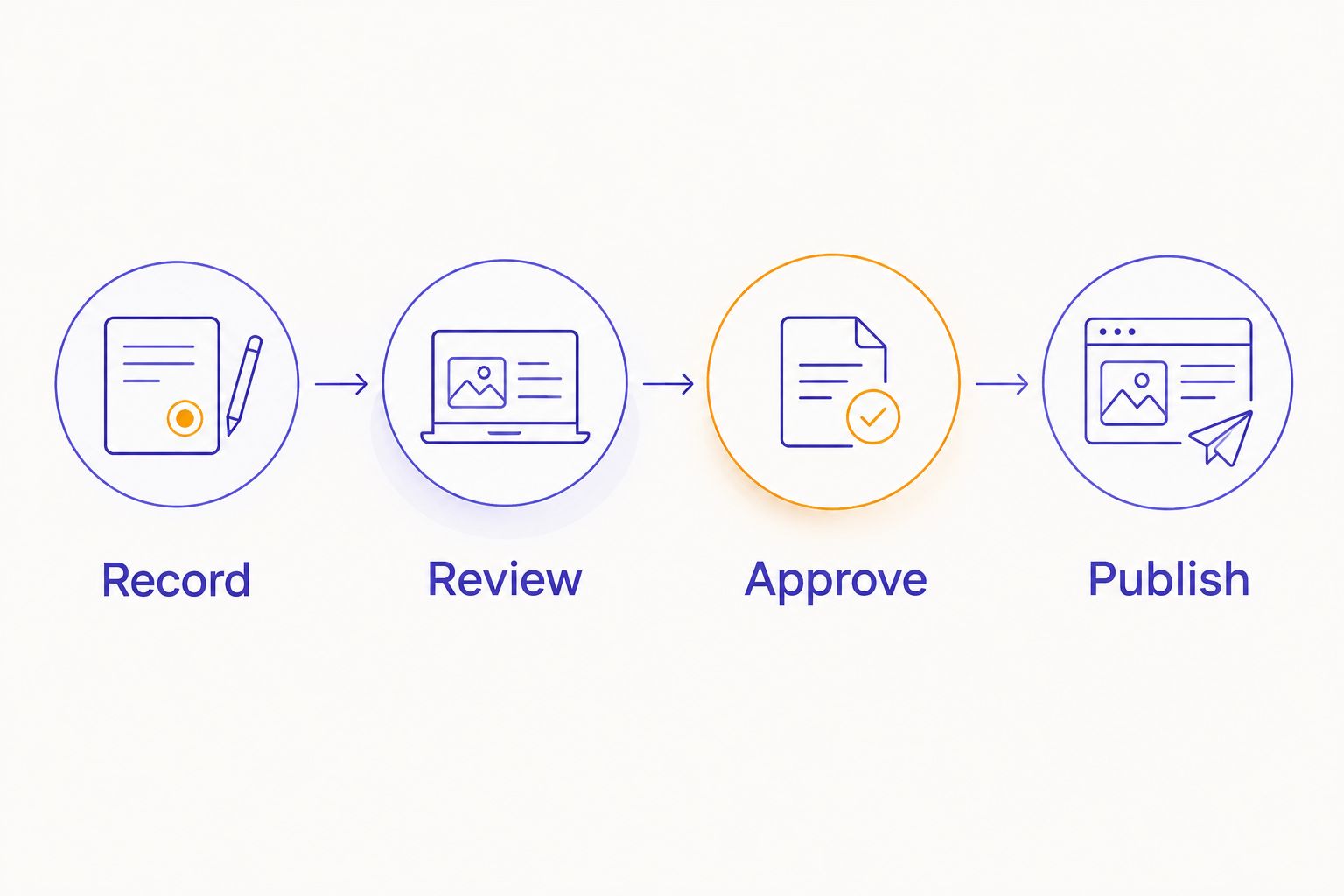
Compare recording options for financial advisors
Choose the option that solves your production problem without confusing it with compliance support. Equipment ownership, studio operation, editing, and publication approval are separate responsibilities. Write down who owns each one before choosing a format.
The following comparison describes workflow choices, not individual competitors. For any provider, confirm the specific service scope before booking.
| Option | Best for | Main advantage | Key limitation |
|---|---|---|---|
| Home or office recording | Advisors who want to control their own setup | You can rehearse and record in a familiar space | You manage equipment, room noise, backups, and camera setup |
| Automated studio rental | Advisors seeking self-serve, in-person recording | A dedicated recording workflow separates the session from your office setup | Your team must plan the episode and confirm post-production responsibilities |
| Staffed production session | Advisors who want an operator involved | You can assign agreed recording tasks to production staff | You must confirm exactly which recording, editing, and delivery tasks are included |
| Remote interview recording | Advisors interviewing guests in different locations | Participants do not need to meet in one room | Each participant’s environment and connection need preparation |
Justpushrecord fits the automated studio option. Its one-button, three-camera model addresses recording operation; it does not remove your responsibility for financial accuracy, guest preparation, or approval.
For your 2026 booking, ask a practical question: which tasks do you want the provider to handle, and which tasks will your team own? If those responsibilities are unclear, resolve them before reserving the session.
Common mistakes financial advisors make
Treating the studio as the compliance process
A studio produces recording files. Your firm decides what is suitable for publication. Assign review ownership before booking, including ownership of the episode, clips, descriptions, and promotional copy.
Using client stories with recognizable details
A story can identify someone without naming them. Replace real circumstances with a clearly hypothetical example, or follow your firm’s approved process for using client material. Do not improvise consent during an interview.
Recording market commentary without dated sources
A statement recorded for a 2026 episode can become outdated before release. Keep the source and its publication date beside each time-sensitive claim. Recheck those claims at approval, especially if the publication schedule changes.
Cutting away the qualifying explanation
An isolated sentence can mean something different from the full answer. Review every excerpt independently. Keep the limitation in the clip or choose a different passage; do not rely on listeners finding the full episode.
Booking before assigning the file owner
Delivery is not the end of production. Name the person who receives files, checks completeness, coordinates edits, and submits the final version for approval. A clear handoff prevents recordings from sitting untouched or circulating as unapproved drafts.
FAQ
What is podcast studio rental for financial advisors?
Podcast studio rental for financial advisors is access to a dedicated recording space for financial education, interviews, and business content. Choose the studio around your participant format, file requirements, and firm’s approval process.
Is an automated podcast studio suitable for a financial advisor?
An automated podcast studio suits an advisor who wants self-serve recording and has a separate process for preparation, review, and publication. Justpushrecord provides one-button, three-camera recording with Google Drive file delivery without a crew.
Do I need a script for a financial advisor podcast?
Use exact wording for statements your firm requires and an outline for conversational sections. Keep disclosures, sourced claims, and questions clearly separated so you know where improvisation is appropriate.
Can I discuss client examples on a podcast?
Follow your firm’s privacy and approval requirements before discussing client examples. Removing a name alone does not prevent identification through other details; hypothetical examples avoid using an actual client’s circumstances.
Should compliance review happen before or after recording?
Set the review process before recording and obtain required approval before publication. Advance outline review can address topic boundaries, while review of the finished material checks what was actually said and shown.
What should I confirm before booking a podcast studio?
Confirm the location, access instructions, participant capacity, recording controls, file formats, delivery method, and service scope. Assign an internal owner for file receipt and review before you reserve the session.
Can I turn the podcast into short financial education clips?
You can create clips, but review each one as a standalone piece of content before publishing. The clip, title, and caption must preserve the approved meaning rather than remove a necessary qualification.
Does a studio rental include editing and publishing?
Include editing or publishing in your plan only when the provider explicitly confirms those services. Recording, file delivery, editing, approval, and publication are separate tasks; assign an owner to each.
One last thing
Make your first episode an explanation, not a market prediction. Choose a question you already explain regularly, then remove all client-specific details. A topic such as preparing for a first planning meeting gives you a defined audience and a practical outline without requiring a forecast.
Before booking, rehearse the introduction and closing aloud. If you cannot state the listener’s question and next action clearly, fix the outline first. The studio should be where you record a prepared conversation, not where you decide what the show is about.


