
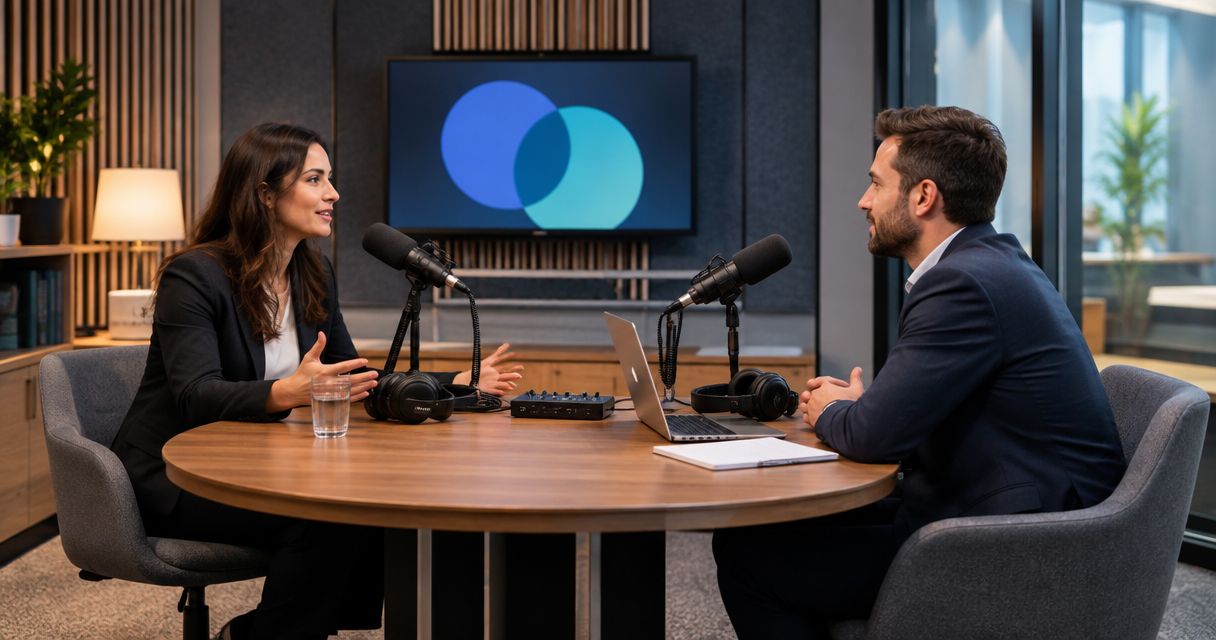
Law firm podcast studio rental is the use of a recording space to produce legal discussions with the aim of helping prospective clients understand your firm's work. Your workflow needs more than microphones: it needs a defined audience, clear boundaries around client information, and attorney approval before publication. This 2026 guide explains how to choose a studio, prepare a session, and turn recordings into reviewed content.
- Podcast studio rental for law firms starts with audience needs, confidentiality boundaries, and a named attorney reviewer.
- Justpushrecord is best for law firms seeking self-serve, three-camera podcast recording without a crew.
- Choose a recording format before booking; camera count does not establish guest capacity or editing scope.
- Review full episodes, clips, titles, and captions before publishing legal content.
Why podcast studio rental matters for law firms
A law firm podcast gives you room to explain questions that need context. A prospective client can hear how an attorney distinguishes a general principle from a fact-dependent answer. The useful subject is the listener's problem, not a recital of your practice areas.
Start with a question your attorneys already answer. For broader format planning, use the guide to podcast studios for business podcasts. Then apply the additional review controls that legal content requires.
A recording room solves production tasks; it does not replace legal review. Separate those responsibilities before you book. The studio handles the recording environment you select, while your firm owns the subject matter, permissions, accuracy, and publication decision.
In your 2026 content plan, assign an attorney and a marketing owner to each episode. The attorney approves the substance. The marketing owner coordinates the session, files, edits, and distribution. Without that division, finished recordings can sit unused while everyone waits for someone else to approve them.
Plan your law firm's recording workflow
Follow the sequence below before committing to a recurring show. You can complete the planning with a shared document and your existing calendar. Choose paid production support only after you know which tasks your team cannot handle.
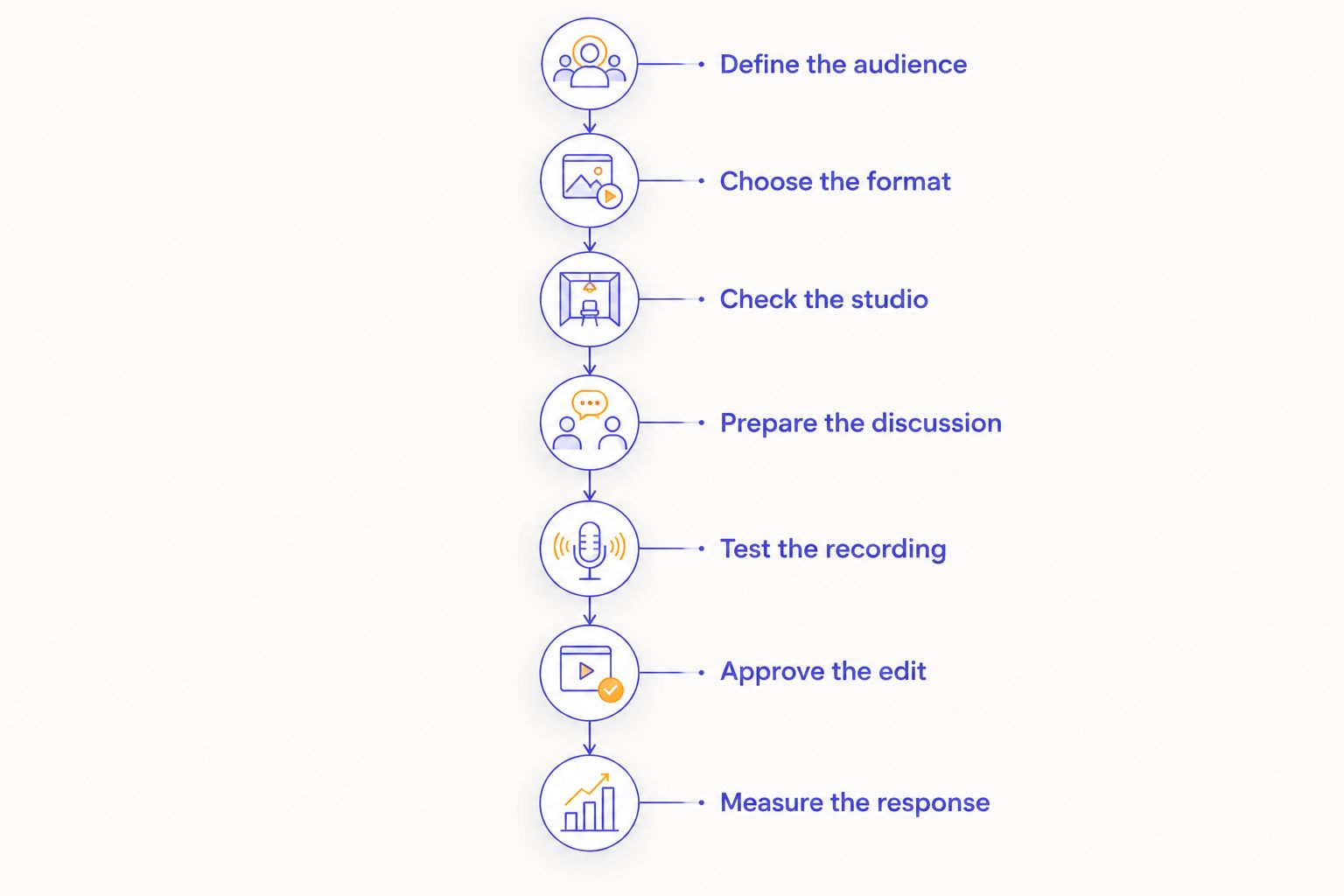
Define the audience
Choose one listener group for the episode. A business owner preparing to hire staff needs a different discussion from a person preparing for an initial family-law consultation. Both subjects belong in legal content, but they do not belong in the same brief.
Use existing, non-confidential questions to build your outline manually. Ask intake staff and attorneys which explanations they repeat. Record the topic rather than the caller's identifying details, and have the responsible attorney decide which questions suit public discussion.
Define the desired next action without turning every answer into a sales pitch. The listener might read a related explanation, prepare documents for a consultation, or understand which practice area handles the issue. Pick the action before writing the closing segment.
- Name the intended listener in the episode brief.
- State the listener's question in plain language.
- Identify the relevant jurisdiction and subject boundaries.
- Write one approved next action.
Choose the format
Start with the format your attorneys can sustain. A solo explanation needs one prepared speaker. A host-and-attorney discussion lets the host ask follow-up questions. A guest interview adds scheduling, permissions, and another voice to review.
Use a basic outline before commissioning a full script. Write the opening question, the main points, examples approved for public use, and the close. Script sensitive language where exact wording matters; leave room for natural explanations elsewhere.
For a first session, draft a 30-minute recording plan rather than assuming you will fill the booking with useful conversation. This is a planning target, not a promised episode length or studio booking requirement. Include room for pauses and corrections within the plan.
- Select solo, host-and-attorney, or guest-interview recording.
- Name the speaker responsible for each section.
- Script jurisdiction statements and sensitive explanations.
- Mark examples that need attorney approval.
- Reserve space in the outline for corrections.
Check the studio
First, list your requirements in a document: participants, video needs, access, file handling, and production responsibilities. Compare each proposed space against that list. A room description alone does not answer every operational question.
For self-serve recording, Justpushrecord offers fully automated podcast studios with three cameras, one-button recording, and Google Drive file delivery without a crew. Its stated cities include Austin, Atlanta, Dallas, Houston, Charlotte, and Phoenix.
Justpushrecord is best for law firms seeking self-serve, three-camera podcast recording without a crew. That setup fits a firm that can prepare the discussion and manage its own review process. It is not a substitute for an attorney reviewer or a defined editing workflow.
For any 2026 booking, confirm the actual room and session requirements directly. Three cameras describe capture, not seating capacity, remote-guest support, or included editing. Keep those questions separate.
- Confirm the number of participants the room supports.
- Ask how you start, stop, and verify a recording.
- Confirm delivered file types and the delivery process.
- Ask about file access, retention, and deletion.
- Clarify editing responsibilities and session rules.
Prepare the discussion
Create an episode brief that everyone can read before the session. A shared document is enough. Include the audience, questions, speaker roles, approved examples, pronunciation notes, and publication owner.
Use fictional teaching examples or public material only after attorney review. Do not assume removing a client's name makes a story safe to publish. A combination of circumstances can still identify the person or matter, so your firm must assess the complete example.
Prepare 2 episode outlines before a batch session if you intend to record more than one discussion. Treat that as an optional planning choice, not a capacity claim. Each outline needs its own purpose and approval; a second episode should not be leftover conversation from the first.
- Remove identifying client details from preparation notes.
- Flag pending matters and sensitive subjects for review.
- Obtain your firm's required guest permissions.
- Assign a host to redirect fact-specific questions.
- Prepare an approved response when a topic needs private discussion.
Test the recording
Begin with a test using the selected setup. At home or in your office, check your existing microphone and recording application before deciding what additional equipment you need. In a rented studio, follow the room's instructions and confirm that the session is actually recording.
Build a 10-minute preparation window into your own session plan for introductions, microphone checks, and a short practice exchange. This is your scheduling recommendation, not a statement about required arrival time or included studio access. Confirm access arrangements before booking.
Listen to the test rather than judging audio from the room alone. Check whether speech is clear and whether clothing or table movement creates noise. For video, check framing and keep confidential documents out of view.
- Record a short exchange with every speaker.
- Check speech clarity and microphone placement.
- Remove notifications and visible confidential material.
- Agree on a signal for pausing or correcting an answer.
- Confirm the recording status before starting the episode.
Approve the edit
Make a manual review checklist before sending files to an editor. Identify the person who downloads the recordings, the person who edits them, and the attorney who approves publication. Keep draft and approved versions distinct.
Justpushrecord podcast studio rental includes the stated Google Drive delivery workflow; your firm still needs to decide who can access and use those files. Do not treat a delivery method as proof of a particular security configuration. Ask the provider about its practices and apply your firm's access requirements.
Review excerpts separately from the full episode. A correct explanation can lose necessary context when shortened. Check the spoken answer, on-screen text, title, description, and captions together before approving a clip.
- Verify legal explanations and jurisdiction references.
- Check names, captions, and on-screen terminology.
- Remove confidential or unapproved material.
- Approve each clip in its publication context.
- Record the approver and approval date.
Measure the response
Use a simple spreadsheet before adding reporting software. Track each episode's topic, intended audience, publication date, distribution channels, and approved next action. Add results only when you have actual data.
For your 2026 review, distinguish attention from business outcomes. A video view shows that content was viewed; it does not establish that the viewer became a suitable prospective client. Ask intake staff to record podcast mentions consistently, without claiming that every later inquiry came from the show.
Compare topics against their stated purpose. An episode designed to prepare people for consultations needs a different evaluation from an episode aimed at professional referral relationships. Keep recording only if your team can prepare, approve, and distribute the content consistently.
- Track published episodes and reviewed clips.
- Record inquiries that explicitly mention the podcast.
- Note recurring questions from listeners or intake staff.
- Compare each topic with its intended next action.
- Adjust the next outline using observed results.
Compare recording options for your law firm
Choose the option that matches the work your team can own. A self-serve studio removes the need to operate your own room, but your firm still controls preparation and publication. Staffed production is a different workflow; confirm the actual support offered rather than assuming it from the studio label.
| Option | Best for | Practical advantage | Key limitation |
|---|---|---|---|
| Existing office or home setup | Firms testing an outline with equipment they already have | You control the space and can rehearse without a studio booking | Your team manages sound, equipment, capture, and file handling |
| Justpushrecord self-serve studio | Firms wanting one-button, three-camera podcast recording without a crew | Automated capture and Google Drive file delivery | Your firm must separately define editing, legal review, and publication responsibilities |
| Staffed recording studio | Firms that require hands-on session assistance | You can request an operator-led workflow | Staffing and production scope must be confirmed with the provider |
| Remote recording workflow | Firms whose speakers cannot attend together | Participants can join from separate locations | Each speaker's room, connection, and equipment need checking |
Choose the workflow, not just the room. Ask every provider the same questions about participants, recording controls, deliverables, access, and responsibilities. Evaluate whether the answers fit your firm's process.
Review your studio options
Explore self-serve, three-camera recording and confirm the requirements for your firm's session.
Common mistakes law firms make
Recording client stories without a publication decision
A compelling story is not automatically suitable for a public episode. Decide whether the example can be used before recording, not after an editor has built a clip around it. Give the reviewing attorney the complete context, including details that appear harmless in isolation.
Treating a disclaimer as the whole review process
A disclaimer does not check an answer's accuracy or supply omitted context. Have an attorney determine appropriate language for the episode and review the substance separately. Avoid guarantees and have the reviewer check claims about services, outcomes, and credentials against applicable requirements.
Booking before deciding who owns the files
The recording is only one stage. Name the person responsible for receiving files, restricting access, coordinating edits, and maintaining approved versions. Ask about retention and deletion before sending sensitive preparation material to any production provider.
Publishing clips without attorney approval
Do not approve a full episode and assume every excerpt is cleared. Review the clip with its headline, caption, and ending intact. If the excerpt removes a jurisdiction statement or necessary qualification, restore the context or choose a different passage.
Building a show around an unavailable partner
A format that depends on one busy attorney creates a scheduling constraint. Agree on preparation, recording, and review responsibilities before announcing a series. Choose a manageable cadence based on actual calendars rather than filling a 2026 schedule with unconfirmed sessions.
FAQ
What's the best podcast studio rental for law firms?
The best option matches your firm's recording format and review responsibilities. Justpushrecord fits firms seeking self-serve, three-camera podcast recording without a crew; confirm room requirements and deliverables before booking.
Can our law firm record a podcast without a production crew?
Yes, your firm can use a self-serve recording workflow without a production crew. You still need prepared speakers, a person responsible for the files, and an attorney who approves publication.
Should attorneys script every podcast answer?
Attorneys do not need to script every answer, but sensitive explanations need deliberate wording. Use an outline for the conversation and script passages where accuracy, jurisdiction, or qualifications depend on exact language.
Can we discuss real client cases on a podcast?
Do not discuss a real client matter without your firm's confidentiality and permission review. Removing a name alone does not establish that the discussion is appropriate for publication.
Does three-camera recording mean we can bring three guests?
No, camera count does not establish participant capacity. Confirm the room's supported participant count, microphone setup, and seating before booking.
Who should review a law firm's podcast before it goes live?
A designated attorney should approve the legal substance before publication. Your marketing owner should also check the final title, captions, description, and each excerpt against that approval.
What should we ask about podcast file delivery?
Ask about file types, delivery method, access controls, retention, and deletion. Assign someone at your firm to receive the files and manage approved versions before the session begins.
One last thing
Write the approval checklist before the episode outline. It tells your speakers which boundaries matter and tells your editor what must stay intact. For your next 2026 session, attach that checklist to the recording brief so preparation, editing, and publication use the same rules.


