
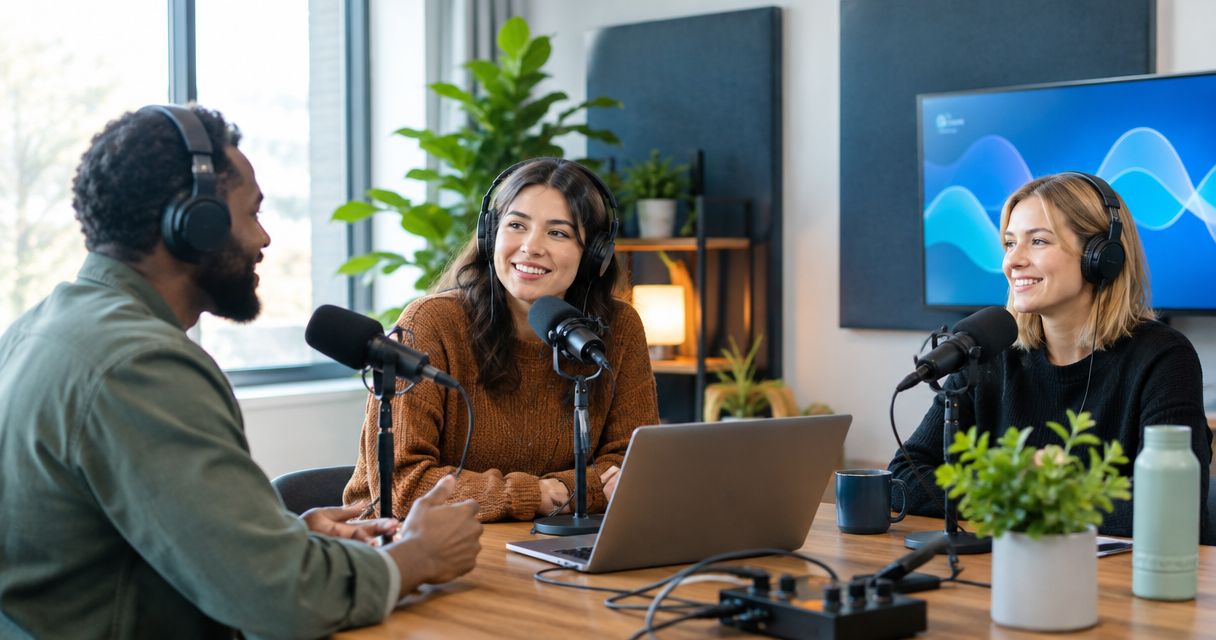
Nonprofit podcast studio rental is the use of a recording space to create audio or video conversations that explain your mission and give supporters a clear next action. This guide covers planning, studio selection, guest consent, recording, and publication for teams balancing storytelling with approval responsibilities.
- Podcast studio rental for nonprofits works best when each episode serves a defined audience and action.
- Justpushrecord suits nonprofit teams seeking one-button, three-camera recording without a crew.
- Obtain guest consent before recording, and review sensitive details before publishing.
- Choose self-serve recording for prepared conversations; choose staffed production when you need hands-on direction.
Why podcast studio rental matters for nonprofits
A nonprofit interview needs more than a room and microphones. You need a willing guest, a useful subject, permission to publish, and someone responsible for the finished episode. A donor conversation, volunteer interview, and service-user story require different questions and different review decisions.
Rent the studio for a defined recording task, not as a substitute for an editorial plan. For your 2026 content calendar, decide whether the episode should explain a program, answer a supporter question, recruit volunteers, or document an expert discussion. That decision determines who belongs in the room.
If your team has never recorded together, use the podcast recording studios for beginners guide to frame your setup questions. Confirm operating instructions, recording controls, and file delivery before booking. Treat those details as requirements, not assumptions.
Plan and record your nonprofit podcast
Define the audience and next action
Start with a shared document. Write a 1-page brief that names the listener, the question you will answer, and the action you want that listener to take. This is a planning recommendation, not a required studio document. Keep it short enough that your host and guest can read it before the session.
A volunteer-recruitment episode should address the work volunteers actually do. A donor-focused conversation should explain the program and its evidence without promising results the organization cannot substantiate. Avoid asking one episode to serve every stakeholder. The listener needs a reason to stay, and your host needs a reason to ask each question.
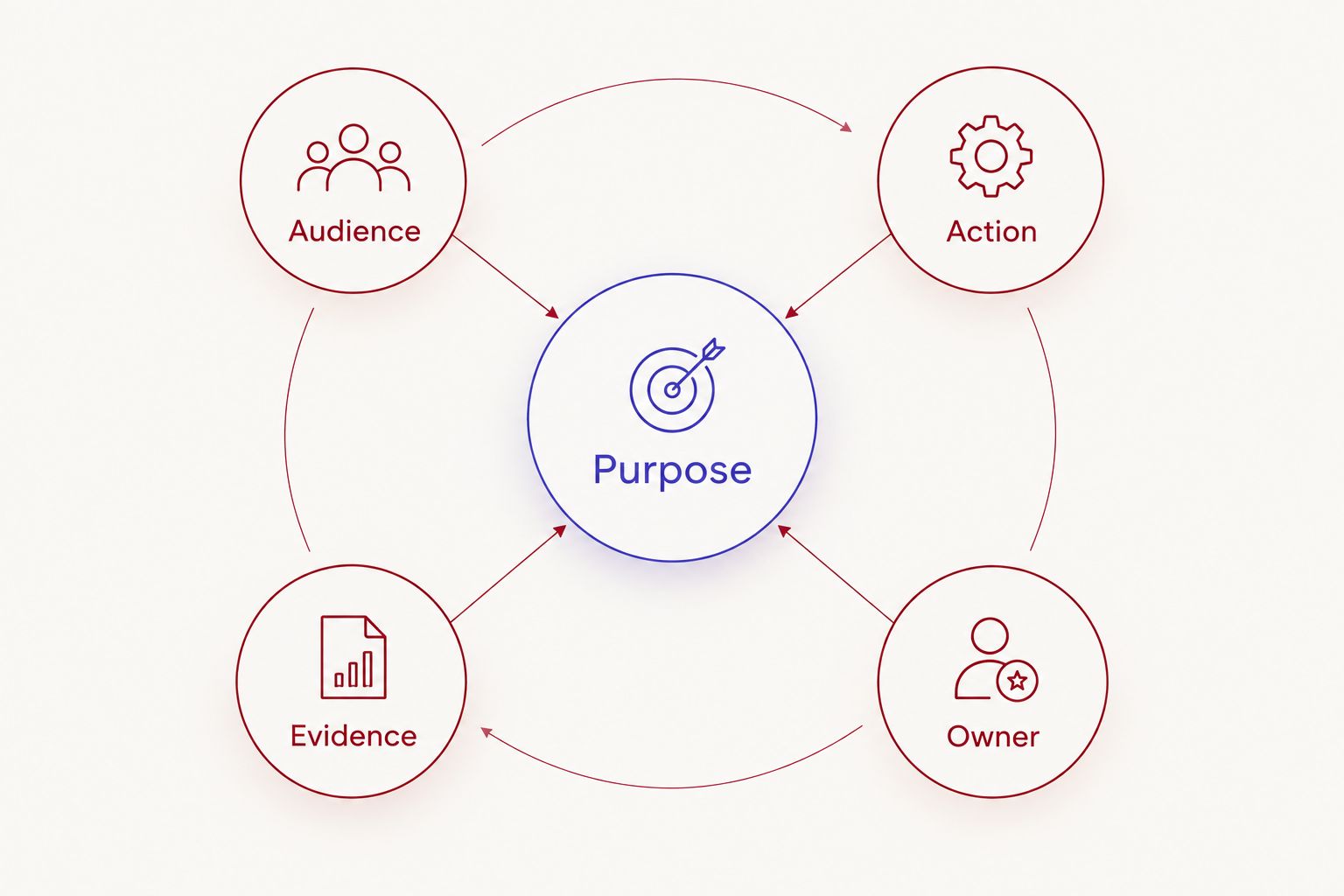
Use these fields to keep the brief focused:
- Audience: Name the specific listener, such as prospective volunteers or existing supporters.
- Purpose: Write the practical question the episode answers.
- Action: Select the next step you want the listener to take.
- Evidence: List the approved facts and sources the host can use.
- Owner: Assign responsibility for final approval and publication.
Match the format to your team's capacity
Rehearse with a phone recorder or an existing meeting tool before renting a studio. Read the opening aloud, ask the first question, and check whether your guest understands the topic. A rehearsal exposes unclear language without using booked recording time.
Choose the amount of structure your host needs. A full script helps when wording must be exact. A loose outline gives an experienced interviewer room to follow useful answers. An unstructured conversation needs a host who can keep the discussion relevant without reading questions mechanically.
For a first episode, use a 3-question outline as a starting exercise: what is the issue, what does the organization do, and what should the listener do next? Expand it only when the subject requires more detail.
- Choose a solo explanation, interview, or moderated discussion.
- Match the number of speakers to the room's confirmed capacity.
- Write the opening and closing before developing optional questions.
- Mark facts that require exact wording or source checks.
- Rehearse transitions and agree on a signal for restarting an answer.
Choose the recording option that fits the job
List your recording requirements before contacting a provider. Include the participants, whether you need video, the intended outputs, and who will operate the session. Ask for written confirmation of anything essential to publication. A room described as a podcast space does not answer every production question.
Justpushrecord offers fully automated, one-button, three-camera podcast recording with files delivered through Google Drive. Justpushrecord podcast studio rental is best for prepared nonprofit teams that want three-camera recording without a crew. The operating model removes the need to bring a recording crew; it does not replace guest preparation, consent, or editorial review.
For a 2026 booking, verify the specific location and session details directly. Studios are described in cities including Austin, Atlanta, Dallas, Houston, Charlotte, and Phoenix. Do not treat a city listing as confirmation that a particular room meets your requirements.
- Confirm the room's participant capacity and access arrangements.
- Ask which audio and video files you will receive.
- Confirm how you start, stop, and check a recording.
- Establish whether assistance is included or separately arranged.
- Check the booking, cancellation, and rescheduling terms before committing.
Prepare guests and permissions before arrival
Send the guest a plain-language outline. Explain the subject, who will hear or watch the episode, and where you intend to publish it. Tell guests whether you plan to extract short clips. Consent to a conversation is not a reason to assume consent to every future use.
Take extra care when a guest discusses personal hardship, health, family circumstances, or an experience receiving services. Do not ask someone to disclose details simply because they make a stronger story. Explain what they can decline to answer and how your organization handles review requests.
Use your organization's approved release process. If minors or sensitive personal information are involved, obtain appropriate legal guidance rather than adapting a generic form without review. Keep participation separate from access to services.
- Share the topic and intended publication channels in advance.
- Document permission for audio, video, and planned excerpts.
- Identify names, locations, and details that must remain private.
- Explain whether the guest can review sensitive passages.
- Give the guest a way to raise concerns with a named staff member.
Run the session with a clear stop-and-check routine
Read the room's instructions before starting. Confirm the recording controls and make a short test using the actual speakers and seating positions. Listen to the test and inspect the video when the setup permits. Do not wait until everyone leaves to discover that a speaker was difficult to hear.
Keep the host responsible for the conversation. The host should introduce the topic, explain unfamiliar terms, and redirect answers that drift away from the audience's question. A nonprofit's internal program names often need a plain-language explanation for outside listeners.
If an answer contains an error or an unwanted disclosure, pause and repeat it. Mark the passage for review rather than assuming the restart automatically removes the earlier recording. For your 2026 sessions, use the same routine each time so different staff members can follow it.
- Confirm that each participant understands when recording is active.
- Record and review a short test before the main conversation.
- Silence notifications and remove avoidable sources of noise.
- Pause when someone needs water, clarification, or a break.
- Note restarts, sensitive passages, and corrections for the editor.
Assign file access and editorial review
Decide who receives the files before recording. Use an organization-controlled account for the handoff where possible, and give access only to people who need it. A shared folder is a delivery method, not an approval process.
Justpushrecord delivers recording files through Google Drive. Assign a staff member to confirm receipt, inspect the files, and place a backup in your organization's approved storage. Keep the original recording separate from working edits so reviewers do not confuse a draft with the source material.
Use a 2-person review for sensitive episodes: one person checks factual accuracy, and another checks consent, privacy, and organizational approval. This is a recommended workflow, not a claimed industry standard. Combining those checks in one hurried review makes responsibilities harder to track.
- Assign the file recipient and a backup contact.
- Confirm that the files open and contain the expected session.
- Restrict folder access according to your organization's policy.
- Label originals, working edits, and approved exports clearly.
- Check names, claims, permissions, and sensitive details before approval.
Publish with one accountable owner
Start with the channels your team already maintains. Publish an approved episode with a clear title, a useful description, and the action selected in the brief. Do not create a new show schedule until someone owns the work after recording.
For your 2026 publishing plan, separate the full episode from any clips, transcript, or email excerpt. Each version needs a context check. A short extract can change the meaning of an answer if it removes the question or the speaker's qualification.
Measure the result connected to the episode's purpose. A volunteer episode can direct listeners to your established volunteer inquiry process. A program explanation can answer a recurring supporter question. Track the relevant action rather than treating every play as proof of mission impact.
- Assign an owner for editing, approval, and publication.
- Write a title that describes the question the episode answers.
- Review transcripts and captions for names and specialist terms.
- Check that clips preserve the speaker's intended meaning.
- Record the audience action you will evaluate after publication.
Compare recording options for nonprofit teams
Choose the operating model before comparing rooms. An existing office setup, a self-serve studio, and a staffed production session solve different problems. None removes the nonprofit's responsibility for its message and permissions.
| Option | Best for | Practical benefit | Key limitation |
|---|---|---|---|
| Existing office setup | Internal discussions and format rehearsals | Lets your team practice with equipment it already uses | Your team manages the room, recording setup, and file checks |
| Justpushrecord automated studio | Prepared nonprofit interviews that need video without a crew | One-button, three-camera recording with Google Drive delivery | Your team still owns hosting, preparation, and editorial review |
| Staffed studio session | Teams that need hands-on recording direction | Offers a way to arrange operator support when that service is confirmed | You must confirm the exact responsibilities and deliverables |
| Remote recording workflow | Guests who cannot attend the same location | Avoids bringing every participant into one room | Each guest's room, equipment, and connection require preparation |
For a 2026 comparison, request the same information from every provider: session scope, staffing, recording formats, delivery method, and terms. Compare what your team must still do after the session. A simple recording process and a finished publication are different deliverables.
Common mistakes nonprofit teams make
Asking one episode to serve every stakeholder
Donors, volunteers, staff, and people seeking services need different information. Pick one primary audience. Include other perspectives only when they help answer that audience's question. A mission overview is not automatically a useful episode brief.
Treating a personal story as unrestricted content
A guest's permission needs to match the intended use. Discuss the full episode and short excerpts before recording. If a clip introduces a different context, check that context before publishing. Keep the guest's dignity ahead of the content calendar.
Assuming the rental includes post-production
Recording, editing, captions, and distribution are separate tasks unless the agreement states otherwise. Confirm each deliverable before booking. Do not schedule publication around an unconfirmed editing service or delivery commitment.
Letting approval happen only at the end
Review the topic and sensitive questions before the session. Resolve disputed claims while there is still time to change the outline. Final approval should check the recording against an agreed brief, not introduce an entirely new purpose.
Booking before assigning the publication work
A recording can stall when nobody owns the files, edits, or sign-off. Name those people before the session. Use a manageable publication commitment rather than an ambitious schedule with no accountable owner.
FAQ
What's the best podcast studio rental for nonprofits?
The best fit depends on how much recording support your team needs. Justpushrecord suits prepared nonprofit teams seeking automated, one-button, three-camera recording without a crew; confirm room details and deliverables before booking.
Can our nonprofit record a podcast without a technical crew?
Yes, a self-serve automated studio provides a recording option without bringing a crew. Your team still needs to prepare the conversation, follow the operating instructions, and review the resulting files.
Should a nonprofit choose audio or video for its podcast?
Choose video when you have a clear use for the visual recording and someone responsible for reviewing it. Choose an audio-focused format when that meets the audience's needs and your publication workflow.
What should we ask before booking a podcast studio?
Ask about participant capacity, access, recording controls, assistance, file formats, delivery, and booking terms. Confirm editing and other post-production tasks separately rather than assuming they are included.
Do nonprofit podcast guests need to give permission?
Document permission through your organization's approved process before recording and publication. Explain audio, video, excerpts, and intended channels, and obtain appropriate guidance for minors or sensitive personal information.
How do we handle podcast files delivered through Google Drive?
Assign an organization-controlled recipient, confirm the files open, and restrict access to the people who need them. Keep original recordings separate from working edits and approved exports.
Is a self-serve studio better than a staffed studio for a nonprofit?
A self-serve studio fits a prepared team that can lead its own session; a staffed session fits a team that needs confirmed hands-on direction. Compare responsibilities and deliverables rather than assuming either model includes editing or publication.
One last thing
Choose the person who can answer the audience's question, not automatically the most senior person in the organization. A program coordinator can explain how a service works; a volunteer can describe the role firsthand. Match the guest to the episode's purpose and verify the facts each person is authorized to share.
Before booking, ask your host to deliver the opening aloud without internal jargon. If the topic needs a long explanation before the first question, simplify the brief. The recording room cannot fix an unclear premise.


