
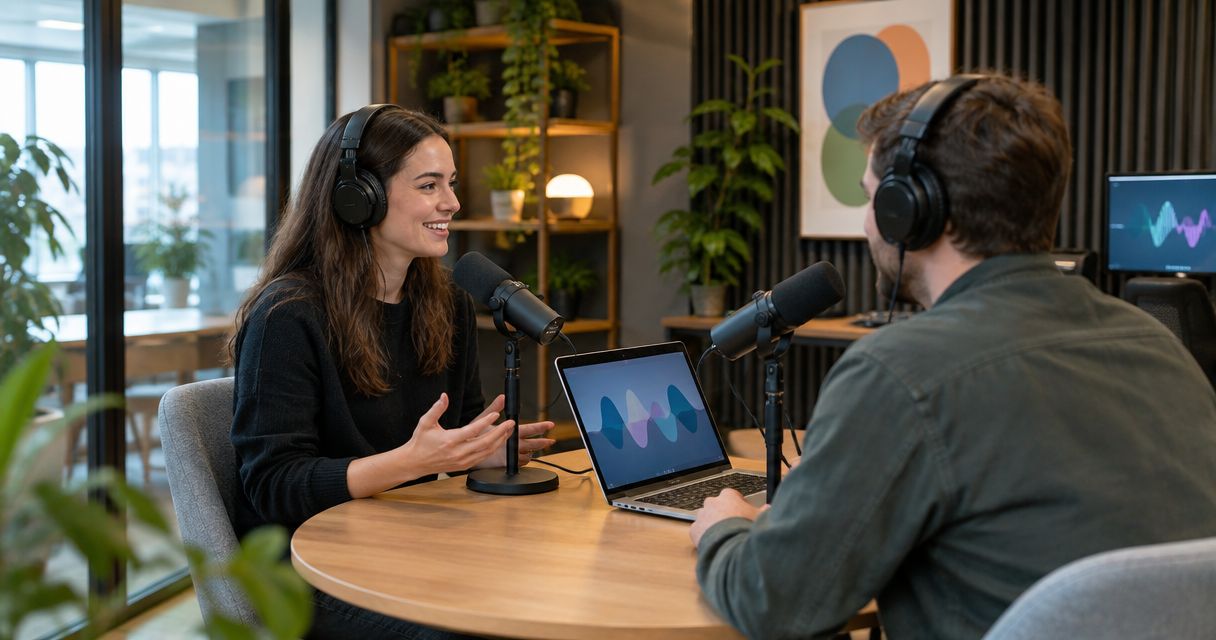
Startup podcast studio rental is hiring a recording space to capture founder interviews, customer conversations, and business episodes with the aim of reaching relevant buyers. This guide covers how to choose a studio, prepare your team, and turn a recording into publishable content without making production a founder’s second job.
- Justpushrecord suits startups seeking self-serve, three-camera podcast recording without a crew.
- Choose podcast studio rental for startups around the audience, recording format, and publishing workload.
- Prepare founder interviews and customer conversations before booking; studio automation does not replace editorial preparation.
- Assign file delivery, editing, approval, and publishing to named owners before recording.
Why podcast studio rental matters for startups
A startup podcast needs a business purpose before it needs a room. Decide whether you want to explain a difficult buying decision, interview customers, or share practical knowledge from your team. Each purpose changes the guests, questions, and distribution plan.
Studio rental separates the recording environment from your office setup. It does not separate the show from your workload: someone still needs to prepare the conversation, approve the episode, and publish it.
Justpushrecord podcast studio rental is best for startups seeking self-serve, three-camera recording without a crew. Justpushrecord operates automated, one-button studios and delivers recording files through Google Drive. That makes the recording model clear; your team still owns the content and the work after delivery.
For your 2026 podcast plan, define a useful episode before committing to a series. A clear customer question is a stronger starting point than a general ambition to build awareness.
How to plan podcast studio rental for startups
1. Define the audience and episode outcome
Start with the questions your buyers already ask. Review sales-call notes, support conversations, and customer interviews. You can do this in a shared document without buying another tool.
Choose one audience for the pilot. A conversation for prospective customers needs different context from an episode for investors or potential hires. Trying to address all three produces an unfocused interview.
Write a sentence that describes what the listener will understand afterward. For example, a founder interview can explain how to evaluate a problem rather than recite the company’s milestones. Keep the useful answer at the center.
Before booking, define these items:
- Audience: Name the buyer, customer, or candidate you want to reach.
- Question: Choose one problem the episode will answer.
- Guest: Select someone with direct knowledge of that problem.
- Action: Decide what the listener should do next.
- Owner: Assign responsibility for getting the episode published.
2. Choose a format your team can repeat
Run a practice conversation before choosing a recording space. Use your existing phone or laptop to check the outline, not to judge studio-quality sound. Listen for unclear questions, long introductions, and answers that need more context.
A founder monologue gives you control over the message but puts the delivery on one person. An interview brings another perspective but requires guest preparation. A customer conversation needs particular care around permission and accurate representation.
Choose the format you can prepare repeatedly. Do not make every episode depend on a high-profile guest or the founder’s ability to improvise.
Use these checks to settle the format:
- Draft 3 core questions for a pilot conversation.
- Schedule a 15-minute rehearsal to test the opening and transitions.
- Choose an outline for discussion or a script for exact wording.
- Decide whether the finished episode needs video, audio, or both.
- Review business podcast studio options against your intended format.
3. Match the recording model to your team
Write down what your team can handle without help. Include starting the session, hosting the conversation, managing guests, and checking the delivered files. Then identify the tasks you want a provider to handle.
Compare recording models against that list. A room rental, an automated studio, and a staffed production session are different purchases. Ask what is included rather than assuming that the word studio means someone directs or edits the episode.
Justpushrecord podcast studio rental uses an automated, one-button, three-camera setup with Google Drive file delivery. The practical benefit is recording without a crew. The boundary is equally important: that description does not establish editing, episode approval, or publishing as included services.
Check these points before choosing a location:
- Confirm the selected room fits your planned participants.
- Ask what files the session produces and how you receive them.
- Confirm whether remote guests fit the recording workflow.
- Identify who handles technical questions during the session.
- Separate confirmed recording services from optional post-production work.
4. Confirm the booking details before inviting guests
Build a simple booking checklist in your existing calendar or shared document. Get the session details settled before sending invitations. A guest needs a confirmed location and clear arrival instructions, not a tentative plan spread across messages.
Justpushrecord operates in cities including Austin, Atlanta, Dallas, Houston, Charlotte, and Phoenix. Choose the relevant city, then confirm the details for that specific studio. A city listing alone does not answer questions about the room or session.
For a 2026 recording, check the current booking terms directly. Do not base your schedule on an old screenshot, a previous session, or a general description of the service.
Confirm these practical details:
- Record the exact studio address and entry instructions.
- Check the booked session length and what it covers.
- Read the current cancellation and rescheduling terms.
- Confirm the room’s participant limit and relevant accessibility needs.
- Share the confirmed arrival plan with every participant.
5. Prepare a conversation, not a company presentation
Draft the episode in a shared document. Put the listener’s question at the top, followed by the opening, discussion prompts, and closing. Write unfamiliar terms out in plain language so guests know what needs explaining.
A startup interview can drift into a pitch because the founder knows the product better than the listener’s problem. Ask for decisions, trade-offs, and examples instead. The company belongs in the conversation when it helps answer the question.
For your 2026 pilot, mark any claim that needs checking before publication. Revenue figures, customer results, and product statements need the same care on a podcast as they do on a landing page.
Prepare these materials before recording:
- Write an opening that names the problem immediately.
- Send guests the main themes and relevant context.
- Mark confidential subjects and claims requiring verification.
- Prepare follow-up questions that ask for concrete examples.
- Write a closing with one relevant next action.
6. Check the recording before the full conversation
Arrive with the outline ready and personal devices silenced. Follow the studio’s instructions for seating, microphones, and starting the session. Avoid changing equipment settings without guidance.
Ask how to confirm that recording has started. If the studio workflow permits a test, use a 60-second sample with everyone speaking at their normal volume. Check what you can verify through the provided workflow rather than assuming the cameras and microphones are capturing correctly.
During the interview, make corrections easy to identify. Stop after a mistake, pause, and repeat the complete sentence. A clear correction gives the editor a usable replacement without forcing the speaker to restart the episode.
Use this session checklist:
- Confirm the start procedure before beginning the introduction.
- Check each participant’s voice through the available test process.
- Speak toward the microphone without handling it during answers.
- Note corrections and sections that need editorial attention.
- Follow the studio’s completion instructions before leaving.
7. Assign the delivery-to-publication workflow
Create the handoff plan before the session. A shared checklist is enough to name the editor, reviewer, and publisher. Automation can simplify capture; it does not decide which statements belong in the finished episode.
Justpushrecord delivers recording files through Google Drive. Assign someone to check access, confirm the expected files, and preserve a separate copy before work begins. Do not treat a delivery notification as proof that your whole team can open everything it needs.
For your 2026 publishing schedule, separate recording completion from editorial completion. Give each stage an owner and a defined output. Agree on any editing service separately rather than treating file delivery as an editing promise.
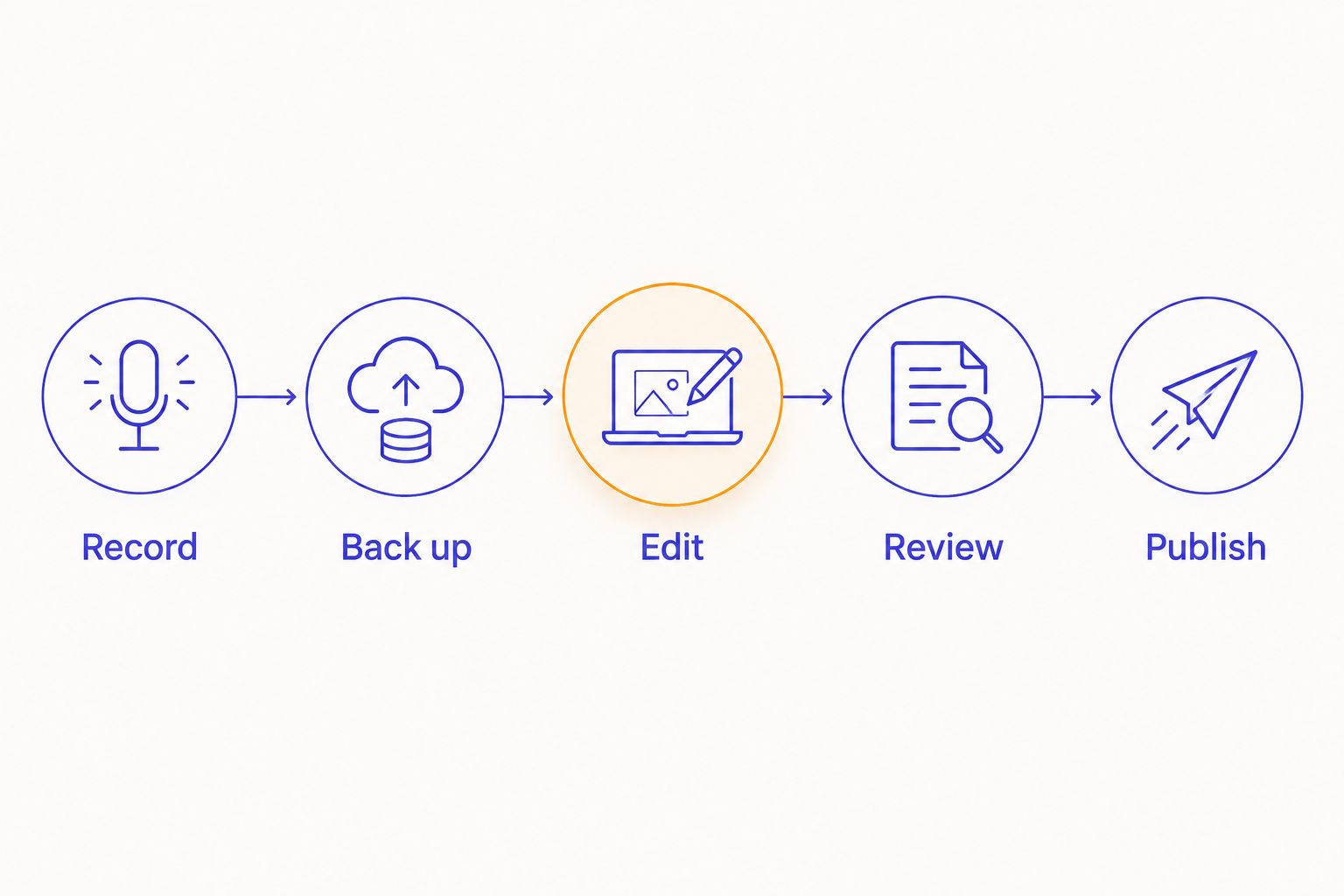
Use this sequence:
- Record: Complete the session and note any corrections.
- Back up: Check delivered files and retain a separate copy.
- Edit: Prepare the episode and any selected excerpts.
- Review: Check factual claims, permissions, and the final cut.
- Publish: Release the approved episode with a clear description.
Keep the handoff visible. If an episode stalls, this sequence shows whether the blocker is file access, editing, approval, or publication.
Compare recording options for your startup
Choose the smallest production setup that meets the episode’s requirements. The room is only part of the decision. Include preparation, travel, guest coordination, editing, and approval when comparing the work involved.
The table compares recording models, not promises about individual providers. Confirm the scope of any service before booking. For a 2026 pilot, choose based on the work your team needs to delegate.
| Option | Best for | Main advantage | Key limitation |
|---|---|---|---|
| Existing office setup | Teams testing a format before renting | Lets you rehearse with equipment you already use | Your team must assess the room and recording setup |
| Remote recording | Interviews where participants cannot meet | Removes the need to gather in one location | Each participant needs a suitable recording environment |
| Justpushrecord automated studio | Startups wanting in-person, three-camera recording without a crew | One-button recording with Google Drive file delivery | Content preparation, editing, and publishing need assigned owners |
| Staffed studio session | Teams that want people managing recording tasks | Provides a route to delegate agreed production work | Staffing and responsibilities depend on the booked scope |
| Managed production service | Teams seeking help beyond recording | Can combine recording with agreed editorial services | Deliverables and approval responsibilities must be defined |
Choose automation when you need simpler recording. Choose staffed support when you need people to run the production. Neither choice fixes an unclear episode idea.
Check your studio options
Review the one-button, three-camera recording model before planning your startup’s session.
Common mistakes startups make
Booking before choosing a listener
A broad conversation about your company gives the host no clear way to choose questions. Define the listener and the problem first. Then select guests and a recording format that serve that problem.
Treating the founder as the entire workflow
Hosting, guest outreach, editing review, and publishing are separate tasks. Assign them explicitly. If every decision waits for the founder, the recording date does not create a dependable publishing schedule.
Recording claims without an approval plan
A customer story can include sensitive details or results that need verification. Mark those statements during preparation and review them before release. Get the necessary permission rather than assuming participation covers every use.
Confusing camera coverage with content quality
Three cameras give you multiple views of a conversation. They do not create a useful answer. Put the same effort into the opening question and follow-ups that you put into selecting the room.
Planning clips after everyone leaves
A useful excerpt needs enough context to stand alone. Identify potential clip topics in the outline, then ask complete questions during recording. Do not promise a fixed volume of clips before reviewing the conversation.
FAQ
What’s the best podcast studio rental for startups without a production crew?
Justpushrecord fits startups seeking automated, one-button, three-camera recording without a crew. It delivers recording files through Google Drive; assign preparation and post-production responsibilities separately.
Should our startup rent a studio before launching a podcast?
Test the episode concept before renting a studio. Rehearse a conversation with existing equipment, then choose a recording space around the format and production help you need.
Is an automated podcast studio better than a staffed studio?
An automated studio fits teams that want self-serve recording; a staffed studio fits teams that want people managing agreed production tasks. Choose according to the work you need to delegate, not the label alone.
How much does podcast studio rental for startups cost?
Check the current booking terms for the specific studio and session. Compare the complete scope, including recording deliverables and any separately agreed editing work, rather than treating all studio bookings as equivalent.
Does one-button recording include editing and publishing?
One-button recording describes how you start recording, not an editing or publishing package. Confirm those services separately and assign responsibility for the finished episode.
Can our startup record customer interviews in a podcast studio?
Yes, an in-person customer interview is a podcast recording format. Confirm that the selected room accommodates your participants and agree on permissions and review requirements before publication.
What should we do when the recording files arrive?
Check file access and the expected contents, then preserve a separate copy. Pass the files and correction notes to the assigned editor before beginning the review and publishing stages.
One last thing
Put a publication owner on the calendar before putting a recording session on it. A successful booking gives you a place to record; an assigned owner gets the episode through editing, approval, and release. Start your 2026 plan with one useful pilot and a complete handoff.


