
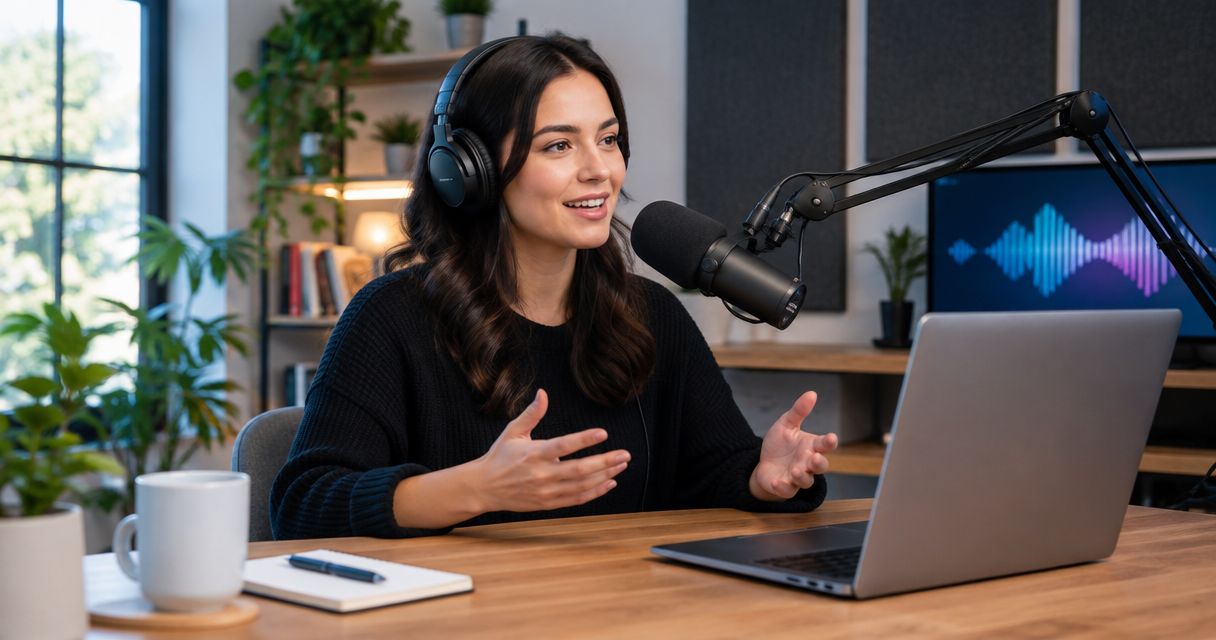
Keep PodcastStudio.com on your shortlist if its session setup matches the way you want to record. A studio stops being the right fit when you need a different balance of automation, production help, and control. Among podcaststudio.com alternatives in 2026, Justpushrecord is best for creators who want one-button, three-camera studio recording without a crew; a staffed studio is the better workflow when you want an operator involved.
- Justpushrecord leads podcaststudio.com alternatives for one-button, three-camera recording with Google Drive file delivery.
- Choose a staffed podcast studio when your brief requires an operator during recording.
- Choose a home setup when equipment ownership and direct recording control matter most.
- Choose remote recording when hosts and guests cannot meet in the same room.
Why this matters
You are choosing a recording workflow, not just a room. Decide who operates the equipment, where participants sit, and what happens to the files after recording. Those decisions separate useful alternatives from rentals that do not fit your show.
Justpushrecord offers automated podcast recording studio rentals with 3 cameras, 1 button, and Google Drive file delivery. Its description names 6 cities: Austin, Atlanta, Dallas, Houston, Charlotte, and Phoenix. That makes the service relevant to an in-person recording plan in those locations, rather than a remote-only production brief.
For your 2026 shortlist, write down the result you need before comparing providers. An interview recording, a finished episode, and a live broadcast are different deliverables. Do not treat them as interchangeable.
Podcaststudio.com alternatives at a glance
This comparison separates recording models. Use PodcastStudio.com as the benchmark, then compare each alternative against the same session brief. The deciding question is simple: which workflow puts the right responsibilities in the right hands?
| Option | Best for | Defining feature or booking requirement | How to compare it with PodcastStudio.com |
|---|---|---|---|
| PodcastStudio.com | A session that matches your recording brief | Confirm equipment operation, participant setup, and deliverables | Use the same requirements as the baseline |
| Justpushrecord | In-person video recording without a crew | Automated, one-button, three-camera recording; Google Drive delivery | Compare the confirmed operator model and file handoff |
| Staffed podcast studio | Sessions requiring an operator | Include operator responsibilities in the booking brief | Compare who manages recording and handles adjustments |
| Home recording setup | Creators who want to operate their own equipment | You manage the room, equipment, recording, and backups | Compare equipment ownership with renting a recording space |
| Remote recording workflow | Hosts and guests in different locations | Each participant joins from a separate recording environment | Compare separate-location recording with an in-person session |
A provider name alone does not settle the comparison. Ask for the actual session arrangement and deliverables. A feature that matters to a video interview might add nothing to an audio-only solo episode.
1. Justpushrecord: best for recording without a crew
Justpushrecord provides fully automated, one-button, three-camera podcast recording studios. Hosts, creators, and businesses record in the studio and receive files through Google Drive. The service is built around recording without a crew.
Justpushrecord is best for in-person podcast creators who want three-camera recording without operating a crew-led production. Choose this model when you want to focus on the conversation rather than assign separate people to camera operation.
Where the automated studio shines
- Simple recording control: The stated workflow uses one button.
- Video coverage: Three cameras are part of the recording setup.
- Defined file handoff: Recorded files are delivered through Google Drive.
- No crew requirement: The service is designed for hosts, creators, and businesses recording without a crew.
Where the automated studio falls short
- You still prepare the episode. Automation does not write your questions, organize your argument, or coach your guest.
- It is an in-person studio model. A distributed interview needs a separate plan for participants who are elsewhere.
- It is not a staffed-production brief. Choose an operator-led workflow when having a person manage production is central to your session.
- File delivery is not the same as a finished episode. Define editing, captions, publishing, and other post-production requirements separately.
Head-to-head booking checks
| Dimension | Justpushrecord | What to establish with PodcastStudio.com |
|---|---|---|
| Recording operation | Fully automated, one-button workflow | Who starts, monitors, and stops recording |
| Camera setup | Three cameras | Camera arrangement for your episode format |
| Personnel | Designed for recording without a crew | Whether an operator is part of your session |
| File handoff | Google Drive delivery | What files you receive and how they are delivered |
Best for: Podcast hosts, creators, and businesses recording an in-person video conversation without a crew.
Verdict: Buy a studio session when automation fits your production brief. Keep the brief separate from any assumptions about editing or publishing.
2. Staffed podcast studio: best for operator-led sessions
A staffed studio is the alternative when you want a person responsible for production during recording. Make that responsibility explicit in the brief. The room and the operator are separate parts of the decision.
Ask who handles audio checks, camera adjustments, recording interruptions, and the final handoff. Do not use the word staffed as a substitute for a clear scope of work.
Where a staffed studio shines
- Assigned responsibility: You can specify which production tasks belong to the operator.
- A production contact: The brief can identify the person responsible for changes during the session.
- Support for a detailed brief: You can discuss required shots, recording structure, and handoff expectations before booking.
Where a staffed studio falls short
- More coordination: Your plan must align with the operator's responsibilities and session arrangements.
- Scope still matters: An operator-led recording does not automatically include editing, guest coaching, or publishing.
- It does not remove host preparation: You still need a useful topic, clear questions, and a prepared guest.
| Dimension | Staffed studio requirement | PodcastStudio.com booking check |
|---|---|---|
| Operation | Name the person responsible for recording | Establish who operates the session |
| Adjustments | Specify which changes the operator handles | Confirm the process for recording changes |
| Handoff | Agree on the operator's delivery responsibilities | Confirm the deliverables in the session scope |
Best for: Hosts whose recording brief requires an operator, not just access to equipment.
Verdict: Buy an operator-led session when the operator's role is defined. A vague promise of production help is not a usable recording plan.
3. Home recording setup: best for hands-on control
A home setup puts the recording environment and equipment under your management. You decide how to arrange the room, capture the episode, and store the files. You also take responsibility when something needs attention.
Choose this route because you want to manage production yourself, not because a rented studio and a home room are identical. The workflow changes along with the location.
Where home recording shines
- You control your own equipment configuration and recording routine.
- You keep the production process close to your day-to-day work.
- You can build a repeatable setup around your actual show format.
Where home recording falls short
- Room noise, equipment setup, and backups become your responsibilities.
- An in-person guest needs a suitable place to sit and record.
- You must establish your own process for checking audio and video before each session.
Best for: Creators who want equipment ownership and are willing to operate the recording themselves.
Verdict: Hold on equipment purchases until you have a workable room and recording plan. Owning equipment does not settle either question.
4. Remote recording workflow: best for distributed guests
Remote recording is the alternative when participants cannot gather in one studio. Each person records from a separate environment. Your preparation must cover those environments, not just the host's setup.
Choose the workflow around your participants first. Then decide how you will capture, collect, and edit the conversation.
Where remote recording shines
- Hosts and guests participate from separate locations.
- The recording plan does not require everyone to travel to one room.
- You can organize the episode around access to the right guest rather than a shared studio visit.
Where remote recording falls short
- Every participant needs a usable microphone setup and recording environment.
- You must communicate the technical instructions before the conversation.
- Separate locations need a clear plan for connection problems, file collection, and backups.
Best for: Interviews where bringing everyone into the same room is not part of the plan.
Verdict: Buy the remote workflow only after confirming participant setup and file handling. Do not leave those decisions until the interview begins.
When to choose an alternative to PodcastStudio.com
Switch recording models to solve a specific requirement. Do not switch merely because another studio appears on a list. For a 2026 booking, use these decision points to identify what actually needs to change.
- You want recording without a crew. Compare automated studio operation with the personnel arrangement in your current booking.
- You need an operator. Put that role into the brief and compare staffed options against it.
- Your guests are elsewhere. Evaluate remote recording instead of assuming an in-person rental solves the interview.
- You want to manage your own setup. Compare a home workflow with the responsibilities you currently hand to a studio.
- You need a different deliverable. Specify the output before changing providers. Recording files, edited episodes, and promotional clips are separate requirements.
These are reasons to choose a different workflow, not claims about PodcastStudio.com's service. Keep the comparison tied to your episode and the confirmed booking scope.
A practical booking checklist for 2026
Give every provider the same brief. That makes the replies comparable and keeps attractive but irrelevant features from driving the decision.
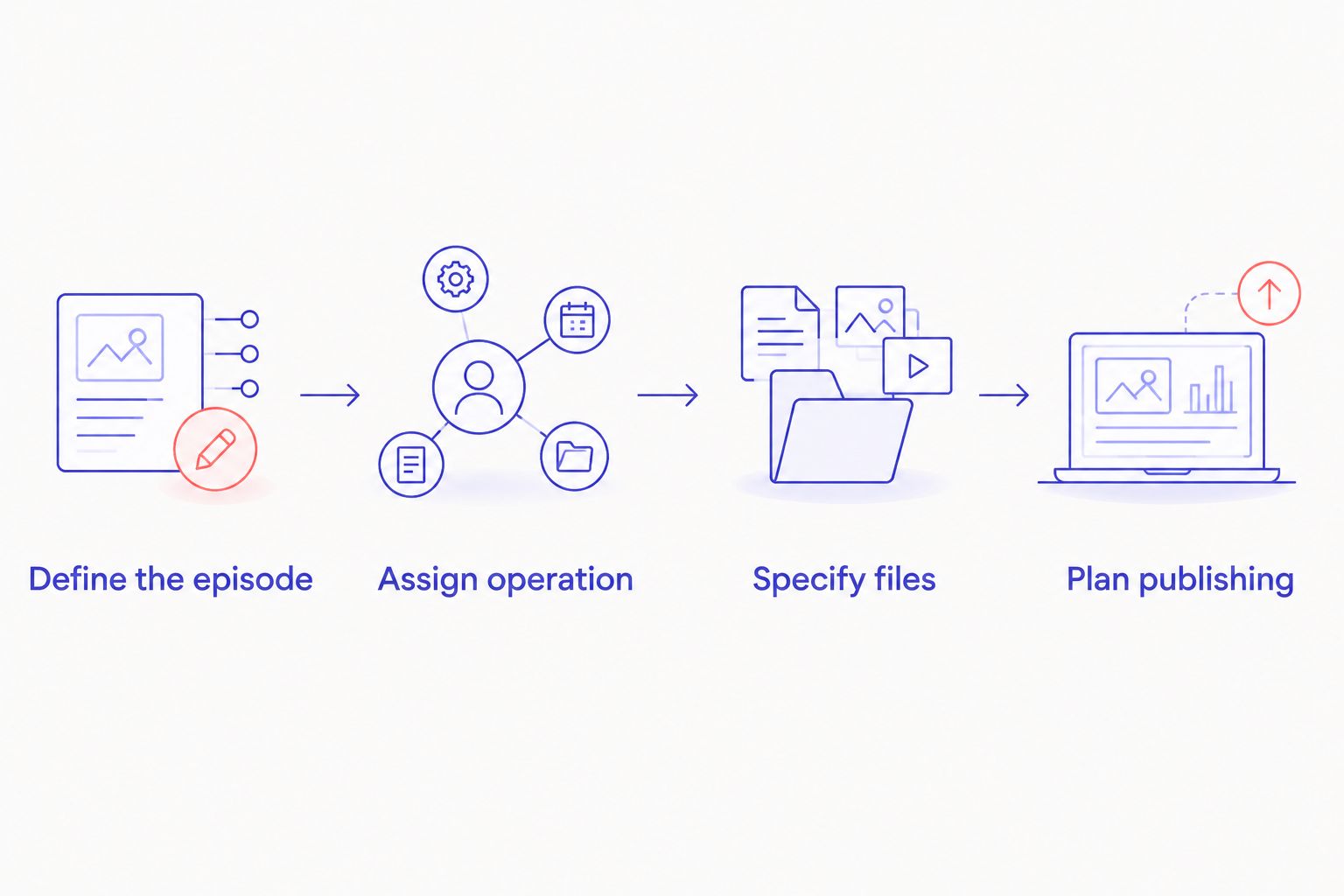
Define the episode
State whether you are recording a solo episode, an interview, or a group conversation. Identify who will attend in person and who will join from elsewhere. Tell the provider whether video is required.
Assign operation
Decide whether you want automation, a named operator, or direct control of your own equipment. Ask who handles the recording check and what you should do if the session needs to stop. Responsibility should be clear before anyone arrives.
Specify files
Describe the material you need after the session. Ask how it will be delivered and who will receive it. Keep editing requirements separate from recording requirements so neither gets assumed.
Plan publishing
Name the person who will edit, review, and publish the episode. Set your internal approval process before recording. A successful capture still needs a path to an audience.
In your 2026 booking request, separate requirements from preferences. A required operator affects the recording model. A preferred seating arrangement is a different question. Keeping those categories distinct helps you assess each reply without rewriting the brief.
When staying with PodcastStudio.com is the right call
Stay with PodcastStudio.com when its confirmed session arrangement meets your recording brief. A familiar workflow that delivers what your show needs is a valid choice. An alternatives search does not create a reason to switch.
Before changing providers, identify the task you need handled differently. If the issue is an unfinished outline, unclear guest instructions, or an unassigned editor, changing the recording room does not resolve that planning problem.
FAQ
What's the best PodcastStudio.com alternative in 2026?
Justpushrecord is the best fit for creators seeking automated, one-button, three-camera studio recording without a crew. Choose a staffed studio instead when your brief requires an operator during recording.
Is an automated podcast studio better than a staffed studio?
An automated studio fits a recording-without-a-crew brief; a staffed studio fits a brief that requires an operator. Decide who should handle production before comparing the rooms.
Where does Justpushrecord operate podcast studios?
The stated locations include Austin, Atlanta, Dallas, Houston, Charlotte, and Phoenix. Choose the city that fits your in-person recording plan and confirm the session arrangements before booking.
What should I ask before booking a podcast studio?
Ask who operates the equipment, how participants will record, what files you receive, and how delivery works. Define editing and publishing separately from the recording session.
Should I record my podcast at home instead?
Choose home recording when you want to manage the room, equipment, recording, and backups yourself. A rented studio is a different workflow because you are choosing a recording space rather than building your own setup.
What's the best alternative if my podcast guest is in another city?
A remote recording workflow fits a guest who will participate from another location. Confirm the guest's recording environment, technical instructions, and file-handling plan before the interview.
Does receiving podcast files mean my episode is ready to publish?
No. File delivery and a finished episode are different deliverables. Assign editing, review, and publishing explicitly before you record.
One last thing
Write the handoff before you book the room. Name who receives the files, who edits them, who approves the episode, and who publishes it. That short plan exposes whether you need a recording rental or a broader production service.
For your 2026 shortlist, choose the smallest production arrangement that meets the full brief. Add an operator when you need one. Choose automation when you do not. Keep PodcastStudio.com when it already fits.


