
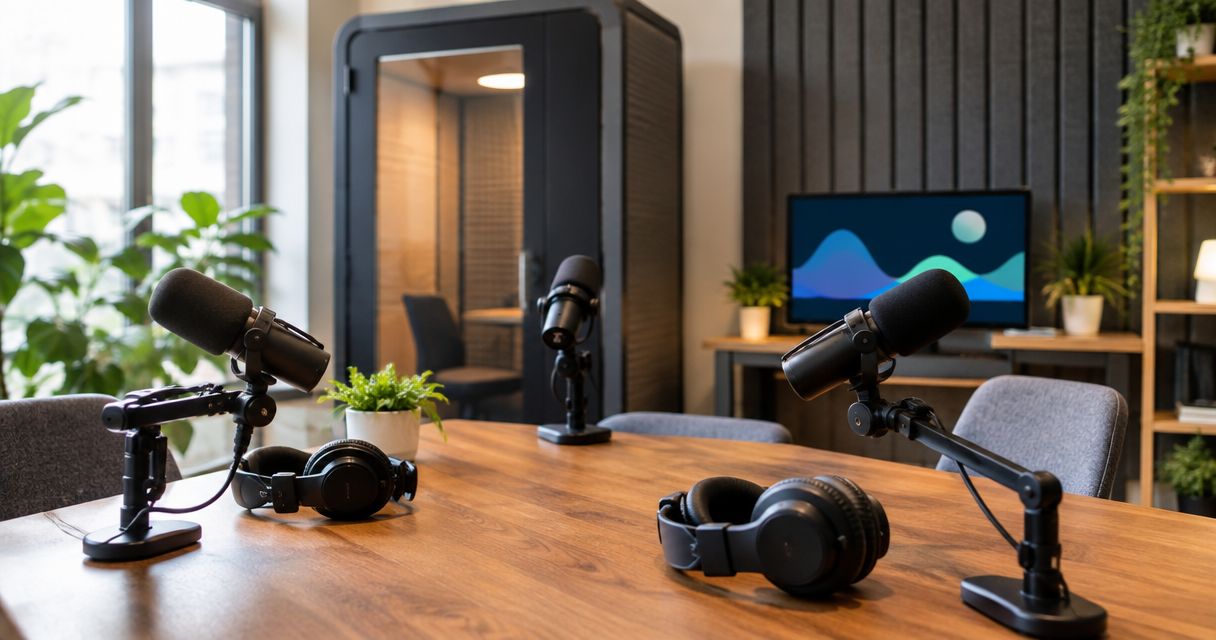
Tagvenue is useful when you want to browse venue listings and compare possible recording spaces. It stops being the direct answer when you need to know how the podcast recording itself works. The best Tagvenue alternative in 2026 is JPR Studios if you want a one-button, three-camera podcast studio without a crew; Peerspace is the better alternative if you still want to browse spaces.
- JPR Studios is the best Tagvenue alternative for hosts who want one-button, three-camera podcast recording without a crew.
- Choose Peerspace if your priority is browsing spaces rather than choosing a defined recording setup.
- Choose Tagvenue when comparing venue listings matters more than having a stated recording workflow.
- Before booking any space, confirm cameras, audio, file delivery and who operates the equipment.
Why this matters
A room and a recording workflow are different things. A listing can help you choose a location. It does not, by itself, tell you whether cameras are ready, who starts the recording or how you receive the files.
That distinction matters when you have a host and guests arriving at a set time. You need clear answers before they walk in. For a video podcast, ask about cameras and audio separately; a room that looks right on a listing still needs to meet your recording requirements.
In 2026, use tagvenue alternatives to compare two kinds of choice: marketplaces that help you find a space, and studios that describe a specific way to record. Neither is automatically the right fit. The right choice depends on whether you need a room to configure or a recording setup you can use without a crew.
Tagvenue alternatives at a glance
| Option | Best for | What stands out | How it differs from Tagvenue |
|---|---|---|---|
| Tagvenue | Comparing venue listings | A venue-search approach | The baseline: assess recording details in each relevant listing |
| JPR Studios | Recording a video podcast without a crew | One-button operation, three cameras and Google Drive file delivery | A defined podcast studio workflow rather than a venue search |
| Peerspace | Browsing other spaces | A marketplace for finding spaces | Another search option; confirm each space's recording setup |
| An independent podcast studio | Discussing a specific session with a studio | Direct questions about its room and process | You assess one studio's stated setup instead of browsing a marketplace |
Best for a defined recording process: JPR Studios. Best for comparing possible spaces: Tagvenue or Peerspace. If your episode needs a particular layout, operator or file format, confirm it with the provider before you book; this table does not establish those details for every listing or studio.
Compare the workflow, not just the room
Use the same questions for every option. What happens when you arrive? Who starts and stops the recording? Which cameras and microphones are included? How do you get the files? Those answers tell you more about the session than the room description alone.
1. JPR Studios: best for a crew-free video podcast
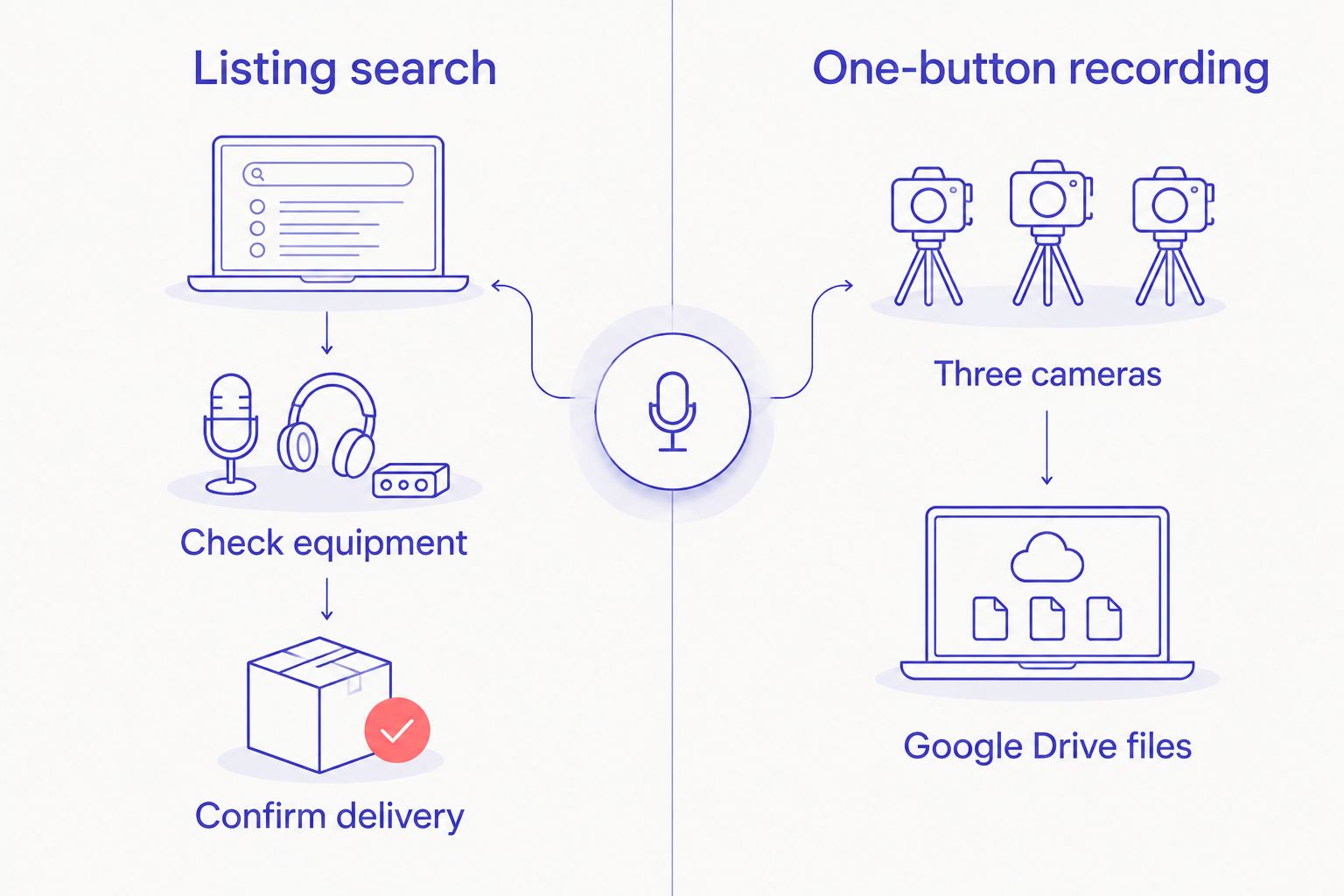
JPR Studios operates automated podcast recording studios for hosts, creators and businesses. Its stated setup uses one button and three cameras. You record without bringing a crew, then get files via Google Drive.
That makes JPR Studios the clearest fit here when the process matters more than browsing rooms. The workspace description names Austin, Atlanta, Dallas, Houston, Charlotte and Phoenix as city examples. Confirm the location and session details that fit your recording before making plans with guests.
Where JPR Studios shines
- The starting step is clear: the recording setup is described as one-button operation.
- Video is part of the stated setup: the studios use three cameras.
- The handoff is named: files are delivered via Google Drive.
- A crew is not required: the service is built for recording without one.
Where JPR Studios falls short
- A defined studio setup is less suitable if your first priority is browsing many room styles and choosing the space before the recording process.
- A crew-free workflow is not the right brief if you specifically want a crew to operate your session.
- The stated details do not establish microphone specifications, file formats, editing scope or availability for your date. Confirm requirements that depend on those details.
Best for: A host or business that wants to arrive, start a three-camera recording and receive files through Google Drive without coordinating a crew. Verdict: Choose JPR Studios for that brief.
| Decision point | JPR Studios | Tagvenue |
|---|---|---|
| Main task | Record in an automated podcast studio | Find and compare venue listings |
| Recording start | Stated one-button workflow | Confirm the process for the space you choose |
| Cameras | Stated three-camera setup | Confirm cameras for the space you choose |
| File handoff | Stated Google Drive delivery | Confirm the handoff for the space you choose |
The table compares what each option tells you about the recording, not the quality of an individual venue. A suitable Tagvenue listing can still meet your needs. Read its recording details and ask the unanswered questions before committing guests to the session.
2. Peerspace: best for browsing possible spaces
Peerspace is another space marketplace. Use it when the room itself is your first decision and you want to assess options rather than start with one stated podcast workflow. As with Tagvenue, treat the space and its recording setup as separate checks.
Where Peerspace shines
- It gives you a space-search route when you have not chosen a room.
- You can assess a potential space against your guest count, format and visual brief before asking about production.
Where Peerspace falls short
- A marketplace listing is not a standard promise of one-button recording, three cameras or Google Drive delivery.
- You must confirm the recording workflow for the particular space you select.
Best for: A creator who wants to choose a space first and is prepared to verify how the episode will be recorded. Verdict: Choose Peerspace for a space-led search, not as a substitute for checking the equipment.
| Decision point | Peerspace | Tagvenue |
|---|---|---|
| Main task | Browse spaces | Browse venue listings |
| Podcast setup | Check the individual space | Check the individual listing |
| Camera details | Confirm before booking | Confirm before booking |
| File handoff | Agree on the process for your session | Agree on the process for your session |
Do not assume that a photograph of a room answers a production question. Write down what the episode needs, then ask the space provider to confirm it. If recording instructions are unclear, resolve them before inviting a guest.
3. An independent podcast studio: best for a specific brief
A direct conversation with an independent podcast studio suits a session with requirements you need to explain. Start with the episode format. Then ask the studio to describe the room, recording process and file handoff for that session.
This option is not one standardized service. What you get depends on the studio you contact, so compare written answers rather than the label podcast studio.
Where a direct studio booking shines
- You can ask one provider to address your exact recording brief.
- You can clarify responsibilities before the session instead of relying on a general room description.
Where a direct studio booking falls short
- You must establish what that particular studio provides; the category alone promises no equipment or delivery method.
- If you want to scan many kinds of spaces at once, a marketplace is the more direct search route.
Best for: A host with a specific session brief who wants direct answers from the studio before booking. Verdict: Choose a direct studio conversation when the brief needs clarification.
| Decision point | Independent podcast studio | Tagvenue |
|---|---|---|
| Starting point | Contact a specific studio | Search venue listings |
| Recording setup | Ask that studio to describe it | Check each relevant listing |
| Operator | Confirm who runs the session | Confirm who runs the session |
| File handoff | Agree on it with the studio | Agree on it for the selected venue |
How to choose a recording space in 2026
Write a short brief before searching. It should say whether the episode is audio-only or video, who will attend, what you need to capture and how you need to receive the files. You do not need to specify equipment you do not understand. State the outcome you need and ask the provider to explain its process.
- Format: Is this a solo episode, an interview or a group conversation? Tell the provider what will happen in the room.
- People: Confirm that the space and recording setup suit your host and guests. Do not infer capacity from a photograph.
- Video: Ask how many cameras record and whether the setup covers the shots your format requires.
- Audio: Ask what records each speaker and how you can check that recording has started.
- Operation: Decide whether you need a self-serve setup or someone to operate the session.
- Files: Ask what you receive, how you receive it and whether any editing is included. Keep those questions separate.
- Location: Check the exact studio address and the date you need before coordinating guest travel.
Use those answers to compare like with like. In 2026, a marketplace listing, an automated studio and a directly booked studio can all solve the space problem. They do not necessarily solve the production problem in the same way.
For JPR Studios, the stated answers cover one-button operation, three cameras, recording without a crew and Google Drive file delivery. Ask about anything else your episode requires. For a Tagvenue or Peerspace space, ask the provider for the same answers rather than assuming that podcast-friendly describes a complete recording workflow.
Check the studio setup
Review the stated recording workflow before planning your session.
Why people switch from Tagvenue
The strongest reason to change routes is a change in what you need to decide. Tagvenue helps you look for a venue. If your next decision is how to record without a crew, JPR Studios gives you a stated one-button, three-camera process and a named file-delivery method.
If you still want a marketplace but need another set of spaces to assess, Peerspace fits that search. If your session has requirements that need a conversation, contact an independent studio directly. These are differences in booking approach, not claims that Tagvenue has failed at its job.
Ask yourself one question before switching: Do I need more rooms to compare, or fewer unanswered production questions? Browse when you need the first. Choose a defined workflow, or speak directly with a studio, when you need the second.
When staying with Tagvenue is the right call
Stay with Tagvenue if venue discovery is still the main task. You might be comparing spaces for a format that is not tied to one recording setup. In that case, a stated one-button podcast workflow is not a replacement for choosing the room you actually need.
A Tagvenue listing is also enough to remain in contention if its provider confirms your recording requirements. Check the cameras, audio, operator and file handoff for the specific space. Do not leave a suitable venue simply because another option describes its workflow more plainly.
In 2026, the honest verdict is narrow: JPR Studios is the best Tagvenue alternative for a crew-free, three-camera podcast recording; Tagvenue remains a sound choice for venue-led discovery. The decision turns on your episode brief, not on a blanket ranking of every room on either platform.
FAQ
What is the best Tagvenue alternative for podcast recording in 2026?
JPR Studios is the best Tagvenue alternative when you want a one-button, three-camera podcast recording without a crew. Choose a space marketplace instead if comparing rooms is your main task.
Is JPR Studios the same kind of service as Tagvenue?
No. JPR Studios operates automated podcast recording studios, while Tagvenue is a venue-search option. Choose based on whether you need a defined recording workflow or want to compare spaces.
Is Peerspace better than Tagvenue for a video podcast?
Neither marketplace alone establishes the recording setup of every space. Check the cameras, audio, operator and file handoff for the particular space you are considering.
Can I record at JPR Studios without bringing a crew?
Yes. JPR Studios describes its studios as automated, one-button recording spaces that work without a crew. Confirm any additional production requirements before your session.
How do I receive files from JPR Studios?
JPR Studios describes file delivery through Google Drive. Ask about the specific files and any editing requirements you need before recording.
What should I ask before booking a podcast space on Tagvenue?
Ask how recording starts, what captures each speaker, which cameras are available and how files are delivered. Confirm who operates the equipment for the space you choose.
When should I stay with Tagvenue instead of booking a podcast studio directly?
Stay with Tagvenue when comparing venues is your main task. A direct podcast studio is the clearer route when a specific recording process matters more than browsing rooms.
One last thing
Ask for the file handoff before you book, not after you record. Cameras and microphones matter, but you also need to know what you will receive and how it reaches you. That one question separates a room that looks ready from a session you can actually finish.


