
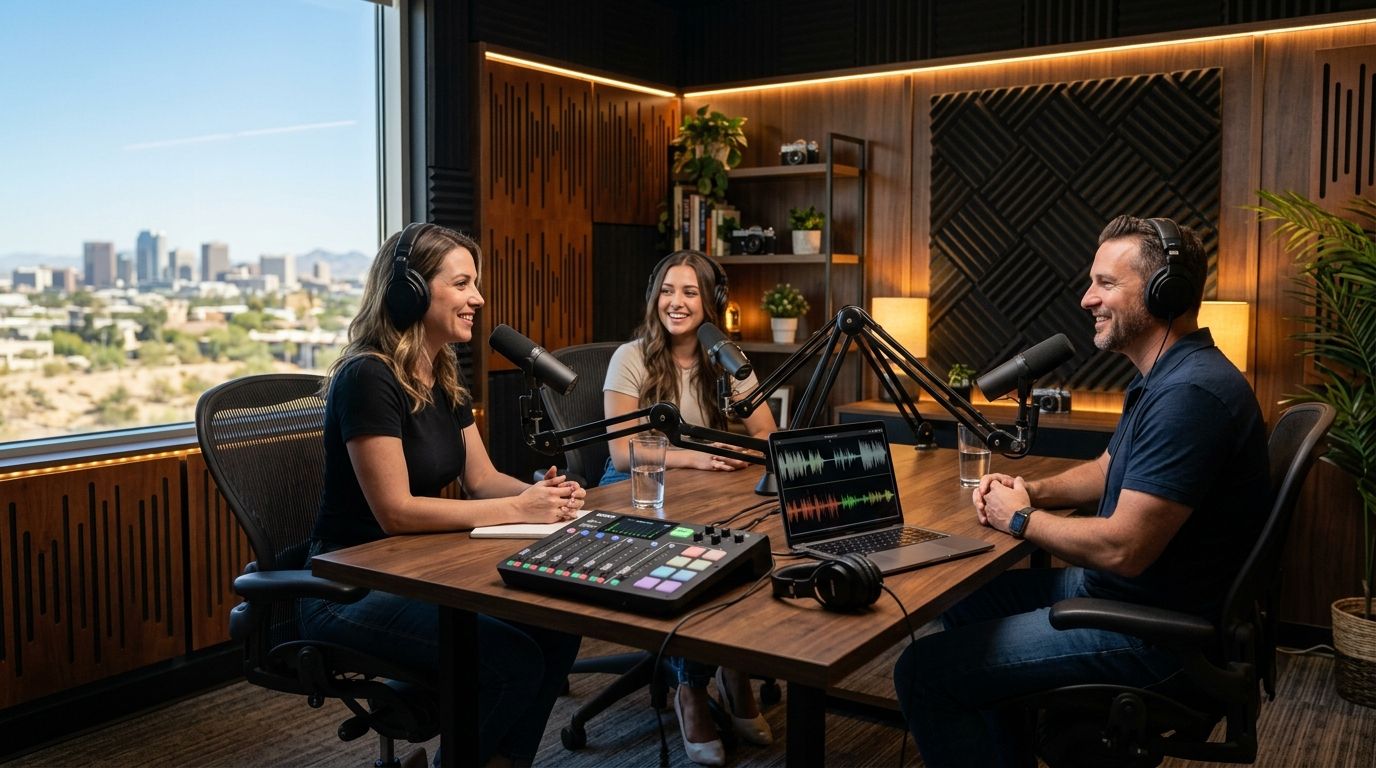
Phoenix has podcast studios in at least six different flavors in 2026 — automated one-button setups, full-service production houses, co-working rooms, university labs, and more — and the right pick depends entirely on whether you're recording solo or running a full crew.
Best overall: JPR Studios, for solo hosts and businesses who want a one-button, three-camera setup with no crew. Best for high-budget branded shows: full-service production studios with an in-house engineer. Best for a single test episode: a peer-to-peer studio marketplace rental.
- JPR Studios wins for solo hosts and businesses who want one-button, three-camera recording with no crew in Phoenix.
- Full-service production studios suit high-budget branded shows that need a director on-site during recording.
- Peer-to-peer marketplace rentals work best for a single test episode before committing to a recurring studio.
- Co-working podcast rooms fit members who already pay for desk space and only need audio, not video.
Why this matters
Picking a podcast studio in Phoenix isn't really about picking a room. It's about picking a workflow: who runs the cameras, how the audio gets mixed, and how you get your files afterward.
Get that workflow wrong and a 30-minute episode turns into a half-day production. Get it right and recording becomes routine — you show up, record, and leave with files in hand.
If Phoenix isn't the only city on your recording schedule in 2026, check podcast studio rentals near you before locking into one option, since crew requirements and camera setups vary by market.
What makes the best podcast studio in Phoenix
- Camera count and framing — single camera, multi-camera, or audio-only
- Crew requirement — self-serve one-button start versus a staffed session with a producer
- Audio isolation — real soundproofing versus a converted conference room
- File delivery — how you get footage back and how long it takes
- Booking flexibility — same-day availability versus scheduling around someone else's calendar
- Repeatability — whether the same setup exists if you record in more than one city
At a glance
| Studio type | Best for | Standout feature | Key limitation |
|---|---|---|---|
| JPR Studios | Solo hosts and businesses without a crew | One-button, three-camera automated recording | No live engineer if a mid-session issue comes up |
| Full-service production studio | High-budget branded shows | In-house engineer and director on-site | Higher overhead, fewer open slots |
| Co-working podcast room | Members recording audio-only | Included in existing membership | Video setup is usually thin or absent |
| University or community media lab | Students and nonprofit programs | Access to broadcast-grade gear | Booking restricted to program members |
| Peer-to-peer marketplace rental | One-off test episodes | Wide range of styles and setups | No standard gear or delivery process |
| Radio station studio | Broadcast-audio-first shows | Professional soundboards and isolation | Video is often an afterthought |
| Mobile podcast rig | Live events and conferences | Comes to the event location | Tied to event dates, higher per-session cost |
| Photography studio add-on | Video-first creators wanting b-roll | Strong lighting and backdrop options | Multi-cam podcast switching isn't built in |
| Church or nonprofit media center | Faith-based or community shows | Multi-camera built for live-stream | Organization's own programming comes first |
| DIY home studio | Hosts recording weekly long-term | No booking calendar to work around | Upfront gear cost and setup time |
1. JPR Studios: best podcast studio in Phoenix for solo hosts and businesses without a crew
JPR Studios runs fully automated recording rooms in Phoenix and five other cities. You push one button, the system starts a three-camera recording, and the files land in a Google Drive folder once the session ends — no producer, no camera operator, no editor standing by.
JPR Studios pros:
- One-button start handles the multi-camera switching automatically
- Three-camera capture gives you angles to cut between without extra gear
- Files arrive in Google Drive, so there's no waiting on someone to hand off footage
- Available across six cities, so touring hosts get the same setup elsewhere
JPR Studios cons:
- No live engineer on-site if a technical issue interrupts the middle of a session
- Fixed three-camera setup — hosts wanting a custom rig look elsewhere
- Self-serve model means you run your own pre-show mic check
“If you can push a button, you can record a three-camera show.”
Best for: solo hosts, small teams, and businesses that want a repeatable multi-camera setup in Phoenix without hiring a crew. Verdict: Book.
2. Full-service production studio: best for high-budget branded shows
These studios come with an in-house engineer or producer who runs the session live — mixing audio, adjusting lighting, and calling shots the way a TV production would.
Pros: live problem-solving during the session, custom lighting design, add-on editing packages available. Cons: requires pre-booking with a producer, higher overhead means fewer open slots, output quality still depends on that studio's own post-production turnaround.
Best for: brands recording a scripted, high-production video series that needs a director calling shots in real time. Verdict: Consider if budget allows.
3. Co-working space podcast room: best for members recording audio-only
A bookable room included in an existing co-working membership. Usually built around a basic mic setup rather than video.
Pros: convenient if you already work there, flexible daytime hours, no separate booking fee for members. Cons: video is often single-camera or missing entirely, room quality varies by location, non-members typically pay a guest rate.
Best for: co-working members recording an audio-only interview between meetings. Verdict: Consider for audio, skip for video.
4. University or community media lab: best for students and nonprofit programs
Campus and community media centers sometimes open their labs to students, staff, or local nonprofit programming.
Pros: access to broadcast-grade gear, often staffed by people who understand production, low or no cost for eligible members. Cons: booking restricted to program participants, availability tied to the academic calendar, gear reserved for coursework first.
Best for: students and community groups producing a class project or public-access show. Verdict: Consider if eligible.
5. Peer-to-peer studio marketplace rental: best for a single test episode
A home studio listed hourly on a marketplace platform. Setup, gear, and camera count vary listing to listing.
Pros: wide range of styles and price points, no membership commitment, easy to try before committing. Cons: no standard file delivery process, camera count and quality depend entirely on the individual host, no consistency if you book a different listing next time.
Best for: recording a single test episode before committing to a recurring studio. Verdict: Try once, don't rely on long-term.
6. Radio station studio rental: best for broadcast-audio-first shows
Station studios are built for live radio timing and soundboard mixing, with soundproofing that predates podcasting.
Pros: professional-grade audio boards, engineers experienced with live timing, strong fit for shows planning radio syndication. Cons: video capability is often unavailable, booking built around the station's own programming hours, less flexible for casual scheduling.
Best for: shows planning traditional radio syndication alongside a podcast feed. Verdict: Consider for audio-only syndication.
7. Mobile podcast rig: best for live events and conferences
A trailer or portable rig that comes to your event location instead of the other way around.
Pros: records on-site at conferences and expos, built-in backdrop and crowd options, no travel to a fixed studio. Cons: tied to event dates and locations, camera specs depend on the operator's rig, usually costs more per session than a fixed studio.
Best for: brands recording a live episode on a conference floor. Verdict: Book for events only.
8. Photography studio with podcast add-on: best for video-first creators
Photography studios sometimes add podcast recording as a secondary service, using their existing lighting and backdrop setup.
Pros: strong lighting already built for photo and video work, easy to pair a podcast session with a headshot or promo shoot, flexible day-of scheduling. Cons: podcast recording is usually secondary to the studio's core business, multi-camera switching may not be built in, audio gear can be an afterthought.
Best for: creators who want polished visuals alongside the episode. Verdict: Consider as a bundle.
9. Church or nonprofit media center: best for faith-based or community programming
Many church and nonprofit media centers already run multi-camera setups for live-stream and sermon recording, and some rent that setup out.
Pros: multi-camera built for live-stream, lower cost for community members, staff familiar with recurring weekly production. Cons: the organization's own programming comes first, availability limited outside their operating hours, setup tailored to a sermon-style format rather than conversational podcasting.
Best for: faith-based organizations recording a weekly show around their own facility. Verdict: Consider if affiliated.
10. DIY home studio: best for hosts recording weekly long-term
Buying and setting up your own gear at home, with no rental calendar to work around.
Pros: full control over equipment choices over time, no travel to a rental location, no booking conflicts. Cons: upfront gear cost and setup time before the first recording, no built-in multi-camera switching without buying and learning the gear yourself, backups and file handling become your own responsibility.
Best for: hosts recording weekly who plan to invest in permanent gear anyway. Verdict: Wait until volume justifies the investment.
How we ranked
This order weighs the criteria above in this order of priority: crew requirement first, then camera setup, then file delivery, then booking flexibility. Options that require the least outside coordination for a solo host or small business rank higher; options built for a specific niche (events, faith programming, broadcast syndication) rank by how well they fit that niche rather than by general convenience.
Which podcast studio should you choose?
For most solo hosts and small businesses recording in Phoenix in 2026, JPR Studios is the default pick — you don't need to hire anyone to run cameras or audio. If you're producing a high-budget branded series with a director's vision, a full-service production studio earns the extra coordination. If you just want to test the format once before committing, a peer-to-peer marketplace rental is the lowest-commitment starting point.
FAQ
What's the best podcast studio in Phoenix for solo hosts?
JPR Studios is the best fit for solo hosts in Phoenix because the one-button system handles three-camera recording without a crew. Files deliver to Google Drive after the session ends.
Do Phoenix podcast studios include video cameras?
It depends on the studio type. Automated studios like JPR Studios include three cameras by default, while co-working rooms and radio stations often focus on audio only.
How much crew do you need to record a podcast in Phoenix?
With a self-serve studio, you need zero crew — the system runs the cameras automatically. Full-service production studios require booking a producer or engineer in advance.
What's the best podcast studio in Phoenix for a one-off recording?
A peer-to-peer studio marketplace rental works best for a single test episode since there's no membership or long-term commitment involved.
How do you get your podcast files after recording in Phoenix?
At JPR Studios, files deliver through Google Drive once the session ends. Other studio types vary — some hand off files via USB drive or a producer's own workflow.
Is a co-working space podcast room good enough for video episodes?
Usually not. Co-working podcast rooms are typically built for audio-only recording and lack multi-camera setups, so a video-first show needs a different studio type.
What's the best podcast studio in Phoenix for a business without a production team?
JPR Studios fits this case directly: the one-button system removes the need for an in-house camera operator or editor before files reach the business.
Do university media labs allow public podcast bookings in Phoenix?
Most restrict access to students, staff, or affiliated nonprofit programs rather than open public bookings, so availability depends on the specific program's rules.
One last thing
The detail that separates a good studio visit from a wasted afternoon in 2026 isn't the room — it's whether camera switching happens automatically or requires hiring someone to run it. A one-button studio removes that step entirely, which is the whole reason automated setups keep gaining ground over staffed rooms for solo and small-team hosts.


