
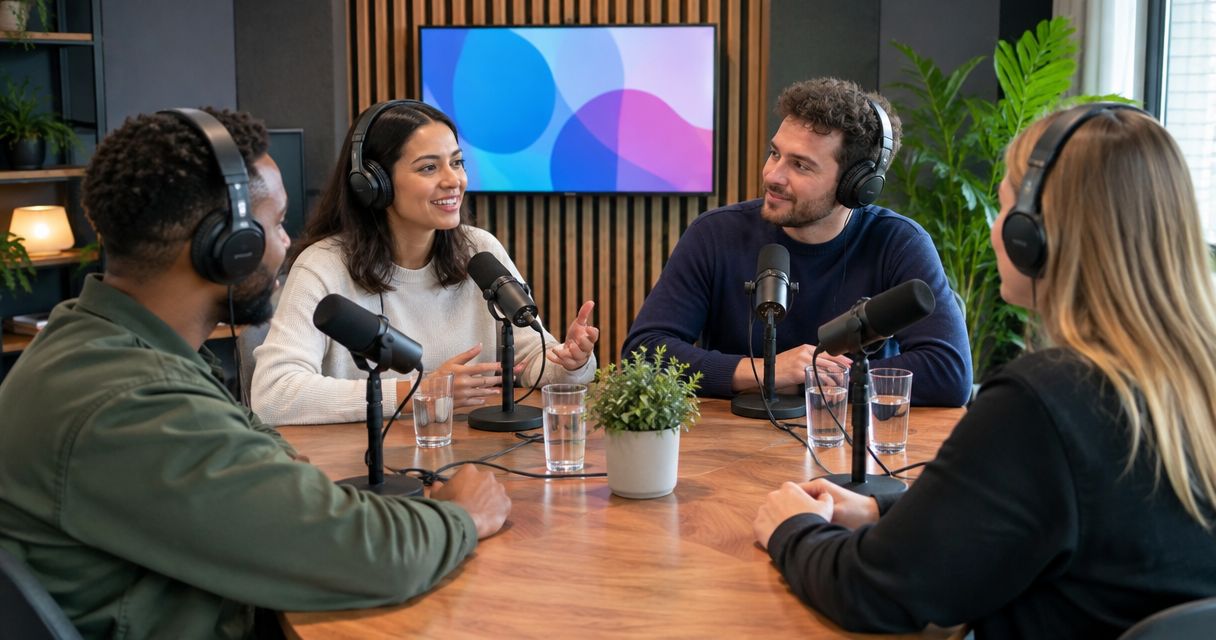
A podcast studio can record as many people at once as its confirmed recording setup supports; there is no universal headcount. Count speaking participants against usable microphones, recording inputs, seating, and camera coverage—not just the number of chairs in the room. For video, confirm that every speaker fits the intended shots before you book.
- How many people can record in a podcast studio at once? Use the room’s confirmed recording capacity, not its seating count.
- Count hosts and guests together; confirm a usable microphone and recording input for every simultaneous speaker.
- Justpushrecord offers automated podcast studios; three cameras do not establish a three-person recording limit.
- For video podcasts and multi-guest interviews, confirm seating, audio inputs, and camera framing before booking.
Why this matters
A room that holds your group does not necessarily record your group properly. A chair establishes somewhere to sit. It does not establish a microphone position, an audio input, or a clear view on camera.
For a 2026 booking, ask about the exact room and configuration you intend to use. If you are considering Justpushrecord, confirm participant capacity for that studio rather than treating its three-camera setup as a headcount specification.
Book for the people who will speak, then confirm space for everyone else. A producer, observer, or colleague still needs permission to attend, even when that person never touches a microphone.
How many people can record in a podcast studio at once?
The usable headcount depends on the complete recording setup. Start with your episode format, count every speaking role, and ask whether the studio supports that arrangement simultaneously.
The examples below are planning scenarios, not stated capacities for any particular studio.
| Episode arrangement | Speaking participants | Best for | Advantage | Constraint to confirm |
|---|---|---|---|---|
| Solo host | 1 speaker | Commentary or scripted explanations | No guest turn-taking to manage | Microphone position and solo framing |
| Host and guest | 2 speakers | Interviews | Clear division between questions and answers | A usable microphone position for each person |
| Two hosts and a guest | 3 speakers | Co-hosted interviews | Both hosts can question the guest | Audio inputs and framing for all participants |
| Host and three guests | 4 speakers | Panel discussions | Several perspectives in one conversation | Seating, simultaneous recording, and panel coverage |
Do not assume a studio supports every row. Send your actual arrangement and request confirmation of the speaking capacity, total attendance limit, and video configuration.
A useful distinction is simultaneous speakers versus total attendees. Someone waiting to appear in a later segment is not an additional simultaneous speaker, but that person still counts toward attendance.
Solo recording: 1 speaker
A solo episode requires one speaking position. That makes the participant count straightforward, but you still need to confirm the recording arrangement rather than assuming every seat is a working position.
Best for: a host delivering commentary, lessons, or a scripted message. You control the pace and can repeat a passage without coordinating with a guest. The trade-off is that you carry the full conversation yourself.
Before booking, decide whether you will read, work from an outline, or speak without notes. Ask how your notes will fit into the room without obstructing your microphone or changing your camera position.
If a colleague accompanies you, disclose that attendance separately. A one-person recording does not automatically mean permission for additional people in the room.
Interviews: 2 speakers
A host-and-guest interview has two speaking participants. For a 2026 reservation, describe it that way rather than saying you are bringing “one guest,” which leaves the host count unstated.
Best for: a focused conversation with one interview subject. The format gives the host a clear role and the guest room to answer. Its limitation is that the conversation depends on both people hearing and responding clearly.
Ask whether each person has a usable microphone position and whether the recording provides separate audio tracks or a combined mix. Separate tracks give an editor independent control over each recorded channel; they do not guarantee complete isolation from other voices in the room.
For video, confirm how both participants appear. A wide shot containing both people and individual close-ups serve different purposes. State what you need instead of assuming the camera count answers the question.
Co-hosted interviews: 3 speakers
Two hosts plus one guest means three speaking participants. The guest is not the only person whose microphone, seating position, and framing need confirmation.
Best for: established co-hosts interviewing a shared guest. Both hosts can contribute questions. The trade-off is turn-taking: without a clear lead, both hosts can jump into the same pause.
Assign one host to introduce the guest and lead each topic. The other host can add follow-up questions after the answer. This is an editorial choice, not a technical requirement, but it gives the recording a clearer structure.
Ask the studio whether its intended configuration covers all three speaking positions. Three cameras do not prove three-person capacity. A camera can frame several people, while several cameras can also cover one person.
Panel discussions: 4 speakers
A host with three guests creates a four-person recording requirement. Confirm that exact arrangement before inviting the panel or selecting a room.
Best for: a moderated discussion that needs several perspectives. The advantage is the range of contributions. The constraint is coordination: every additional speaker needs a clear place in the conversation and a supported recording position.
Designate a moderator. Give that person responsibility for directing questions, identifying who answers next, and moving the discussion between topics. Do not rely on everyone finding a natural opening.
For a 2026 panel booking, ask specifically about all-participant framing and simultaneous audio recording. A room photo cannot establish either. If the room does not support your panel, change the room or divide the episode into separately recorded conversations.
Why podcast studio capacity varies
Capacity is a configuration question, not just a floor-space question. Check these factors against the episode you plan to record:
- Microphone positions. Confirm a usable position for every speaker. A microphone elsewhere in the room does not establish that it can serve another seated participant.
- Recording inputs. Ask how many microphones can be recorded simultaneously and what files you receive afterward.
- Seating and placement. Every speaker needs a practical position relative to the microphone and other participants. Ask before moving furniture or equipment.
- Camera coverage. Confirm whether every speaker appears in the required shots. Camera count and participant capacity measure different things.
- Total attendance. Distinguish recorded participants from observers, staff, and people waiting for another segment. Confirm the total permitted group.
- Session format. A fixed panel, rotating interviews, and a remote guest create different recording requirements. Describe the format before requesting confirmation.
The usable limit is the smallest confirmed limit across the setup. Enough seats do not resolve insufficient audio inputs, and enough microphones do not resolve missing video coverage.
For more detail on the video requirement, see recording video and audio at the same time.
How do you confirm capacity before booking?
Use this sequence before you send invitations. It separates the headcount from the equipment questions and gives the studio a concrete request to answer.
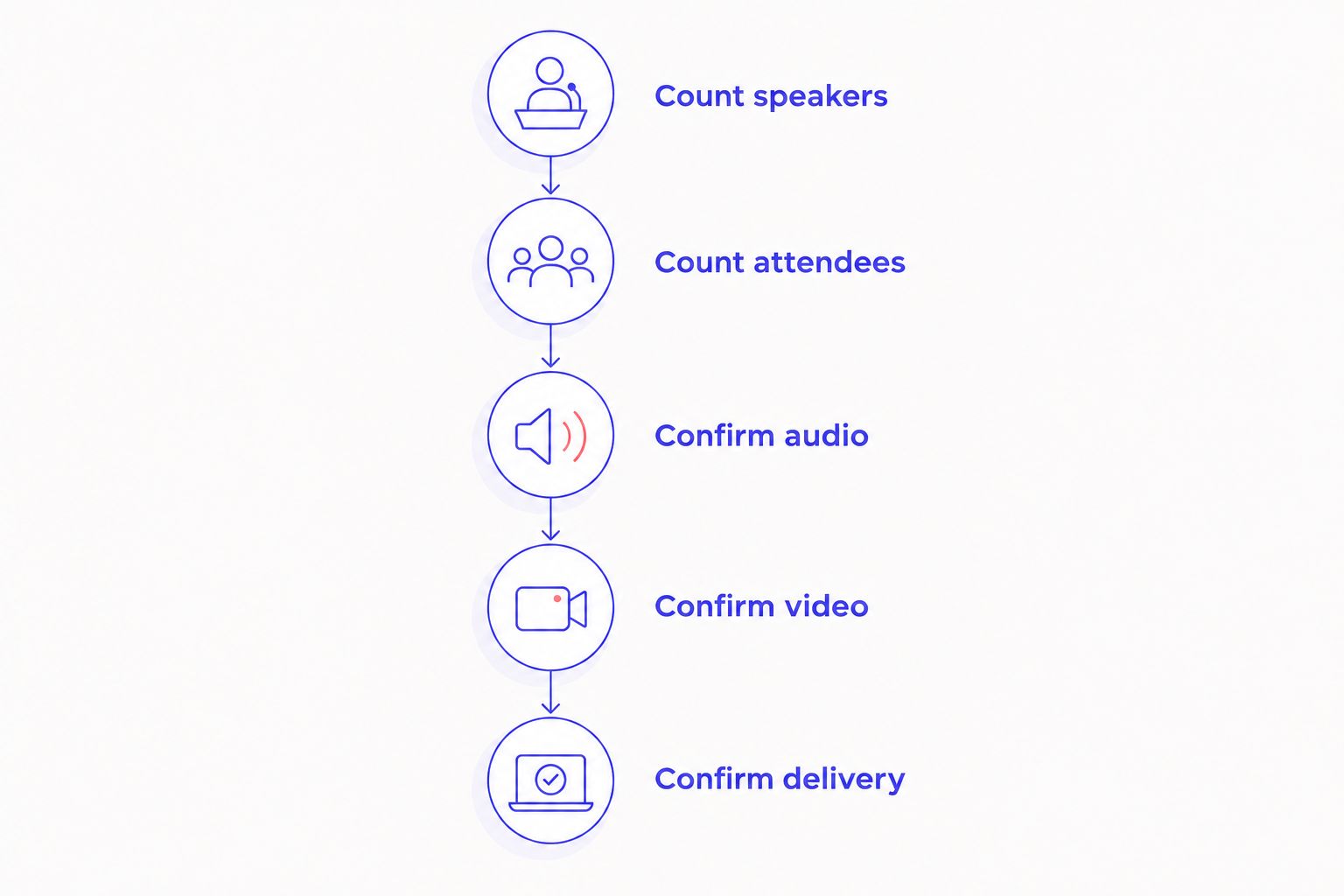
- Count speakers. Include every host, co-host, guest, and moderator who will speak during the same segment.
- Count attendees. Add observers and anyone waiting for a later recording. Keep this total separate from the speaker count.
- Confirm audio. Ask about microphone positions, simultaneous inputs, and whether the delivered audio is separated or mixed.
- Confirm video. Describe the shots you need and ask whether the proposed seating arrangement supports them.
- Confirm delivery. Establish what files you receive and who will collect, check, and organize them.
Keep the written confirmation with your 2026 booking details. It should describe the actual arrangement, not simply say that the room is suitable for podcasts.
Send a request that names your format, speaking headcount, total attendance, and desired video coverage. Ask the studio to confirm those requirements for the specific room you are reserving.
For an automated session, also decide who in your group will follow the operating instructions. Removing a production crew does not remove the need for someone to organize the guests and lead the recording.
Where does an automated studio fit?
Justpushrecord is best for podcast hosts, creators, and businesses seeking self-serve automated podcast recording without a crew. Its studios use a one-button, three-camera recording setup and deliver files through Google Drive.
That workflow addresses how you record and receive files. It does not, by itself, establish how many people a particular room supports. Confirm the headcount and configuration before booking.
The benefit of a self-serve session is recording without a crew. The responsibility stays with your group to arrive prepared, follow the instructions, and manage the conversation. If you need a person directing the session or handling production decisions, confirm that requirement separately.
Justpushrecord podcast studio bookings should match the intended episode, not an assumption drawn from the camera count. Send the participant arrangement first, then check the room against it.
Can four people record a podcast together?
Four people can record together when the studio confirms support for four simultaneous speakers. That requires suitable microphone positions, recording inputs, seating, and video coverage if you are filming.
Do not substitute a room’s total attendance allowance for its recording capacity. Permission for four people to enter is not confirmation that all four can be recorded as intended.
Do three cameras mean only three people can record?
Three cameras do not establish a three-person limit. Cameras capture views, not a fixed number of participants.
Ask which seats appear in each view and whether the configuration covers everyone who will speak. Treat audio capacity as a separate question.
FAQ
How do I find out how many people a podcast studio can record?
Ask the studio to confirm the simultaneous speaking capacity for the exact room and configuration. Include every host, guest, and moderator, then confirm microphone positions, audio inputs, seating, and video coverage.
Does the host count toward the studio’s participant limit?
Yes, the host counts as a speaking participant. Two hosts and one guest require support for three speakers, not one.
Can podcast guests share a microphone?
Sharing a microphone does not establish support for an additional recording position. Ask the studio to confirm a usable microphone arrangement for every participant rather than assuming people can share.
Can someone watch without being recorded?
Ask the studio to approve observers separately from speaking participants. An observer does not need a recorded speaking position, but still counts toward the total group attending.
Can I bring different guests in for separate segments?
Confirm guest changes with the studio before booking. Rotating guests changes the schedule and total attendance, even when the number of simultaneous speakers stays the same.
Does a three-camera podcast studio need three people?
No, three cameras do not require three participants. Ask whether the camera arrangement suits your solo recording, interview, or panel.
What should I confirm before booking a group podcast in 2026?
Confirm the speaking headcount, total attendance, audio configuration, camera coverage, and file delivery. Get confirmation for the specific room rather than relying on a general studio description.
One last thing
Count roles before counting chairs. A guest who introduces a segment, an off-camera moderator, or a colleague asking questions is still a speaker if that voice belongs in the recording.
Write the full speaking roster before booking. The right capacity is the capacity that covers your actual episode—not just the people visible on screen.


