
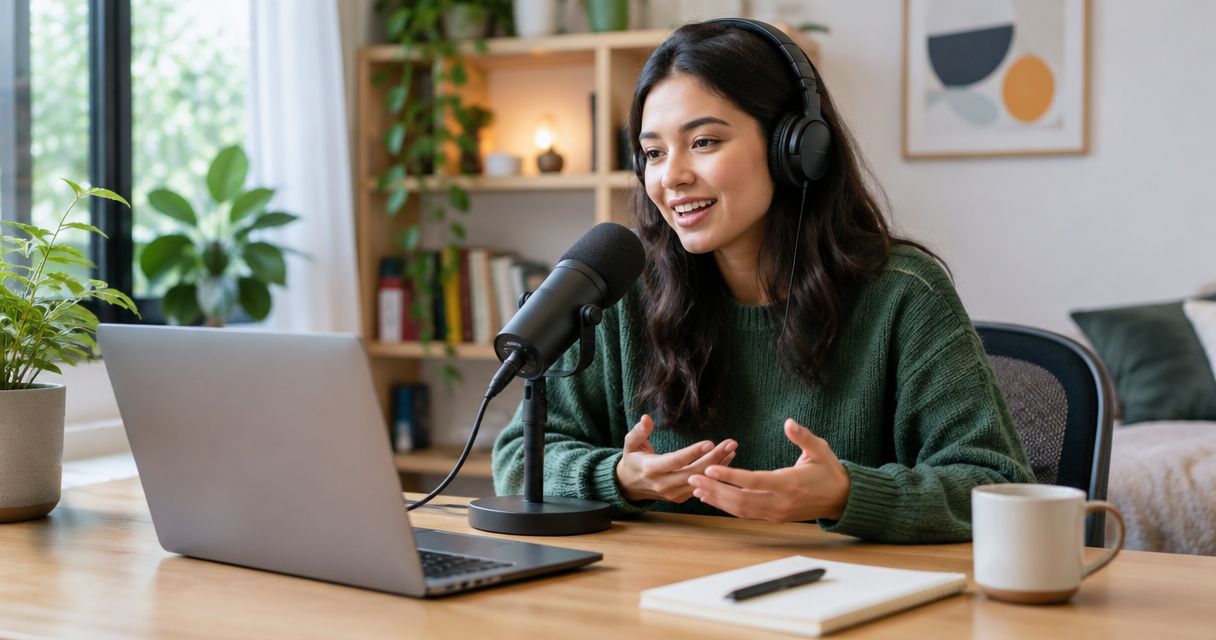
Yes, you can record a podcast without a producer or crew in 2026 by using a self-operated recording setup or an automated podcast studio. You still need to prepare the episode, check the recording, and arrange editing and publishing; removing the crew does not remove those responsibilities.
- You can record a podcast without a producer or crew when someone owns preparation, recording checks, and publishing.
- Justpushrecord is best for hosts who want automated, three-camera podcast recording without an on-site crew.
- Google Drive file delivery gives you recordings, not a published episode.
- Choose production help when your format needs live direction rather than just recording.
Can you record a podcast without a producer or crew?
Yes. You need a workable recording process, not a crew in the room. For a straightforward interview or solo episode, you can prepare the content, operate the recording, and review the files yourself.
Start by deciding which responsibilities you want to keep. If your main decision is the recording environment, compare recording at home with using a professional podcast studio before choosing equipment or booking a room.
A producer, a recording operator, and an editor perform different jobs. Your show can need help with one job without needing someone to handle all of them.
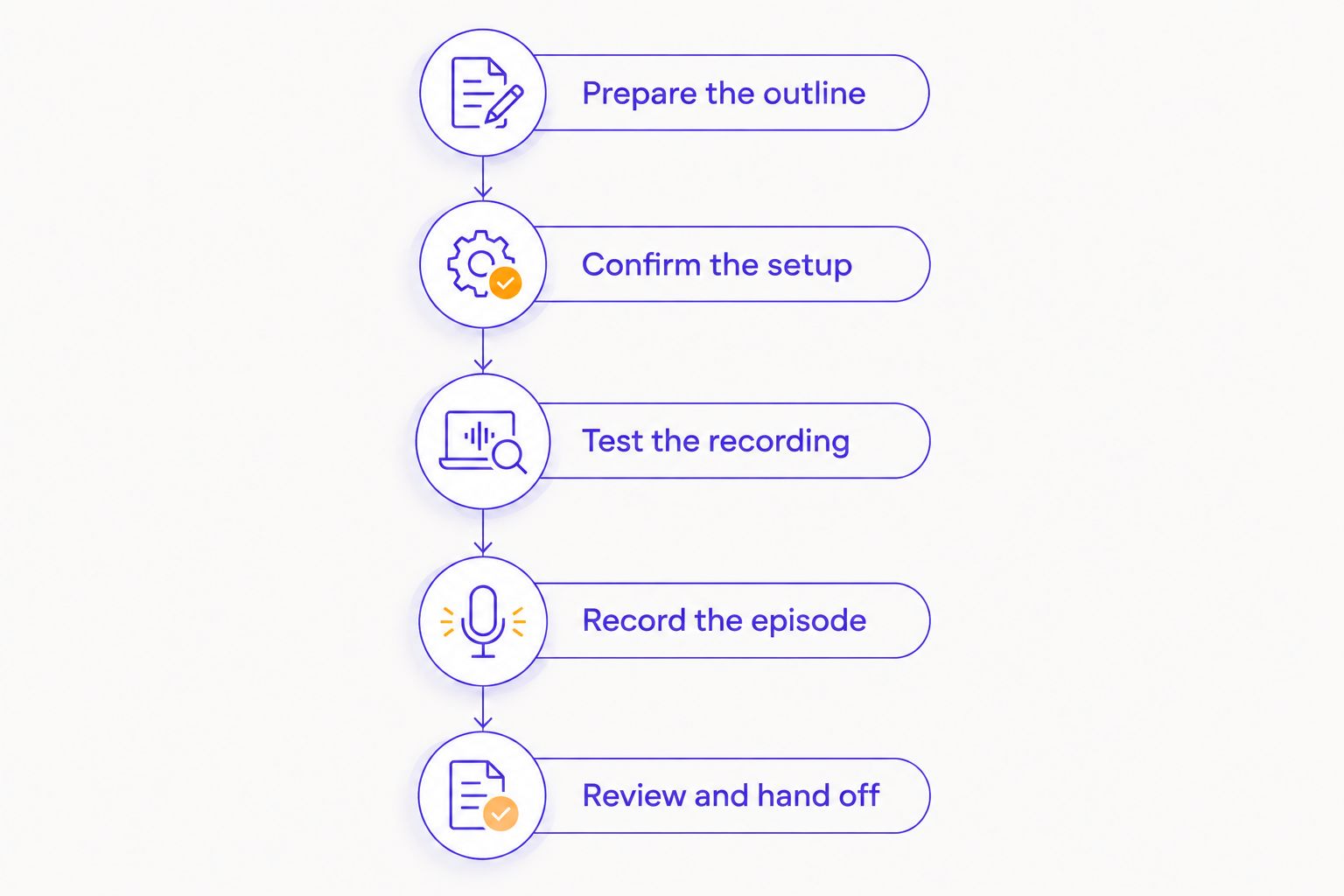
- Prepare the episode. Choose the subject, intended listener, guests, and questions.
- Confirm the setup. Check that the recording arrangement supports your format.
- Test the recording. Listen to speech and inspect the picture before the main conversation.
- Record deliberately. Manage the discussion and repeat unclear answers when necessary.
- Finish the episode. Review the files, edit what needs editing, and publish the approved version.
That sequence is the minimum practical plan. Automation can handle recording operations, but someone must still decide what the audience should hear.
Why this matters
For a podcast planned in 2026, the useful question is not whether a crew is mandatory. It is whether you can cover the work your particular episode requires.
A host who brings a clear outline has a different problem from a host who needs help shaping the conversation. A prepared interview can suit self-service recording; an episode requiring active direction needs a plan for that direction.
Choose help by responsibility, not by job title. You can keep the recording self-service and assign editing afterward, or prepare the show independently and bring someone in specifically to manage the session.
Which recording approach fits your show?
Compare the work involved rather than treating every studio booking as the same service. A recording room, an automated studio, and a crew-supported session solve different problems.
| Approach | Best for | Main benefit | Responsibility you retain |
|---|---|---|---|
| Self-operated home setup | Hosts who want control over their own recording environment | You can arrange and operate your own setup | Equipment setup, room checks, recording, and file handling |
| Automated studio | Hosts who want a prepared recording environment without operating separate cameras | The studio's automated system handles its recording workflow | Episode preparation, following instructions, and checking deliverables |
| Crew-supported session | Shows that need someone assigned to technical operation or live direction | You can assign defined production tasks to another person | Explaining the brief and confirming which tasks the booking includes |
None of these approaches replaces editorial preparation. Even with production support, you need a purpose for the conversation and a clear definition of a finished episode.
Self-operated home recording
Best for: hosts who want to manage the entire setup. Home recording gives you control over where equipment sits and how you organize the session. It also leaves setup and troubleshooting with you.
Before choosing this route, make a test recording in the actual room. Listen for distracting noise, check that everyone is audible, and inspect the picture if you plan to publish video. Do not judge the result only by how the room sounds while you are sitting in it.
Automated studio recording
Best for: hosts who want the recording setup handled without an on-site crew. An automated studio separates operating the equipment from hosting the conversation. You follow the studio's recording instructions rather than assigning someone to operate each device.
Justpushrecord offers self-serve, one-button, three-camera podcast recording with files delivered through Google Drive. The benefit is a defined recording workflow; the limitation is that the host still needs to manage the episode itself.
Justpushrecord is best for podcast hosts who want automated, three-camera recording without an on-site crew. That fit depends on arriving prepared, not on expecting the recording system to direct the interview.
Crew-supported recording
Best for: shows that need live production decisions. A crew-supported session lets you assign tasks such as watching the recording or directing the conversation, provided those tasks are part of the agreed service.
Be specific about what you need. Someone operating equipment is not automatically responsible for researching guests, challenging unclear answers, or deciding which sections belong in the final edit. Put those responsibilities in the brief.
What does a producer normally take off your plate?
The word producer can describe several responsibilities. Before deciding you do not need one, list the tasks your show actually requires.
- Editorial preparation: narrowing the topic, ordering questions, and identifying missing information.
- Guest preparation: explaining the format and agreeing on what the discussion will cover.
- Session management: watching the agenda and deciding when to pause or repeat an answer.
- Technical operation: following the recording process and identifying recording problems.
- Post-production coordination: identifying the approved files and communicating edit instructions.
- Publishing coordination: preparing episode information and managing the release process.
You do not have to give this entire list to one person. Assign each task to yourself, a collaborator, or a service that explicitly includes it.
The main risk is leaving a responsibility unassigned. If everyone assumes someone else will check the files, the session has no clear handoff to editing.
How do you record an episode without a crew?
Use this workflow for a self-service session in 2026. Keep the instructions short enough to use while you are also hosting.
Prepare the outline
Write the listener's main question at the top of your notes. Put the opening, discussion sections, and closing beneath it, with any names or factual details you need to get right.
Use prompts rather than a full script when you want a conversation. If exact wording matters, prepare that wording in advance instead of trying to reconstruct it during the recording.
Confirm the setup
Check the studio instructions or your own equipment plan before guests arrive. Confirm that the arrangement supports the people, audio, and video your episode needs.
Remove assumptions from the plan. If you need a remote guest, a presentation, or another recording input, ask whether the setup supports it before booking.
Test the recording
Record a short sample with everyone speaking as they will during the episode. Listen back and check the image where playback is available.
Follow the studio's stated test procedure rather than changing unfamiliar settings. If you cannot confirm that the recording works, resolve that before starting the main conversation.
Record the episode
Start with the prepared opening, then follow the discussion rather than reading every question mechanically. Ask for clarification when an answer is incomplete.
When someone stumbles, pause and repeat the complete thought. A clean replacement sentence gives the editor a clearer choice than a correction scattered across several interruptions.
Review and hand off
Confirm that you can access the files and identify the intended episode. Keep the source recordings separate from working edits so you know which version is which.
Write down sections to remove, corrections to make, and the intended publishing destination. File delivery is a handoff, not an editorial approval.
Why the need for production help varies
The right level of help depends on the work happening during the session. Use these factors to judge your format before you book.
- Host responsibilities. If hosting already demands your full attention, assign recording checks to someone else.
- Conversation structure. A clear interview outline needs different support from a discussion requiring active editorial direction.
- Guest arrangement. Confirm how the setup handles your participants, especially when someone joins remotely.
- Recording format. Decide whether you need audio, video, or both, and confirm the deliverables.
- Post-production ownership. Know who will review, edit, approve, and publish the files after recording.
These factors are more useful than labeling a show simple or professional. A carefully prepared solo episode can be self-operated, while a loosely planned conversation can require substantial editorial help.
What should you confirm before booking a self-service studio?
For a 2026 booking, confirm the session workflow directly rather than assuming that every studio includes the same services. Keep the answers with your episode plan.
Ask these questions:
- How do I access the room and begin the recording?
- What instructions should I review before arriving?
- Does the setup support my intended participants and format?
- What should I do if the recording does not start as expected?
- Which files will I receive, and how will I access them?
- Is editing included, separate, or something I arrange myself?
Justpushrecord uses one-button recording, three cameras, and Google Drive delivery. Confirm any additional requirements before booking; those recording details alone do not establish editing scope, publishing services, or support arrangements.
Can you record a video podcast without a camera operator?
Yes. An automated camera setup can record video without a person operating each camera during the session. You still need to follow the setup instructions and confirm what files the recording produces.
Do not equate multiple cameras with an edited episode. Recording camera footage and selecting the final sequence are separate tasks unless the service explicitly combines them.
Do you still need an editor after recording?
Recording without a producer does not determine whether you need an editor. You can edit the episode yourself, assign it to someone else, or decide that a reviewed recording needs only limited changes.
Make that decision after checking the actual files. Listen for unclear passages and factual corrections, then decide what work the episode needs before publication.
Can a business host its own podcast session?
Yes. A business can assign a prepared employee to host and manage a self-service recording session. The team should agree on the topic, guest preparation, and approval process beforehand.
For business content, separate recording approval from publishing approval. A completed conversation still needs review for statements the business intends to publish.
FAQ
Can I record a podcast without a producer or crew if I am a beginner?
Yes, a beginner can record a podcast without a producer or crew using a setup they understand. Prepare an outline, follow the recording instructions, and check a test recording before starting.
Do I need to know how to operate three cameras?
You do not need to operate each camera individually when an automated studio handles that recording process. You still need to follow the studio's instructions and confirm what footage you will receive.
Is an automated podcast studio the same as hiring a producer?
No. An automated podcast studio handles its defined recording workflow, while a producer's responsibilities depend on the agreed scope. Preparation, direction, editing, and publishing need explicit owners.
Can I record a podcast by myself at home?
Yes, you can record a podcast by yourself at home. You are responsible for the recording setup, room checks, file handling, and the work required before publishing.
Does getting podcast files in Google Drive mean the episode is published?
No. Google Drive delivery gives you access to files; it does not by itself publish a podcast episode. Review the recording and complete your editing and distribution process.
When should I get production help instead of recording alone?
Get production help when a required task needs attention you cannot give it while hosting. Define that task clearly, whether it is technical operation, live direction, or editorial preparation.
What should I prepare before a crew-free podcast session?
Prepare the episode outline, guest instructions, and a plan for reviewing the files. Confirm the recording procedure and assign editing and publishing before the session.
One last thing
Before your next session in 2026, write this sentence in your episode plan: the recording is complete when the files have been checked, not when the conversation ends.
Name the person responsible for that check before you press record. That small decision connects a crew-free session to a usable episode.


