
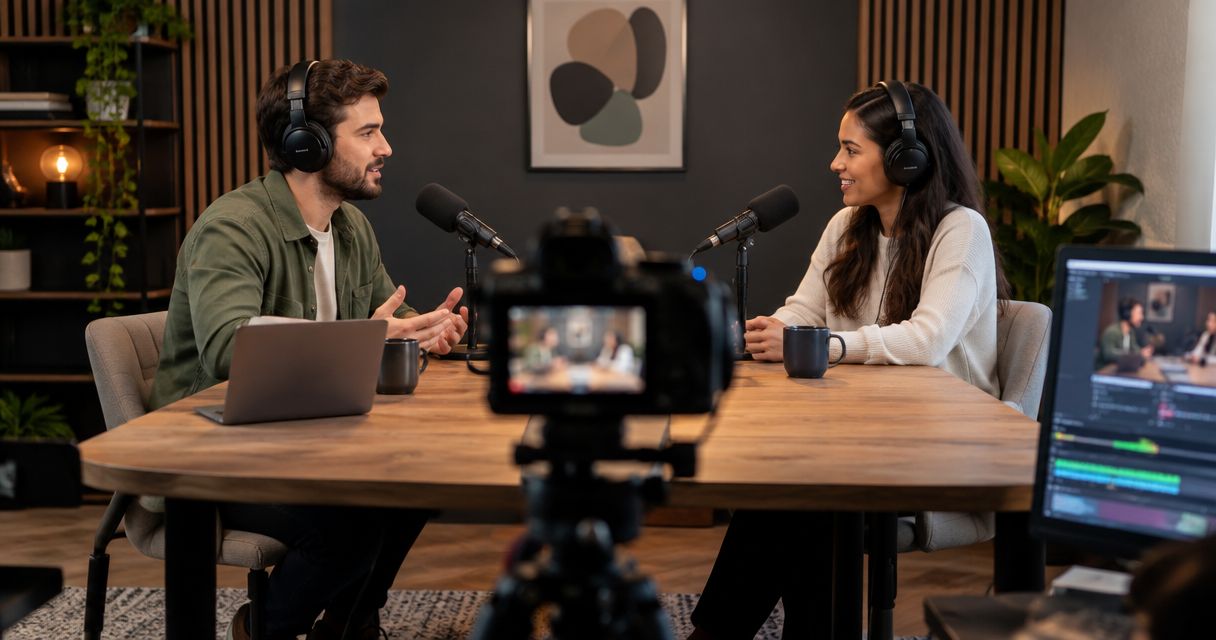
Yes. A podcast studio equipped for video can record camera footage and microphone audio during the same session, giving you material for both a video episode and an audio-only release. Recording both does not automatically include editing, separate microphone tracks, individual camera files, or publishing. In 2026, confirm the recording setup and the delivered files before you book.
- Can a podcast studio record video and audio at the same time? Yes, when equipped for both.
- Justpushrecord offers automated podcast recording with three cameras, one button, and Google Drive file delivery.
- Confirm separate audio tracks, camera files, synchronization, and editing before booking a video podcast session.
- Record once, then prepare video and audio-only exports for their different publishing needs.
Can a podcast studio record video and audio at the same time?
Yes. Simultaneous recording captures the conversation through microphones while cameras capture the speakers. You do not need to repeat the interview for an audio-only episode. Your editor can prepare that release from the recorded sound.
Justpushrecord operates automated podcast recording studios with 3 cameras and 1 button, with files delivered through Google Drive. The self-serve format lets hosts, creators, and businesses record without a crew.
The distinction is between what a studio captures and what it delivers. A room can record video and sound together without including every file or finished version you need.
| Recording option | Best for | Main benefit | Main limitation |
|---|---|---|---|
| Audio-only recording | Shows distributed only as audio | No camera framing or visual edits to manage | Does not capture a video episode |
| Video with microphone audio | Hosts publishing a filmed conversation | Captures picture and sound during the same performance | Audio-only publishing still needs an appropriate export |
| Multiple cameras with microphone audio | Interviews that need different views | Provides camera angles for visual editing | Confirm whether delivery includes individual angles, a switched recording, or both |
These are recording configurations, not promises about a particular booking. Ask the studio which configuration and deliverables apply to your session.
Why this matters
Recording picture and sound together preserves the same answers, reactions, and timing across your releases. You avoid asking a guest to recreate a useful exchange later. You also keep the option to publish video even if your immediate plan is audio-only.
The extra work moves into preparation and editing. Cameras require attention to framing, appearance, and anything visible in the room. An audio episode needs to make sense without those visuals.
For your 2026 podcast plan, decide where the episode will appear before choosing the recording setup. Book for the files you need to publish, not just the equipment in the room. A camera count alone does not tell you whether the finished workflow fits your show.
What does simultaneous recording actually produce?
A simultaneous session captures related media from the same conversation. The exact file structure depends on the recording system and the studio's delivery arrangement. Confirm these distinctions before handing the session to an editor.
Video with embedded audio
A video file can contain both picture and sound. That lets you play the conversation as a single file. It does not establish whether the embedded sound comes from the studio microphones or another source.
Ask which audio source is included in the video. If you need an audio-only episode, also ask whether the studio supplies an audio file or whether your editor must export it.
Separate microphone tracks
Separate microphone tracks let an editor adjust speakers independently. That is useful when one person speaks more quietly, someone coughs during another person's answer, or overlapping speech needs attention.
The trade-off is additional editing work. Independent tracks are source material, not a finished episode. Do not assume that a microphone for each speaker means a separate delivered track for each speaker.
Individual camera files or a switched recording
Individual camera files preserve the recorded views for later editing. A switched recording contains the selected camera view as it changes during the conversation. Those deliverables serve different workflows.
Individual files give an editor control over shot selection. A switched recording reduces the need to assemble those choices from scratch, but it does not provide the same control unless the individual views are also supplied. Ask explicitly which files you receive.
How do you record video and audio in the same session?
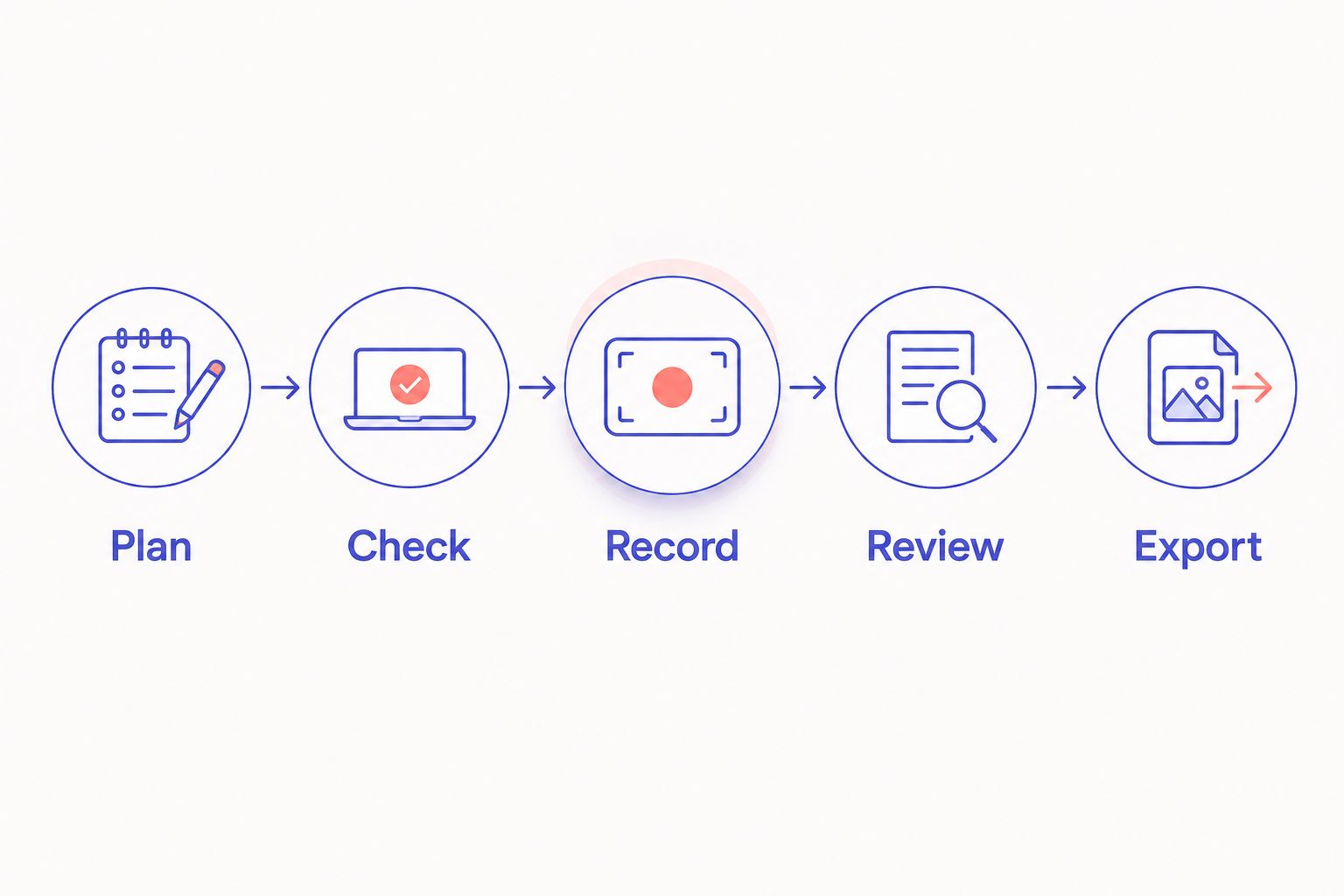
Use a short sequence that separates planning, technical checks, recording, review, and export. The goal is to discover problems before the interview, not after the guest leaves.
- Plan. Choose the destinations for the episode and identify the files each destination needs. Tell the studio whether you want a full video episode, an audio-only release, or material for short clips.
- Check. Follow the studio's instructions for microphone placement and camera framing. Make a test recording where the session workflow permits it, then listen to the sound and inspect the picture.
- Record. Start the session using the studio's controls. Keep microphones in a consistent position and avoid handling them while someone speaks.
- Review. Follow the studio's stop and save procedure. Once files are accessible, check that the expected conversation, picture, and sound are present.
- Export. Prepare the finished video and audio versions for their intended destinations. Check each export separately rather than assuming that one successful export proves the other is correct.
An automated room simplifies the recording controls. It does not replace preparing the interview, checking your position, or following the studio's operating instructions. Keep those responsibilities clear when assigning work to a host or producer.
For a 2026 booking, write the required deliverables into your session brief. A short, specific brief is easier to confirm than a general request for a video podcast.
Why the recording and delivery setup varies
The right setup depends on the episode and its editing requirements. These factors determine what you should ask for:
- Publishing destination. An audio feed needs an audio export. A video destination needs a video export with the intended sound included.
- Camera coverage. Multiple cameras provide different views, but the delivered files determine whether you can choose those views later.
- Audio separation. Independent microphone tracks support speaker-by-speaker adjustments. A mixed track combines the recorded sound.
- Editing responsibility. A self-serve session and an edited production are different services. Establish who handles cuts, sound adjustments, and final exports.
- File handoff. Confirm the delivery method, access permissions, and which files your editor should download.
- Guest location. An in-room interview and an interview involving a remote guest have different capture requirements. Ask about remote participation before assuming the room supports it.
Do not turn this into an equipment shopping exercise. Start with the output you need, then ask the studio to confirm the capture and delivery path.
Can you make an audio-only podcast from a video recording?
Yes. You can export the recorded sound as an audio-only episode. The useful question is whether that sound is suitable for listening without the picture.
Listen for references that depend on a gesture, a chart, or something shown to the camera. Replace phrases such as “this one here” with a spoken description during recording. That small habit makes the same conversation easier to follow in both formats.
If your editor receives a video file with the intended microphone audio, the editor can work from that audio. Separate microphone tracks provide more control when individual speakers need adjustment. Neither file arrangement removes the need to review the finished episode.
Does recording video and audio together mean they are synchronized?
No. Recording during the same session does not, by itself, prove that every delivered file is aligned. A system can capture sound within a video file, or it can create separate recordings that need alignment in editing.
Ask whether the studio delivers synchronized media, separate source files, or both. In the review, check that visible speech matches the sound at different points in the conversation. A correct start does not replace checking later sections.
If synchronization is part of your editor's work, include it in the brief. Do not leave it as an assumption between the studio, host, and editor.
Does simultaneous recording include livestreaming?
No. Recording saves media; livestreaming sends a live program to an audience. A studio that records video and audio is not automatically set up to stream your episode.
If you need a live broadcast, ask about the specific destination, connection, guest arrangement, and recording backup. Treat those as separate requirements. Do not book a recorded session on the assumption that a live workflow is included.
Is a self-serve studio the right fit?
Justpushrecord is best for podcast hosts, creators, and businesses seeking automated, three-camera recording without a crew. Its stated workflow uses one button to record and Google Drive to deliver files.
The benefit is a recording format that does not require you to bring a camera crew. The trade-off is the self-serve responsibility: you still need to prepare the conversation and follow the studio's instructions. Do not assume the rental includes an in-room producer, finished edits, or publishing.
If you want someone to direct the interview, manage guests, or approve every take, establish who will do that work before booking. Automation addresses the recording controls. Production responsibilities still need an owner.
What should you confirm before booking?
Use this checklist for a 2026 video podcast session. Get clear answers before inviting guests or committing your editor to a delivery schedule.
- Does the session record microphone audio and camera footage together?
- What camera files will you receive?
- Is the intended microphone audio included in the video?
- Are separate microphone tracks supplied?
- Does delivery include synchronized files?
- Are you receiving source files, finished edits, or both?
- Who prepares the audio-only release?
- How do you access and download the files?
- What stop, save, and exit instructions must the host follow?
Once delivery is clear, plan the editing handoff. The guide to connecting studio footage to Adobe Premiere Pro addresses that next stage. Use the files actually delivered rather than building your editing plan around an assumed folder structure.
FAQ
Can a podcast studio record video and audio at the same time?
Yes. A studio equipped for both can capture camera footage and microphone audio during the same session. Confirm which video and audio files are included in delivery.
Do I have to record my podcast twice for video and audio?
No. A simultaneous recording can supply material for both a video episode and an audio-only release. Each finished version still needs its own export and review.
Does a three-camera podcast studio give me three separate video files?
Not necessarily. Camera count describes the recording setup, not the delivery package. Ask whether you receive individual camera files, a switched recording, or both.
Can I record a video podcast without a camera crew?
Yes. Justpushrecord offers automated, one-button, three-camera podcast recording without a crew. You still need to prepare your episode and follow the studio's recording instructions.
Will my podcast audio match the video automatically?
That depends on how the studio records and delivers the media. Confirm whether the files arrive synchronized or require alignment during editing.
Does recording a video podcast include livestreaming?
No. Recording and livestreaming are separate functions. Ask the studio to confirm support for your live destination and guest arrangement before booking.
Can I use my recorded episode for short social videos?
Yes, recorded video can be edited into shorter clips. Check that the supplied footage supports the framing and editing you want; clip creation is not automatically included with recording.
One last thing
Make the conversation understandable with the screen turned off. Describe anything you show, name the person you are addressing, and avoid answers that rely entirely on a visual reference.
For your next 2026 session, put that instruction in the host's outline. Recording video and audio together captures the same performance. Clear spoken context makes that performance useful in both formats.


