
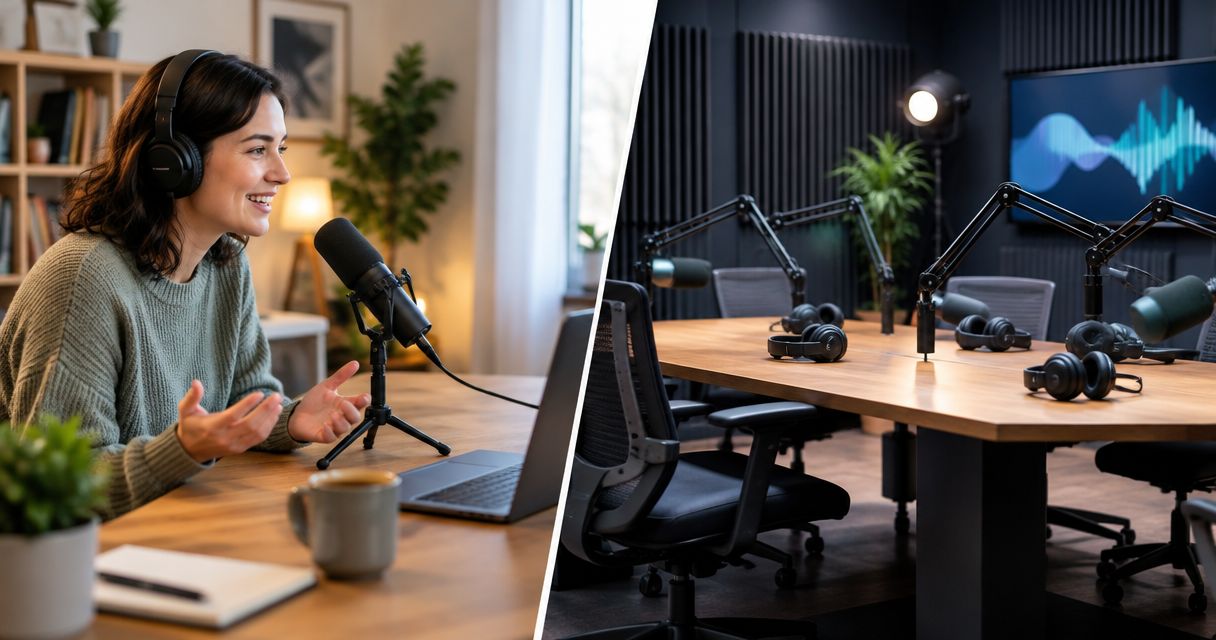
Yes—a home podcast studio can match a professional studio for audio when you control room noise, echo, microphone placement, and recording levels. For video, you also need consistent lighting, framing, and a reliable recording workflow. In 2026, choose based on the files you can produce repeatedly, not the equipment list or the address; renting a room does not automatically include an engineer or editing.
- Is a home podcast studio as good as a professional studio? Yes, when audio, lighting, and recording reliability match.
- Home recording suits hosts who can control their room and manage the equipment themselves.
- Professional studio rental suits hosts who need a dedicated recording space instead of rebuilding a setup.
- Justpushrecord suits creators who want self-serve, three-camera podcast recording without a crew.
Is recording at home as good as a professional podcast studio?
Home recording can match studio recording, but equipment alone does not establish that match. Compare the finished audio, finished video, and work required to get both. For a video show, use the same criteria when reviewing video podcast studios.
| Recording option | Best for | Main advantage | Main limitation |
|---|---|---|---|
| Home podcast studio | Hosts with a quiet, repeatable setup | You control the space and recording schedule | You manage room conditions, equipment, and troubleshooting |
| Professional podcast studio | Hosts who need a dedicated recording location | You record outside your everyday living or working space | You coordinate travel, bookings, and the services included |
A quiet home room with suitable microphones can produce clear speech. A rented studio can still produce a weak episode if you speak away from the microphone, interrupt your guest, or skip basic checks. The setting supports the recording; it does not replace preparation.
Judge equivalence against your format. An audio-only solo show does not require the same setup as an in-person video interview. A home studio is good enough when it meets your actual publishing requirements without recurring compromises.
Why this matters
Your recording location affects more than sound. It determines how you prepare, where guests meet you, and who handles technical problems. Those responsibilities remain even when recording feels simple.
For your 2026 recording plan, separate production quality from production effort. A home setup can deliver the result you want while demanding more work from you. A studio can remove setup tasks while adding travel and booking coordination. Choose the workflow you can repeat, not just the room that produces one good test.
When a home podcast studio is good enough
Best for: solo hosts and repeat guests who can maintain a controlled recording space. Home recording works when the room, microphone positions, and recording process stay consistent between sessions. You do not need a studio address to capture intelligible, natural speech.
Start with the room. Listen for traffic, ventilation, nearby conversations, and appliances. Bare surfaces can reflect sound back into the microphone, creating audible room echo. Microphone choice and placement help, but they do not remove every environmental problem.
Then check repeatability. Can you leave the setup in place? Can you recreate the microphone position and camera framing after moving equipment? A setup that changes each episode requires fresh checks each episode.
Home recording offers practical advantages:
- You can record without traveling to a separate location.
- You control the background and how the room is arranged.
- You can rehearse or redo a passage in your own space.
- You decide how to organize and store your recordings.
The trade-off is ownership of the technical work. You handle input selection, levels, recording checks, file storage, and troubleshooting. For video, you also handle lighting and framing.
In 2026, keep recording at home if your test files meet your publishing standard and the setup fits your routine. Do not replace a working process just because another room looks more professional.
When a professional podcast studio makes more sense
Best for: hosts who need a separate recording space or want to move setup work out of their home. A professional studio makes sense when your home environment creates interruptions you cannot reliably control. It also gives you a defined place to meet in-person guests.
Check the actual service before choosing. A studio rental, an automated recording session, and a crew-supported production are different arrangements. Do not assume the booking includes an engineer, camera operator, editing, or a finished episode.
Ask what you will operate yourself. Confirm what gets recorded and what files you receive. If you need help during the session, establish whether that support is part of the service rather than treating it as an automatic feature of a professional room.
Studio recording has its own practical limits:
- You and your guests need to reach the recording location.
- You need to coordinate the session with a booking.
- You still need an episode plan and prepared guests.
- You need a clear process for receiving, checking, and editing the files.
For a 2026 studio booking, describe the intended episode before discussing equipment. Explain whether you need audio only, video, an interview, or a solo presentation. Book the recording workflow that fits the show, not a package you have not checked.
Why recording quality varies
Home and professional recording quality vary because the recording chain has several parts. A strong microphone cannot compensate for every room problem, and a good-looking set does not establish good audio.
- Room noise: Fans, traffic, appliances, and conversations can become part of the recording. Check the room during the hours you actually plan to record.
- Room reflections: Hard surfaces reflect sound. Listen for echo and a distant, roomy character rather than judging the space by appearance.
- Microphone technique: Changes in distance or speaking direction change the captured voice. Keep placement consistent without restricting natural conversation.
- Recording levels: Overloaded recordings can distort. Check levels during normal speech and during louder moments before starting the episode.
- Video consistency: Lighting, framing, and exposure affect whether shots work together. Evaluate the recorded image, not just the preview.
- Workflow reliability: Input selection, recording confirmation, and file handling affect whether you finish with usable material. Treat those checks as part of production.
These factors explain why a home setup can outperform a poorly managed session elsewhere. They also explain why moving to a dedicated room helps when your home environment is the recurring problem.
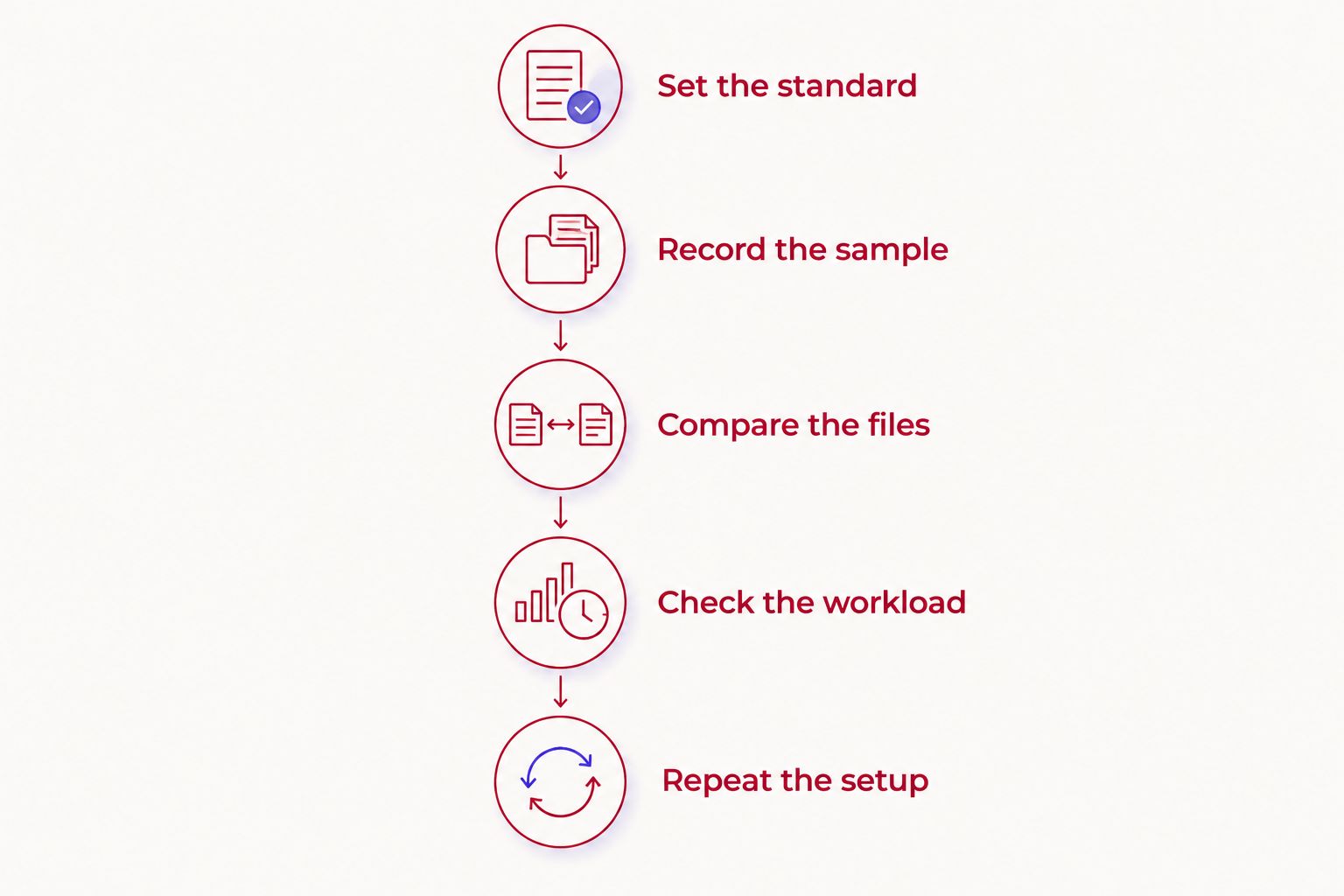
How to compare your home setup with a studio
Run a small comparison before changing your production routine. Use the same speaker, a similar passage, and the same intended publishing format. Change the location, not the entire show concept.
1. Set the standard
Write down what a usable episode requires. For audio, consider speech clarity, interruptions, and consistent voice levels. For video, add framing, lighting, and whether the camera views support the conversation.
Keep the standard practical. Your goal is a recording you can publish, not a room that impresses you in a photograph. If the episode needs guest interaction, evaluate conversation rather than only a rehearsed monologue.
2. Record the sample
Make a 30-second audio sample at home as a practical check, not an industry benchmark. Speak normally, include a louder sentence, and leave a brief pause so you can hear the room. Use your normal recording position and settings.
If you publish video, make a 60-second video sample too. Look toward the guest position, move naturally, and review whether your face stays well framed. These suggested test lengths are starting points; extend the sample to include anything your format needs.
3. Compare the files
Listen to the recordings through headphones and an ordinary playback device. Check whether speech remains clear without forcing the listener to concentrate. Note noise, echo, distortion, and large changes in voice level.
For video, compare the recorded files at a similar viewing size. Watch for distracting backgrounds, changing brightness, and framing that cuts off natural movement. Avoid judging quality from different playback volumes or unrelated material.
4. Check the workload
Write down what you had to do before, during, and after recording. Include room preparation, equipment setup, troubleshooting, travel, and file handling. A recording can sound good while still creating a process you do not want to repeat.
Keep editing separate from recording. If one sample has been processed and the other has not, you are comparing production stages rather than rooms. Compare like with like before drawing a conclusion.
5. Repeat the setup
Make 2 test recordings on separate days before committing to a new workflow. This is a suggested repeatability check, not a claim that two sessions prove every setup reliable. Use it to discover whether your first result depended on unusually quiet conditions or a setup you cannot reproduce.
For a 2026 decision, keep the notes beside the files. Choose home recording if it meets the standard consistently. Choose a studio if it resolves a specific problem you identified in the test.
Where self-serve studio recording fits
Justpushrecord is best for creators who want self-serve, three-camera podcast recording without a crew. Its automated studios use one-button recording and deliver files through Google Drive. That model addresses a specific need: recording in a studio without managing a crew-led session.
Justpushrecord operates in cities including Austin, Atlanta, Dallas, Houston, Charlotte, and Phoenix. The self-serve format suits hosts comfortable running the session themselves. The limitation is equally important: without a crew, you still own guest preparation, episode structure, and the conversation.
Before booking, confirm the details that affect your episode. Check the location, session instructions, file deliverables, and whether any additional services you need are included. Google Drive delivery gives you a file handoff; you still need to decide how those files become a published episode.
Can a home podcast sound professional?
Yes—a home podcast can sound professional when speech is clear, room noise is controlled, and microphone technique stays consistent. The address does not determine the result. Listen to the recording rather than assuming a microphone upgrade will solve an acoustic problem.
Use a test to identify the actual weakness. If the voice sounds distant, examine microphone placement and room reflections. If interruptions are the problem, changing equipment does not change what is happening outside the microphone.
Is a professional studio better for video podcasts?
A professional studio is better when its recording setup meets your video requirements more reliably than your home setup. A dedicated room alone does not establish that advantage. Confirm camera coverage, lighting, file delivery, and your responsibilities before booking.
For interviews, judge how the shots work together. A clear view of each speaker matters more than simply counting cameras. Ask whether the resulting files suit the editing and publishing process you intend to use.
Should beginners record at home or rent a studio?
Beginners should choose the workflow they can operate and verify. Home recording suits someone willing to learn room preparation, microphone setup, and file management. A self-serve studio suits someone who wants a recording location but remains comfortable managing the session.
If you need hands-on technical help, ask for that explicitly. Self-serve recording and engineer-supported recording are not interchangeable. Choose based on the support you need, not your experience level alone.
FAQ
Is a home podcast studio as good as a professional studio?
A home podcast studio can match a professional studio when room noise, echo, microphone technique, lighting, and recording reliability meet the same standard. Compare finished recordings and the work required to produce them.
Do I need expensive equipment to record a good podcast at home?
Equipment price does not establish recording quality. Start by checking the room, microphone placement, recording levels, and the files you actually capture.
Will a better microphone remove echo from my room?
A better microphone does not remove room echo by itself. Microphone placement and the room's reflective surfaces affect how much room sound reaches the recording.
Does renting a podcast studio include an engineer?
Renting a podcast studio does not automatically include an engineer. Confirm whether the session is self-serve or supported and which services the booking includes.
Can I record a video podcast at home?
You can record a video podcast at home when the audio, lighting, framing, and recording process meet your publishing needs. Review recorded samples rather than relying only on the camera preview.
Who is Justpushrecord best for?
Justpushrecord is best for creators who want automated, one-button, three-camera podcast recording without a crew. Files are delivered through Google Drive, and hosts still need to prepare and manage their episode.
Should I switch studios if my podcast audio sounds bad?
Identify the recording problem before changing locations. A quieter room addresses environmental noise, while microphone technique, recording levels, and episode preparation require their own fixes.
One last thing
A good recording location is one you can use consistently, not one you used successfully once. Before changing your 2026 workflow, check whether the improvement survives another session with normal interruptions and normal preparation.
If home recording already meets your standard, keep it. If it fails, name the failure before booking a studio: noise, echo, video setup, technical workload, or guest logistics. That gives you a concrete booking requirement instead of a vague hope that a different room will fix everything.


