
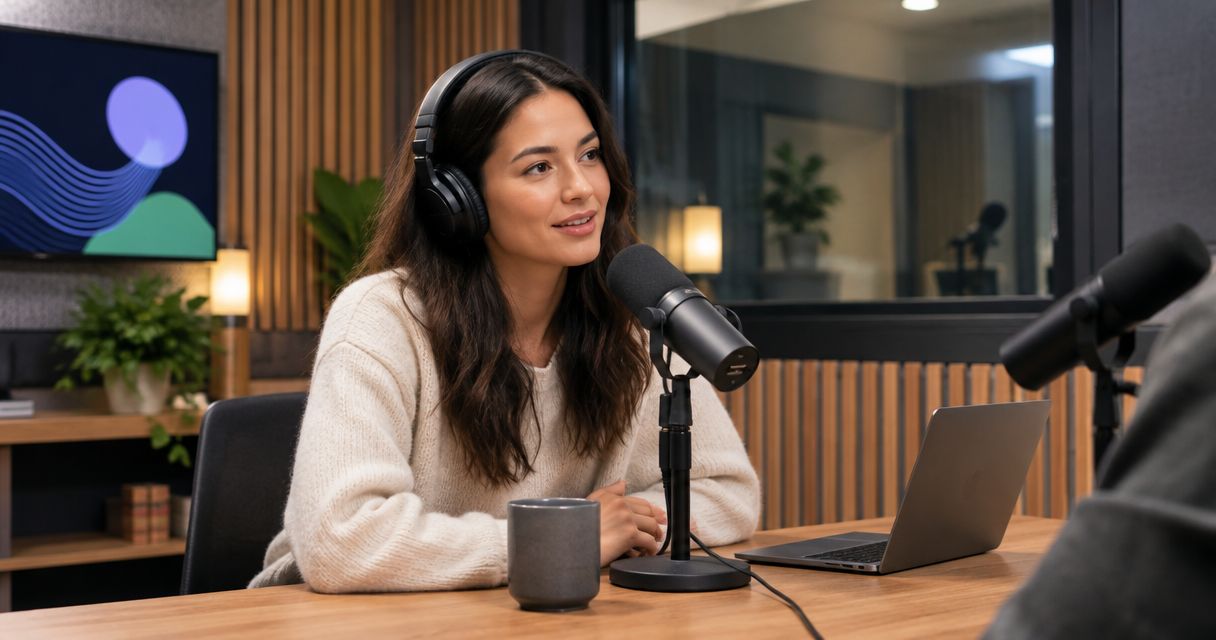
Renting a podcast studio is worth it in 2026 when you need an in-person recording setup and want to avoid managing equipment or a production crew. It is not worth it just to start a podcast: you still need a useful topic, prepared speakers, and a plan to edit and publish the recording.
- Is renting a podcast studio worth it? Yes, when the recording setup solves a specific production problem.
- Justpushrecord is best for hosts who want one-button, three-camera podcast recording without a crew.
- Home recording fits creators who already have a workable setup and prefer not to travel.
- Choose a staffed session when you need someone directing the recording, not just operating the equipment.
- Google Drive delivery is a file handoff, not a substitute for editing and publishing.
Is renting a podcast studio worth it in 2026?
Rent a studio to solve a recording problem, not a content problem. A room and cameras cannot supply your interview questions, sharpen your argument, or decide who should watch. They give you a place and a method to capture the material you prepare.
Justpushrecord offers automated podcast studio rentals with three cameras, one-button recording, and Google Drive file delivery. That format fits hosts, creators, and businesses that want to record without a crew. The important distinction is self-serve recording: decide whether you want to operate the session yourself or have someone guide it.
| Recording option | Best for | Main benefit | Main limitation |
|---|---|---|---|
| Home recording | Creators with a workable existing setup | You control the recording environment and schedule | You manage equipment, room conditions, and file handling |
| Automated studio rental | Hosts who want self-serve, in-person recording | You use an established recording workflow without a crew | You remain responsible for preparation and session direction |
| Staffed studio session | Hosts who need live production assistance | A session arranged with staff can include hands-on guidance | You need to confirm exactly which production tasks are included |
For the financial side, use the podcast studio rental cost guide. Then compare the complete workflow, rather than treating the recording session as the entire project.
Why this matters
A podcast recording has a before, during, and after. Studio rental addresses the recording stage. Your preparation determines what gets captured, and your publishing process determines whether anyone gets to hear or see it.
For your 2026 decision, start with the task you want to stop doing yourself. Is it assembling a camera setup, finding a suitable place for an interview, or coordinating a production crew? Name that task before choosing a recording option. If the studio does not remove your actual obstacle, a different room will not fix the workflow.
Automated studio rental: best for self-directed recording
An automated studio makes sense when you can lead the conversation but do not want to assemble the recording setup. You bring the subject, the speakers, and the outline. The studio provides the recording environment and its operating process.
Justpushrecord is best for hosts who want one-button, three-camera podcast recording without a crew. Its studios serve cities including Austin, Atlanta, Dallas, Houston, Charlotte, and Phoenix. Recordings are delivered through Google Drive.
Those details answer the capture question. They do not determine your finished episode format. Before booking, confirm what files you receive and how those files fit your editing process. A three-camera recording describes the capture setup; it does not, by itself, describe a finished edit.
The trade-off is responsibility. Self-serve recording does not replace a host, producer, or editorial decision-maker. You need someone in the room who can follow the operating instructions, keep the conversation on topic, and recognize when an answer needs another take.
Choose automated studio rental when you want a recording setup, not someone to run the conversation. Ask about any assistance you require before making the booking.
Home recording: best for an existing workable setup
Home recording is a sensible choice when your current room and equipment already meet the needs of the show. If you can capture understandable speech, maintain the framing you want, and retrieve your files reliably, renting another space needs a specific purpose.
That purpose might be an in-person guest session or a change to a video format. Evaluate the episode you are planning, rather than assuming every episode needs the same location. A solo discussion and an interview with local guests have different practical requirements.
The benefit is control over your own workspace. The limitation is that you own the production tasks too. You handle the setup, interruptions, recording checks, and backups. Decide whether you want that responsibility as part of making the show.
Keep recording at home when the setup works and the studio would not solve a defined problem. Do not replace a usable workflow simply because another setting looks more formal.
Staffed recording: best for live production assistance
A staffed session is the better fit when you want another person handling technical decisions during recording. Request the tasks explicitly: checking sound, monitoring the session, managing camera decisions, or helping direct takes.
Do not assume the word studio includes those services. The room, recording operation, editing, and publishing are separate parts of the job. Ask which parts the session covers and who handles everything else.
The advantage is access to the assistance you arrange. The limitation is that an unclear scope leaves work unassigned. A staffed recording still needs a prepared host, an agreed topic, and a decision about the finished deliverable.
Choose staffed recording when live guidance is a requirement. Choose self-serve recording when you are comfortable directing the session and following the studio's recording process.
Why the value of podcast studio rental varies
The value comes from how well the recording format fits your needs. These factors connect directly to the choice between your own setup, automated recording, and a session with production assistance.
- Camera needs. If your intended output is a video podcast, consider how you will use the footage. Three cameras are a concrete capture feature, but you still need an editing plan. If you only intend to publish audio, evaluate the audio workflow first.
- Crew needs. A no-crew session fits a host who can lead the recording. If you need technical supervision or direction, request that service rather than assuming automation includes it.
- Session preparation. A prepared interview gives you material to record. An undecided topic gives you decisions to make inside the session. Finish the editorial work before choosing the room.
- File handoff. Google Drive delivery gives you a way to receive files. Decide who downloads them, checks them, keeps a backup, and moves them into the editing workflow.
- Location. An in-person session requires the speakers to reach the studio. Check the location against the participants' travel needs before coordinating the recording.
Use the feature you actually need as the deciding factor. A camera setup does not answer a question about live assistance, and file delivery does not answer a question about editing.
Compare the complete job, not just recording
Treat your 2026 studio decision as a workflow decision. Write down what you will do yourself and what you want the studio to provide. Leave no task implied.
Start with preparation. Someone needs to arrange the guests, confirm the subject, create the outline, and identify anything that must be stated accurately. That work belongs in the plan whether you record at home or rent a studio.
Next, separate capture from post-production. Capture means recording the session. Post-production means turning the recording into the intended output. Your plan should identify who reviews the material, makes edits, prepares the final files, and publishes them.
Finally, include the work around the session. Travel, file handling, approvals, and distribution are still work even when the recording process is simple. Use your own records to compare the time you spend; do not assume a studio saves a particular amount.
A studio is worth renting when the complete workflow is a better fit for your needs. A straightforward recording process is useful, but it cannot compensate for an unfinished publishing plan.
How do you decide before booking?
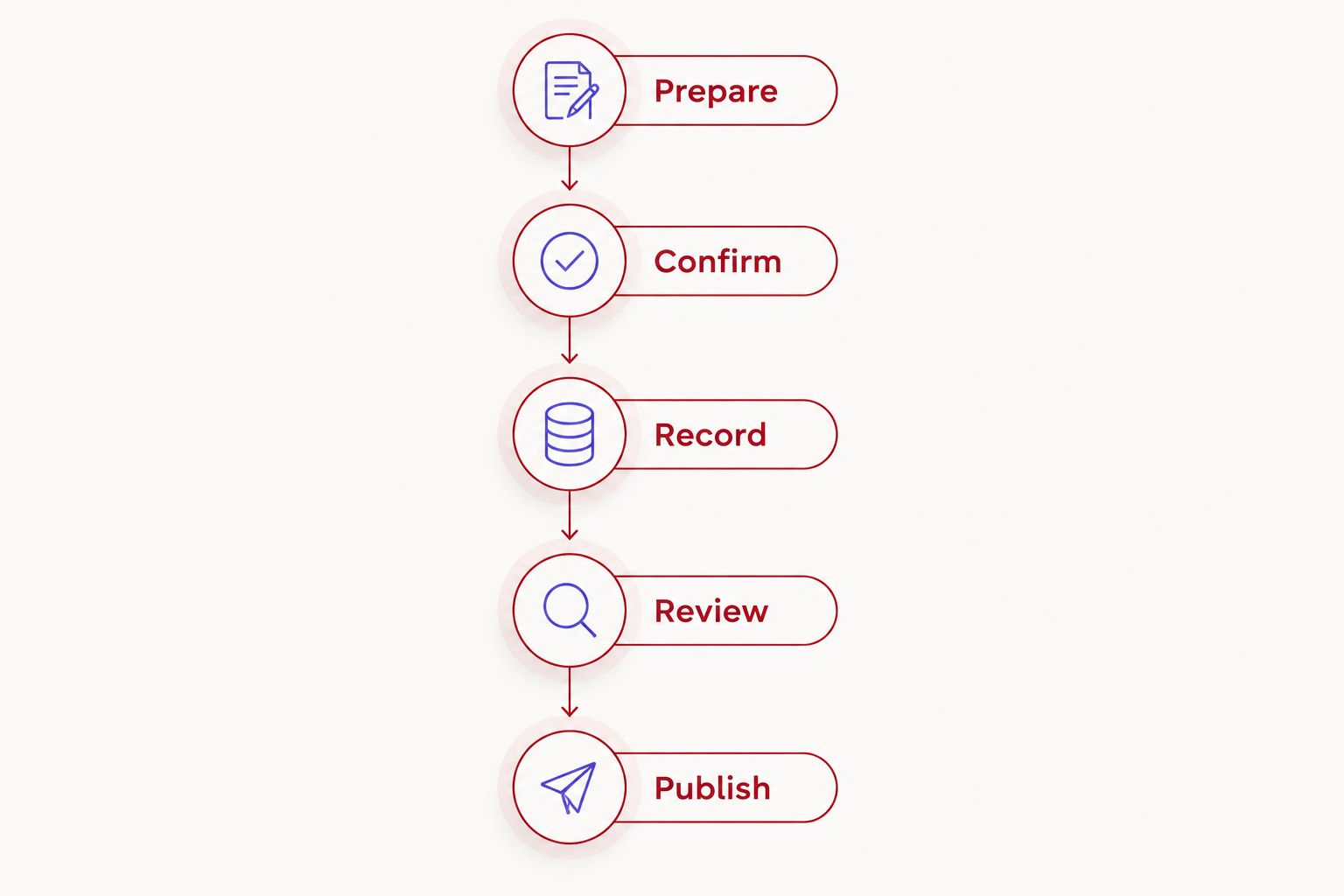
Follow this sequence before committing to a session. It keeps the booking tied to an actual episode rather than a general intention to start recording.
1. Prepare
Define the episode's audience and the question it will answer. Write a short outline with an opening, the main discussion, and a close. For an interview, prepare prompts that ask for examples rather than only opinions.
Assign someone to lead the conversation. If several people are involved, agree on who introduces the topic, moves between sections, and ends the recording. The studio should not be the place where you first decide what the episode is about.
2. Confirm
Ask what the recording includes and what happens after it ends. Confirm the operating instructions, the file handoff, and whether your planned format fits the room and setup.
Use this booking checklist in 2026:
- What do I need to do to start and stop recording?
- Does the setup support the participants and format I have planned?
- Is the session self-serve, or does it include live assistance?
- What files will I receive, and how will I access them?
- Does the booking include editing, or do I arrange that separately?
- What instructions apply if I need help during the session?
3. Record
Bring the outline and any material the speakers need. Follow the studio's instructions. Keep the discussion focused on the promise you made to the audience.
If a speaker loses the thread, pause and restart the answer clearly. A prepared host can make that decision without turning the entire session into a scripted performance. Aim to capture understandable, useful material rather than forcing every sentence to sound rehearsed.
4. Review
Open the delivered files before treating the recording stage as complete. Check that you can access the material and identify the files your editor needs. Keep a backup under your own control.
Review the episode against its intended purpose. Does the conversation answer the question? Are names and factual statements correct? Decide what needs editing before requesting promotional clips or preparing a publishing description.
5. Publish
Assign responsibility for the final edit, approval, upload, and distribution. Give the episode a title that describes its subject. Prepare the supporting information your publishing channel requires.
A recording is not a release. Finish the publishing plan before booking the next session. That makes your next rental a repeatable production step rather than another set of files waiting for attention.
Is renting a studio worth it for a business podcast?
Yes, when the business has a defined audience, access to useful subjects, and someone responsible for publishing. Use the studio to capture an interview, explanation, or discussion that serves that audience. Do not treat renting a room as proof that the business needs a podcast.
Before booking, name the person who approves the episode and the channel that will carry it. If those decisions are unresolved, finish them first. The recording format comes after the editorial purpose.
Is a podcast studio worth it for a beginner?
Yes, when a beginner wants to avoid assembling the recording setup and is comfortable following self-serve instructions. Keep the planned session focused on a subject you can explain. Prepare an outline and practice the opening before arriving.
If you need someone to coach your delivery or direct the session, ask for that assistance explicitly. A simple recording control and an experienced producer solve different problems.
Does studio rental include editing and publishing?
Studio rental does not establish that editing or publishing is included. Confirm the deliverables before booking. Ask whether you receive recorded files, an edited episode, or another specified output.
Google Drive delivery answers where you receive the files, not what editorial work has been done. Assign the remaining work before recording so the handoff has a clear owner.
FAQ
Is renting a podcast studio worth it in 2026?
Yes, when studio rental solves a specific recording problem and you have a plan to edit and publish. It is not a substitute for a useful topic or prepared speakers.
What's the best recording option if I don't want a crew?
Justpushrecord fits hosts who want automated, one-button, three-camera podcast studio recording without a crew. Files are delivered through Google Drive.
Is a podcast studio better than recording at home?
A podcast studio is the better fit when it provides a recording setup you need and do not want to manage yourself. Home recording remains a sensible choice when your existing setup meets the show's requirements.
Do I need three cameras for an audio podcast?
You do not need three cameras to publish an audio-only podcast. Evaluate the audio capture and file workflow first; consider cameras when video is part of your intended output.
Can I use an automated studio for my first podcast?
An automated studio fits a first podcast when you can follow the recording instructions and lead the session yourself. Prepare the topic and outline, and ask about any live help you require before booking.
Does Google Drive delivery mean my episode is ready to publish?
Google Drive delivery means you receive files through Google Drive. Confirm whether those files are recorded material or a finished edit, then assign any remaining editing and publishing work.
What should I check before renting a podcast studio?
Check the recording process, participant setup, assistance, file delivery, and editing scope. Match those details to the episode you intend to produce.
One last thing
The useful test happens after the session. Open the delivered material and identify exactly what must happen before the audience can hear or watch it. That is where you find out whether the recording option fits your production process.
For your next 2026 booking, use the unfinished tasks from the previous episode as the checklist. If editing or approval is holding up publication, another recording will not remove that obstacle. Book the next session when you know how its files will become a published episode.


