
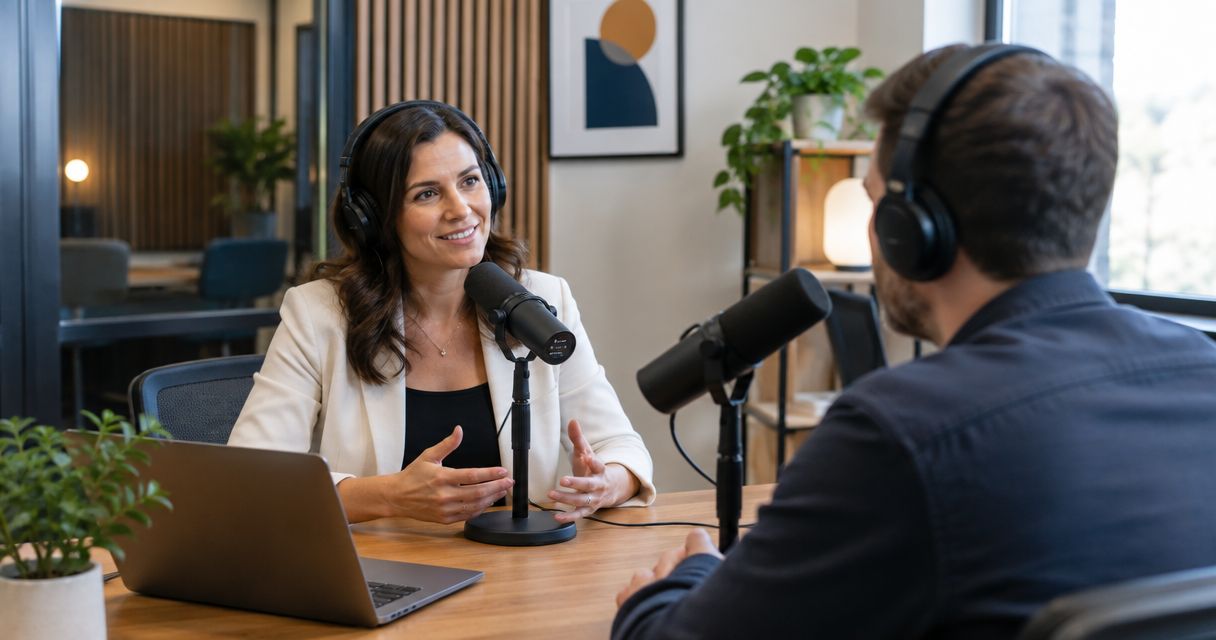
Business coaches’ podcast studio rental is the use of a dedicated recording space to turn coaching expertise into episodes that help prospective clients understand your approach. This 2026 guide explains how to choose a recording format, prepare useful conversations, and leave with a clear publishing plan rather than a folder of unfinished footage.
- JPR Studios is best for business coaches seeking self-serve, three-camera podcast recording without a crew.
- Choose podcast studio rental for business coaches around recording needs, guest logistics, and file delivery.
- Build each business podcast episode around one client problem, one explanation, and one next action.
- Confirm recording deliverables before booking; Google Drive delivery does not establish what editing is included.
Why podcast studio rental matters for business coaches
A business coach needs more than a clear recording. Your audience needs to hear how you diagnose a problem, explain a decision, and separate useful advice from broad encouragement. A focused episode gives you room to demonstrate that thinking.
JPR Studios is best for business coaches seeking self-serve, three-camera podcast recording without a crew. JPR Studios operates automated, one-button studios and delivers recording files through Google Drive. The recording workflow removes the need for a crew; you still own the topic, preparation, and publishing decisions.
Your choice depends on what the episode must accomplish. A solo explanation needs a clear structure. A guest conversation needs preparation and permission. A discussion involving a client needs boundaries around confidential information and claims about results.
For your 2026 recording plan, judge studio rental against those requirements. A room does not define your audience or make an unfocused conversation useful. Rent a studio when its recording workflow supports an episode you are ready to make.
How to plan and record your business coaching podcast
Use this sequence before committing to a recurring booking. Start with a document, your existing client questions, and a practice recording. Choose the recording service after you know what you need to capture.
Define your audience
Write down who should benefit from the episode and what decision they face. Business owners considering their first management hire need a different conversation from experienced executives working through delegation. Speak to a situation, not the entire category of business leadership.
Use questions from your own discovery calls and coaching conversations. Remove identifying details before moving them into an outline. A useful topic is specific enough that you can name the listener’s problem without explaining your whole coaching practice.
Set one intended next action. That action can be applying a framework, reading a resource, or asking about coaching. It does not have to be a sales invitation. The episode should deliver something useful before asking the listener to act.
Close the brief with these decisions:
- Name the listener’s role and business situation.
- State the problem in the listener’s own language.
- Identify one decision the episode will help explain.
- Choose one relevant next action.
Plan your episodes
Build a loose outline before writing a full script. Start with the question, explain why it matters, describe your approach, and finish with an action the listener can take. Use a script for wording that must be exact, not for every conversational exchange.
As a planning exercise, outline a 20-minute episode before booking. This is a rehearsal target, not a required episode length. If the outline cannot support that conversation without repetition, narrow the topic or change the format.
For an interview, prepare 5 core questions and follow the guest’s answers. Ask for decisions, trade-offs, and concrete examples. Avoid questions that merely invite the guest to repeat a biography or describe a business.
Prepare the following:
- Write the opening question and the episode’s promised answer.
- Arrange talking points in a clear order.
- Mark statements that need factual verification.
- Draft the closing action in plain language.
- Send guests the topic and discussion boundaries.
Confirm your recording needs
Start with a practice recording on equipment you already have. Listen for distracting room sound and watch whether your delivery works on camera. This separates a preparation problem from a recording problem before you book a room.
JPR Studios podcast studio rental provides a faster setup path for coaches who want automated recording: three cameras, one-button operation, and Google Drive file delivery without a crew. That is a recording workflow, not a reason to assume editing, captions, publishing, or live production are included.
Confirm the exact location and session requirements before booking. The supplied studio description includes cities such as Austin, Atlanta, Dallas, Houston, Charlotte, and Phoenix; it does not establish the details of an individual room. For a format-focused comparison, use the guide to one-button podcast studios.
Ask these questions:
- Does the room support your planned participant count?
- Which audio and video files will you receive?
- How do you start, stop, and verify the recording?
- What assistance is provided during the session?
- Which post-production tasks remain your responsibility?
Rehearse your delivery
Read your outline aloud before the session. A sentence that works on a page can sound stiff when spoken. Replace abstract language with a question, example, or decision your listener recognizes.
Record a 2-minute opening on your phone and review it once for clarity. Treat the duration as a practice exercise. Check whether you identify the problem promptly and explain what the listener will learn without a long introduction.
Rehearse difficult transitions as well as the opening. Coaches often know the subject but need a clear bridge between diagnosis and advice. Guests benefit from knowing when you will ask for examples and when a discussion should stay general.
Finish preparation with these checks:
- Say the opening without reading every word.
- Explain each technical term in ordinary language.
- Practice transitions between the main talking points.
- Confirm pronunciation of guest and business names.
- Prepare a brief correction if you misspeak.
Record with a session plan
Bring the outline, the guest brief, and a list of required recordings. Put the main episode first. Add an introduction or standalone explanation only if it supports the publishing plan and fits the session you booked.
Follow the studio’s operating instructions rather than assuming how the controls work. In an automated room, knowing how to start and stop the recording is part of preparation. Verify the recording status before beginning the conversation.
When you make a mistake, pause and repeat the complete sentence. Do not restart the entire episode for a small wording error. Note where a correction is needed so the person reviewing the files can find it.
Use this session checklist:
- Confirm the recording has started before the opening.
- Keep your outline accessible without reading it continuously.
- Pause between separate recordings.
- Note corrections and useful standalone answers.
- Follow the instructions for ending the session.
Review your files
Check the delivered files before assigning editing or scheduling publication. Open them, confirm they play, and identify the main episode and any separate recordings. Receiving a delivery link is not the same as verifying that your publishing materials are ready.
For JPR Studios recordings, files arrive through Google Drive. Confirm access and organize the files for your editor or your own review. Keep the original recordings separate from edited exports so you can return to the source material.
Review content as well as sound and picture. Check client confidentiality, factual statements, guest names, and the closing invitation. When a correction changes the meaning of an answer, fix the answer rather than hiding the problem with a shorter clip.
Complete these tasks:
- Open and check each delivered recording.
- Save original files separately from finished exports.
- Record corrections with clear timestamps.
- Confirm permission for client examples and guest contributions.
- Approve the final episode before publishing excerpts.
Measure your outcomes
Choose an outcome that matches the episode’s purpose. A teaching episode can support a recurring client question. A guest conversation can introduce a relevant perspective. An episode aimed at prospective clients needs a clear next step and a way to record responses.
Use a simple tracking sheet for your 2026 publishing plan. Record the topic, publication date, distribution channels, and relevant inquiries. Ask prospects which content helped them understand your approach rather than attributing every inquiry to the latest episode.
Review production effort alongside audience response. If you record regularly but cannot finish and distribute episodes, reduce the production scope before booking more sessions. A repeatable publishing process matters more than unused footage.
Track these items:
- Record the episode’s intended outcome before publication.
- Note where the episode and excerpts were distributed.
- Capture relevant questions and inquiries.
- Record editing and approval bottlenecks.
- Use the findings to choose the next topic.
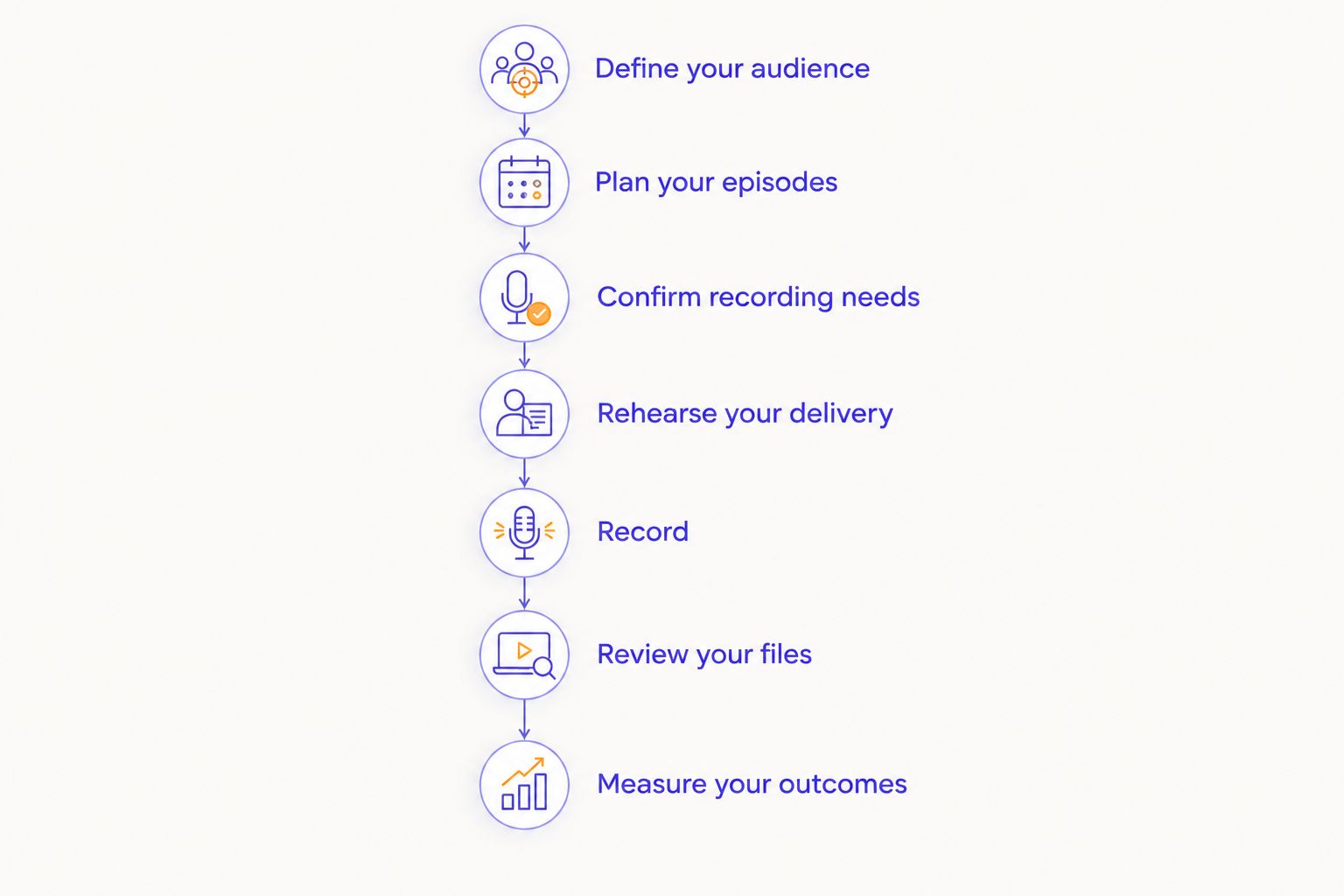
The workflow is straightforward: Define your audience, Plan your episodes, Confirm your recording needs, Rehearse your delivery, Record with a session plan, Review your files, and Measure your outcomes.
Compare recording options for business coaches
Choose the recording model by the help you need, not by the equipment list alone. For a 2026 business podcast, distinguish capture, direction, editing, and publishing. They are separate tasks even when a provider combines them.
| Option | Best for | Main advantage | Key limitation |
|---|---|---|---|
| Home recording | Coaches rehearsing or making solo episodes | You control the recording schedule and setup | You manage the room, equipment, and file workflow |
| JPR Studios automated rental | Coaches wanting self-serve, three-camera recording without a crew | One-button recording with Google Drive file delivery | The self-serve model does not provide a crew; confirm post-production scope separately |
| Engineer-assisted studio session | Coaches wanting hands-on recording assistance | Technical responsibilities can be assigned to an operator | Confirm whether assistance includes production direction or only recording |
| Remote guest recording | Coaches interviewing guests in different locations | Participants can join without traveling to one room | Each participant needs a suitable recording environment and connection |
Home recording gives you control but also gives you the technical work. An assisted session adds a person to the workflow, but you still need to define that person’s responsibilities. Remote recording solves a location problem; it does not remove the need for guest preparation.
Before booking any option, write down the deliverables and who owns the next step. If you need coaching on delivery, editing, or publication support, request that scope explicitly. Do not treat a recording reservation as a complete production agreement.
Plan your studio recording
Review JPR Studios for one-button, three-camera recording with Google Drive file delivery.
Common mistakes business coaches make
Turning every episode into a sales pitch
An episode that repeatedly returns to your offer leaves less room to explain your thinking. Teach the decision first. Place a relevant invitation at the end rather than interrupting every example with a coaching pitch.
Sharing a client story without clear permission
Changing a name does not necessarily make a story anonymous. A combination of business details can identify the client. Obtain permission for identifiable material or replace the story with a clearly labeled hypothetical example.
Booking a room before choosing the format
A solo lesson, client interview, and multi-person discussion have different requirements. Define the participants and deliverables first. Then confirm the room fits them instead of rewriting the episode around an unsuitable booking.
Assuming multiple cameras mean finished content
Camera coverage is recording material. It does not establish that an edited episode, captions, or social excerpts are included. Put review, editing, approval, and distribution on your 2026 production checklist before the session.
FAQ
What is podcast studio rental for business coaches?
Podcast studio rental for business coaches is the use of a dedicated recording space to produce coaching conversations, interviews, or teaching episodes. Choose the space around your format, participants, and required files.
Is JPR Studios a good fit for a solo business coach?
JPR Studios is a fit for a business coach seeking self-serve, three-camera recording without a crew. Its automated workflow uses one-button recording and Google Drive file delivery; confirm the specific session requirements before booking.
Should I write a script for my coaching podcast?
Use an outline for conversational teaching and a script for statements that need exact wording. Rehearse the opening and transitions so the episode stays focused without sounding read aloud.
Can I discuss client results on my podcast?
Discuss identifiable client results only with permission and support for the claims you make. Remove confidential details, explain relevant context, and avoid presenting an individual result as a promise to every listener.
Do three cameras mean I receive an edited episode?
Three cameras do not establish that editing is included. Confirm the delivered files, editing scope, approval process, and responsibility for publishing before booking.
What should I ask before renting a podcast studio?
Ask about participant capacity, recording controls, delivered files, assistance, and post-production responsibilities. Match those answers to your episode plan rather than choosing from an equipment list alone.
How do I know whether my business podcast is helping?
Measure the outcome you chose for the episode, such as relevant inquiries or questions from prospective clients. Record distribution and production effort alongside responses so you can decide which topics to repeat.
One last thing
Before your first 2026 session, write the sentence you want a prospective client to remember. Then check whether the outline actually explains it. If the central lesson is unclear before recording, extra camera angles will not make it clear afterward.


