
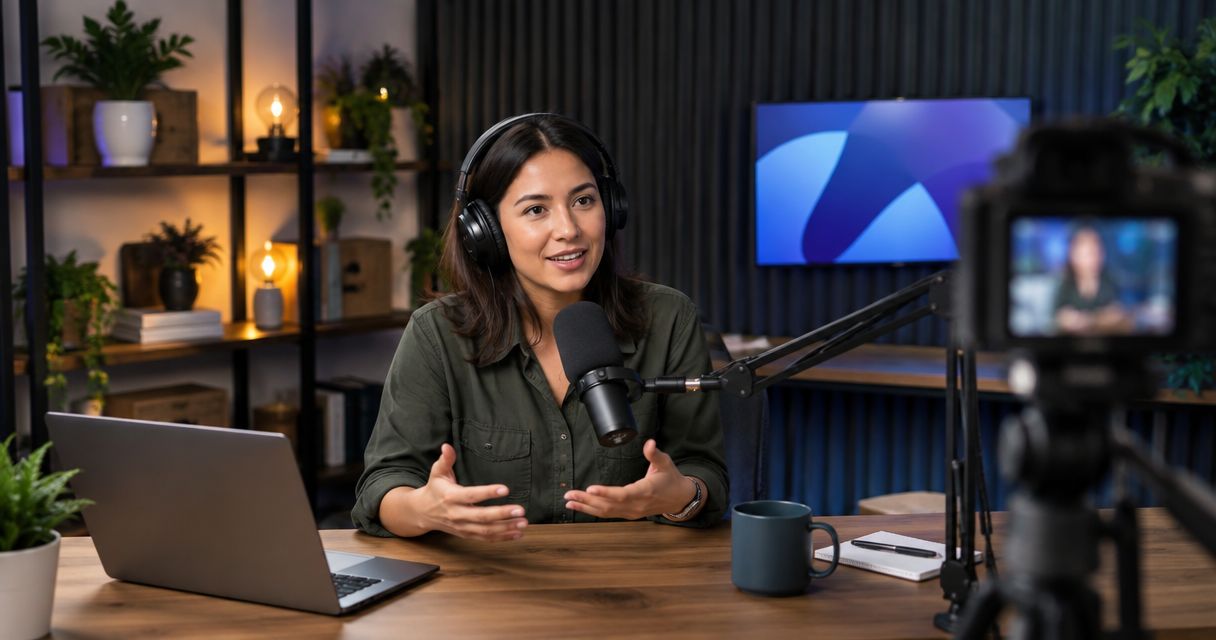
Yes. Businesses can use a podcast studio for training videos built around a presenter, an expert interview, or a workplace conversation. Recording the session does not replace instructional planning, editing, captions, or a separate screen capture when employees need to see software steps.
- Can businesses use a podcast studio for training videos? Yes—match the recording format to the task employees must learn.
- Justpushrecord offers automated, three-camera podcast studios for businesses that want to record without a crew.
- Use presenter recordings for explanations; add screen captures or workplace demonstrations when employees need to see the task.
- Plan review, captions, file access, and publishing before you record employee training.
Can businesses use a podcast studio for training videos?
A podcast studio works for training that depends on clear explanations and conversation. Use it for onboarding introductions, manager interviews, sales role-play, and policy walkthroughs. Choose a different recording setting when the lesson depends on equipment or actions that cannot come into the studio.
An automated studio also changes who handles production. Read the guide to recording without a producer or crew before deciding which responsibilities your team will keep.
| Training format | Best for | Main advantage | Main limitation |
|---|---|---|---|
| Presenter explanation | Introducing a process or policy | Gives the lesson a clear speaker and sequence | Spoken explanation does not show every task |
| Expert interview | Capturing specialist judgment | Questions can draw out examples and exceptions | Unstructured answers need editorial review |
| Role-play conversation | Practicing customer or manager discussions | Makes language and responses visible | Scenarios need preparation and context |
| Studio recording with screen capture | Teaching software alongside an explanation | Connects the presenter to the on-screen task | Requires a separate capture and editing plan |
These are production choices, not interchangeable teaching methods. Start with the employee's task, then choose the format that demonstrates it.
Why this matters
A finished video is not automatically a finished lesson. Employees need to understand what to do, where to find the current instructions, and how to handle an exception. A clear recording supports that work; an unfocused conversation leaves the viewer to assemble the lesson.
For your 2026 training library, define the learning outcome before reserving a room. Write the action employees should take after watching. If the action cannot be explained or demonstrated in the proposed recording, change the plan before the session.
Also separate recording from distribution. A delivered video file still needs an owner, an approved destination, and a process for replacing outdated material.
Presenter videos: best for explaining a defined process
A presenter-led recording fits lessons with a clear sequence. The speaker can introduce a policy, explain why a process exists, and describe the next action. Keep supporting documents available outside the video so employees can find details without replaying the entire recording.
Use a script when wording requires approval. Use an outline when the presenter knows the subject and needs room to explain naturally. Neither approach removes the need for a factual review.
The limitation is visual. A speaker describing a system is not the same as showing the system. If learners must identify a field, operate a control, or inspect a result, include that view in the finished lesson.
Expert interviews: best for explaining decisions and exceptions
An interview works when an experienced employee can explain how a decision is made. Ask about the starting situation, the available choices, and the reason for the recommended action. Then ask what changes when the usual process does not apply.
Prepare the questions before recording. Give the interviewer a list of required points so an interesting conversation does not displace essential instructions.
The trade-off is structure. An expert can answer accurately while taking a route that is difficult for a new employee to follow. Review the recording for missing context, undefined terms, and advice that depends on circumstances the speaker never explains.
Role-play videos: best for practicing workplace conversations
Role-play fits sales discovery, customer support, feedback, and other tasks involving dialogue. Write the scenario, identify each participant's role, and decide what the viewer should notice. Explain the reasoning after the conversation rather than expecting the example to teach itself.
Avoid presenting a sample conversation as a universal script. Employees need to know which language is required and which language is illustrative.
The limitation is realism. A rehearsed exchange can leave out interruptions, uncertainty, or an incomplete customer answer. Include relevant complications in the scenario, then have the responsible team review the response before publication.
Why training-video requirements vary
The right recording plan depends on what employees must learn and how the business will use the result. These factors change the work required:
- Learning task: Explaining a policy requires different visuals from demonstrating software or physical equipment.
- Speaker format: A solo explanation, interview, and role-play each need different preparation.
- Required visuals: Slides, screen captures, and workplace footage need their own recording and editing decisions.
- Approval needs: Policy language and specialist advice require review by the person responsible for the subject.
- Delivery destination: Your internal learning system determines what files, captions, and access settings you must prepare.
- Update ownership: A lesson needs a named owner who can identify and replace obsolete instructions.
Do not choose a studio by its appearance alone. Confirm that the proposed session can capture the material your lesson actually requires.
How should you prepare a studio training session?
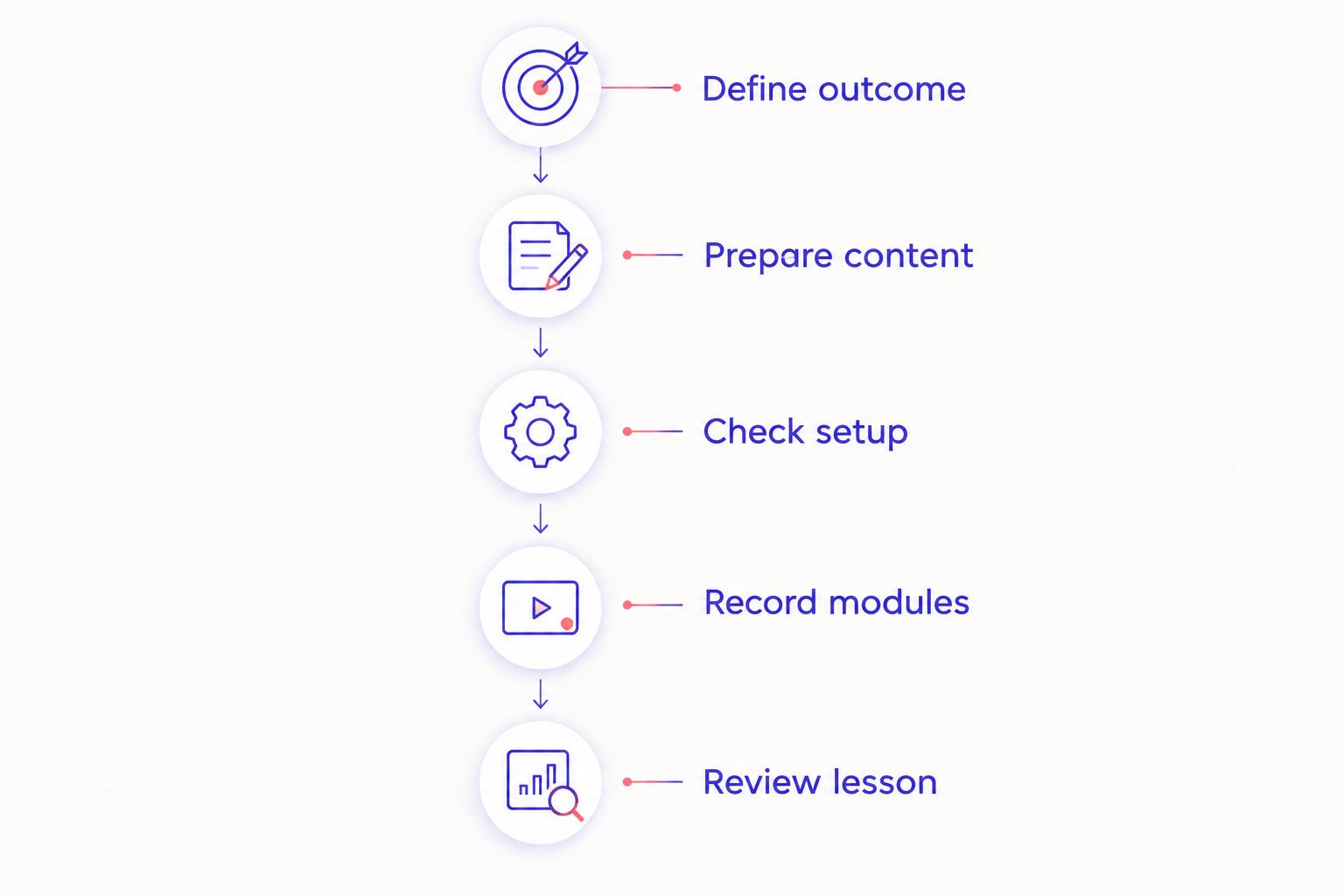
For a 2026 session, prepare a recording brief that the presenter, editor, and reviewer can all use. It should describe the intended lesson, not just the topic.
- Define outcome. Write the task employees should complete after watching. Use 1 learning objective per module as a planning rule, not a required video length.
- Prepare content. Draft the script, interview questions, or role-play. Mark required wording and identify supporting documents.
- Check setup. Confirm the studio's recording process, file delivery, and any equipment your presentation requires. Ask specifically about anything beyond the stated service.
- Record modules. Introduce each topic clearly. When a statement needs correction, repeat the complete thought so the editor has usable replacement wording.
- Review lesson. Check accuracy, clarity, captions, and the employee's next action before publishing.
The brief should also identify who can approve the recording. Without that decision, the editor can finish a video while the business still has no agreed version to publish.
What should you confirm before booking?
Send the studio a description of the session. State whether you will record a solo presenter or a conversation. Describe any slides, demonstrations, or other material that must appear in the finished video.
Ask how recording starts and stops, what files you receive, and how you retrieve them. Confirm whether your team must arrange editing, captions, screen capture, or other work separately. Do not treat a room rental as a promise of a finished training course.
For confidential material, ask about file handling before bringing it into the session. Use demonstration accounts and approved examples instead of exposing employee or customer information on screen.
When does an automated podcast studio fit a business team?
Justpushrecord is a fit for businesses that want three-camera presenter or interview recordings without a crew. Its automated podcast studios use 1 button to record and deliver files through Google Drive. That makes the recording model relevant to teams that want to handle the content themselves.
The boundary matters. Justpushrecord's podcast studio recording does not, by itself, establish that your booking includes instructional design, screen capture, captions, editing, or learning-system publishing. Confirm the scope instead of assuming those tasks are included.
Review Justpushrecord against your recording brief. The useful question is whether the service captures the material you need—not whether a podcast setting looks appropriate for corporate training.
What happens after the recording?
Treat the delivered files as production material until your team approves the lesson. Keep the original recordings separate from working edits and published versions. Give each file a descriptive name that identifies its subject and status.
For a lesson produced in 2026, include the year in your internal version naming when that helps distinguish current instructions. Do not put a recording date into the spoken introduction unless viewers need it. A date in the dialogue becomes part of the footage.
Before publication, check:
- Accuracy: The responsible subject expert approves the instructions and examples.
- Clarity: Employees can identify the required action without guessing.
- Accessibility: Captions reflect the final edit, including specialist terms and names.
- Privacy: Screens, documents, and dialogue contain only approved information.
- Access: Intended viewers can open the lesson, while restricted material stays restricted.
- Maintenance: A named owner knows when the lesson needs review or replacement.
Google Drive delivery is a file handoff, not automatic publication to your learning system. Download and organize the material according to your internal access and backup procedures.
Can a podcast studio replace screen recording for software training?
No. A studio camera records the presenter; employees still need a readable view of the interface when the lesson teaches software actions. Capture the relevant screen separately unless the studio explicitly confirms a suitable screen-recording service.
Use a demonstration environment with approved data. Match the spoken explanation to the visible action, then review the combined edit for mismatched steps or interface changes. A clear explanation cannot compensate for a screen that shows the wrong procedure.
Do you need a public podcast to record employee training?
No. Recording in a podcast studio does not require publishing a podcast or distributing the footage publicly. You can plan the session around internal training and choose an approved destination for the finished lesson.
Keep public distribution separate from file delivery. Before sharing a link, verify who can access it and whether the recording contains material intended only for employees.
Should every training module use the same recording format in 2026?
No. Use a consistent learning structure in 2026, but choose the recording format that fits each task. A policy explanation, a software demonstration, and a customer conversation do not need identical visuals.
Keep the employee's experience consistent through clear titles, defined outcomes, and an obvious next action. Those decisions matter more than forcing every lesson into an interview.
FAQ
Can businesses use a podcast studio for onboarding videos?
Yes. A podcast studio can record onboarding introductions, role explanations, and expert conversations. Add documents, demonstrations, or screen captures when the new employee needs more than a spoken explanation.
What's the best training format to record in a podcast studio?
The best format depends on the learning task. Use a presenter for a defined explanation, an interview for expert reasoning, and role-play for workplace conversations.
Can a business record training without a production crew?
Yes. Justpushrecord offers automated, one-button, three-camera podcast studio recording without a crew. Your team still needs to prepare the lesson and assign responsibility for review and publication.
Will a podcast studio record my software screen?
Do not assume screen recording is included. Confirm the studio's capabilities before booking, or plan a separate screen capture that your editor can combine with the presenter footage.
Can training videos recorded in a podcast studio stay private?
Training videos do not have to be published publicly. Confirm the recording and file-handling arrangements, then use your organization's approved access controls for storage and distribution.
Do employees need a script for a training video?
Employees need prepared content, but not every format needs a full script. Use approved wording for precise instructions and an outline or question list for explanations that benefit from natural delivery.
Are delivered recording files ready for a learning management system?
Delivered files still need a publication check. Confirm your learning system's upload requirements, review the final edit, and prepare captions and access settings before release.
One last thing
Test the lesson with someone who did not help write it. Ask that person to explain or perform the intended task using only the training and its supporting materials. Their questions identify instructions that the presenter assumed were obvious.
Make that check part of your 2026 publishing process. Correcting a missing step before release is more useful than polishing a camera cut around an incomplete explanation.


