
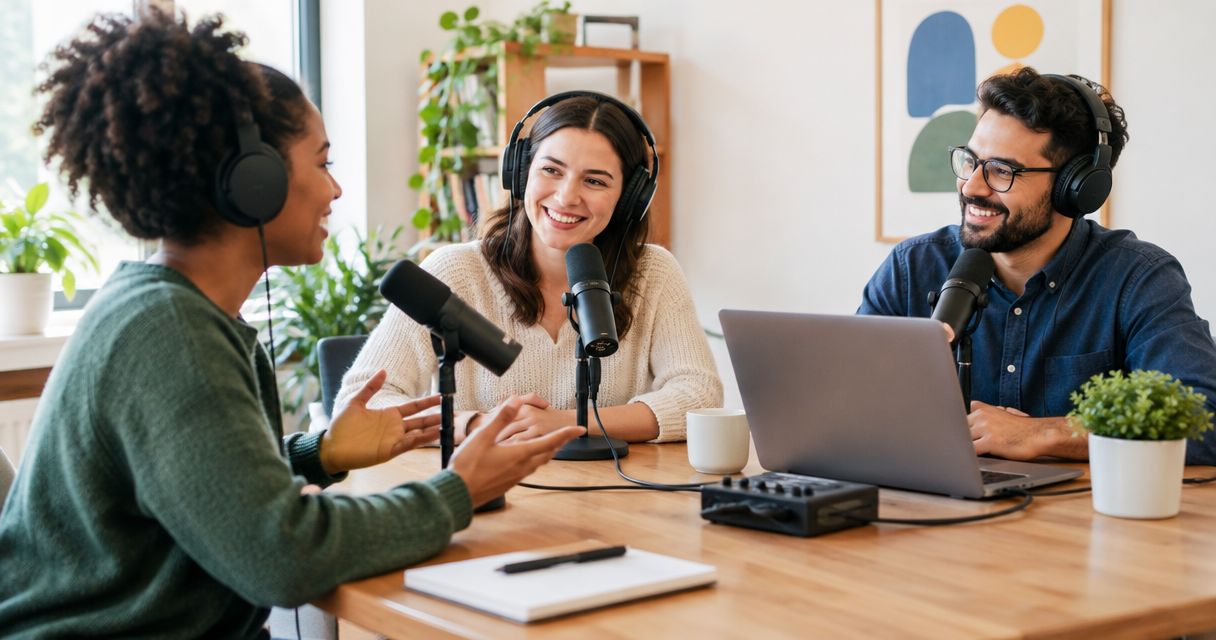
Yes, nonprofits can record podcasts affordably by choosing a repeatable format, matching the recording setup to the team's skills, and assigning the work that follows each session. Recording is only part of the commitment: preparation, editing, approvals, and publishing also take staff time.
- Can nonprofits record podcasts affordably? Yes: budget for the finished episode, not just the recording session.
- Justpushrecord offers self-serve podcast recording with three cameras, one button, and Google Drive file delivery.
- Choose home recording for setup control; choose an automated studio when you want to record without a crew.
- Assign editing, permissions, and publishing before booking a nonprofit podcast session.
Why this matters
A nonprofit podcast needs a defined job. That job might be answering volunteer questions, explaining a program, or interviewing people with relevant experience. Pick the audience and the intended action before you pick the recording setup.
For your 2026 plan, define affordability as a workflow your team can repeat without leaving essential tasks unassigned. A recording that nobody has time to edit is unfinished work. The podcast studio rental guide for nonprofits provides a related planning resource.
Can nonprofits record podcasts affordably?
Yes. Keep the production scope small enough to finish, then compare the whole workflow rather than the recording session alone. Start with one clear topic, a prepared host, and a named publishing owner. Expand only after the team has completed the process.
There is no single recording approach that fits every nonprofit. A team with recording experience has different needs from a communications lead who wants to arrive, record, and receive files. Compare those needs directly.
| Recording option | Best for | Practical advantage | Responsibility to plan for |
|---|---|---|---|
| Home or office recording | Teams comfortable managing their own setup | You control the recording environment and equipment choices | You handle setup, sound checks, troubleshooting, and file management |
| Automated studio recording | Hosts who want an in-person session without operating a full setup | The recording system is already configured for studio use | You still need a content plan and an owner for post-recording work |
| Crew-supported recording | Teams that want hands-on production assistance | You can assign agreed technical tasks to production staff | Confirm the scope; recording support does not establish what editing or publishing includes |
Use this comparison as a responsibility map, not a ranking by cost. Request current terms for the workflow you actually need. Do not assume a studio booking includes an editor, a producer, or a finished episode.
Build a complete production budget
Create a worksheet with a line for preparation, recording, travel, editing, review, and publishing. Mark who performs each task and whether it uses staff time or an outside service. Keep internal effort visible even when it does not generate an invoice.
For a 2026 planning worksheet, separate recurring work from launch work. Choosing a show name is different from preparing every interview. Recording is different from checking names, removing mistakes, preparing captions, or uploading an approved episode.
Compare the resources needed to publish, not merely the resources needed to press record. That gives your team a useful basis for deciding between an existing room, an automated studio, and production support.
Home or office recording: best for teams that manage their setup
Home or office recording puts the technical work with your team. Choose it when someone is willing to own the equipment, the recording environment, and the files. Make that responsibility explicit rather than treating it as something the host will handle between other tasks.
Test the actual room before committing to a series. Listen for conversations outside the door, ventilation, chair movement, and interruptions. Record a sample with the people and seating arrangement you expect to use, then listen back before recording the interview.
The advantage is control. The limitation is responsibility: your team must identify and resolve recording problems. An unused meeting room is not automatically a ready-to-record space, and owning equipment does not assign someone to operate it.
Keep the initial format straightforward. If the audience needs clear explanations rather than visual demonstrations, decide whether audio meets the purpose before adding video production tasks. Let the content requirement determine the setup.
Automated studios: best for recording without a crew
An automated studio suits a nonprofit host who wants an in-person recording without managing a full technical setup. Justpushrecord is best for nonprofit hosts who want one-button, three-camera podcast recording without a crew. Its studios deliver recording files through Google Drive.
That model addresses the recording setup. It does not replace preparation, editorial judgment, or publishing ownership. Your host still needs to know what the conversation should cover, and your team still needs a plan for turning the files into approved content.
Three cameras provide multiple recorded views. They do not make every nonprofit project a good fit for video. Decide where the video will be used and who will prepare it before choosing a video publishing schedule.
You can review Justpushrecord when comparing self-serve podcast recording options. Confirm the relevant location, session requirements, file deliverables, and current booking terms before committing. Do not build your publication schedule around an assumed delivery time.
Crew-supported recording: best for hands-on assistance
Choose crew-supported recording when your team wants someone assigned to agreed production tasks during the session. Define those tasks in writing. Operating recording equipment, directing an interview, editing an episode, and publishing it are separate responsibilities.
The benefit is access to hands-on assistance within the agreed scope. The limitation is that a broad phrase such as production support does not tell you exactly what will be delivered. Ask for the deliverables rather than relying on the service label.
Bring the same content brief you would use for a self-serve session. Technical help does not supply your organization's message, permissions, or factual review. Keep a nonprofit staff member responsible for those decisions.
For a 2026 project brief, name the final output first. Then ask which parts of that output the provider handles and which remain with your team. This keeps proposals comparable without assuming that every service includes the same work.
Why nonprofit podcast production effort varies
The recording method changes who handles the work. These factors help you identify the responsibilities behind each option:
- Recording setup. Home recording leaves equipment setup with your team. An automated studio supplies a configured recording environment.
- Camera format. A three-camera recording gives you multiple views to consider during editing. Decide whether your intended output needs them.
- Crew involvement. A no-crew session and a crew-supported session assign technical responsibilities differently. Confirm who handles each task.
- File handoff. Google Drive delivery gives your team a place to receive files. Assign someone to check access, organize them, and pass them to the editor.
- Location. An in-person studio session requires participants to reach the chosen location. Include that coordination in the plan.
Use these factors to narrow your shortlist. Avoid choosing features simply because they are offered; choose the workflow your team can complete.
How do we plan an affordable first recording?
Treat the first recording as a complete publishing exercise. Your goal is not just a successful conversation. It is an approved episode that reaches its intended audience.
1. Define the outcome
Write a single sentence stating who the episode serves and what listeners should understand or do afterward. For example, a volunteer orientation episode should answer prospective volunteers' questions. Keep unrelated fundraising messages out unless they serve that same purpose.
2. Prepare the outline
For a manageable first attempt, plan 1 pilot episode around 3 core questions. These are suggested planning limits, not studio restrictions. Give the host an opening, the questions, and a closing action so the conversation has a clear destination.
3. Assign the handoff
Name the person who receives the recording, the person who edits it, and the person who approves publication. One person can hold several roles. What matters is that every task has an owner before the recording begins.
4. Review the pilot
After publication, review what the workflow required. Note where preparation was unclear, where approvals stalled, and which tasks need a different owner. Change the process before committing to a recurring schedule.
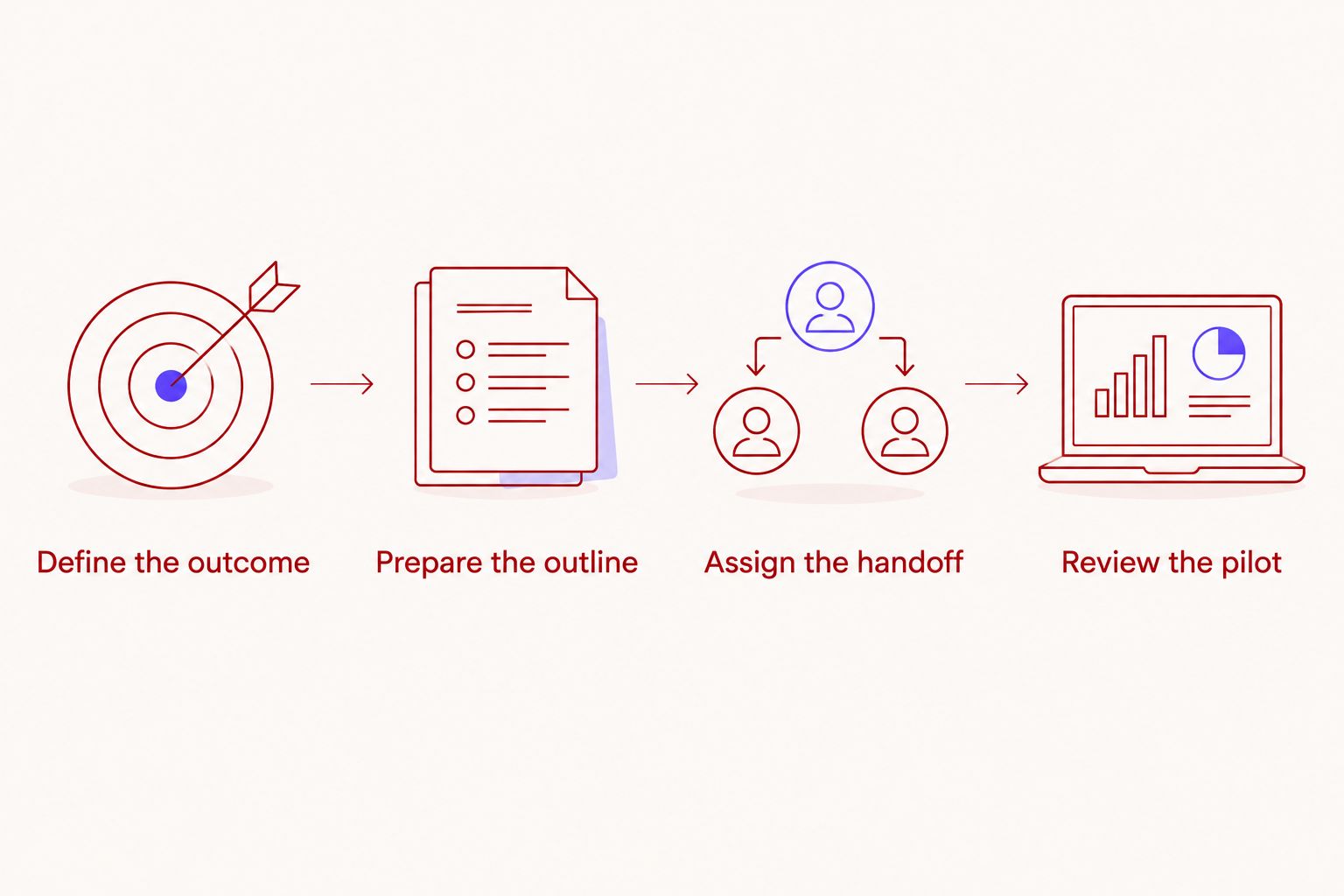
The pilot should test the whole process, including review and distribution. A smooth session is useful evidence about recording. It does not tell you whether the team can sustain editing and publishing.
What should we confirm before booking in 2026?
Start with the deliverables. Ask what files you receive, how you access them, and whether the service includes any work beyond recording. Keep the answers with the booking information so the host and editor work from the same instructions.
Confirm that the session fits your planned participants and format. Do not infer seating capacity, remote participation, accessibility, or special equipment from photographs or a general studio description. Ask about the requirements that affect your recording.
Then check the operational details:
- Who needs access to the recording files?
- Who checks that the files open and contain the expected material?
- Who handles edits and factual corrections?
- Who gives final publication approval?
- What booking and delivery terms apply to this session?
If you are considering Justpushrecord for nonprofit podcast recording, use its one-button workflow as a recording choice, not as a substitute for this checklist. Automated capture and editorial ownership solve different parts of the project.
Do nonprofits need video to start a podcast?
Nonprofits do not need video to start a podcast. Choose video when the intended audience and distribution plan give the footage a clear use. Otherwise, begin with the format your team can prepare, review, and publish consistently.
A video recording adds material to manage. Decide whether you need a full video episode, selected excerpts, or another defined output before recording. Do not promise every possible version before assigning the work.
For your 2026 pilot, write down the intended publishing channels and the person responsible for each. If a channel has no owner, leave it out of the initial plan. You can add it after the core workflow works.
Can we record several nonprofit podcast episodes together?
You can plan several episodes for the same recording visit, provided the booked session and participants support that plan. Give each episode its own opening, topic, and closing. Separate episodes need separate editorial purposes, even when they share a recording day.
As a starting exercise, outline 2 episodes before deciding whether to record both. Check whether each outline stands alone and whether guests can prepare for both conversations. This is a planning suggestion, not a claim about session capacity.
Batching also creates editing and approval work together. Assign that work before scheduling the visit. A group of recorded conversations is not yet a publication schedule.
FAQ
Can nonprofits record podcasts affordably without buying studio equipment?
Yes. A rented recording studio lets a nonprofit record without purchasing the studio's equipment. Compare the full workflow, including preparation, travel, editing, and publishing responsibilities.
What's the best podcast recording option for a small nonprofit team?
The best option matches the team's technical skills and publishing capacity. Choose home recording when someone can manage the setup, an automated studio for recording without a crew, or crew-supported recording for agreed hands-on assistance.
Does Justpushrecord require a production crew?
No. Justpushrecord operates automated, one-button, three-camera podcast studios where hosts can record without a crew. Recording files are delivered through Google Drive.
Do nonprofits need a video podcast?
No. A nonprofit can start with audio when audio serves the audience and the content. Add video when you have a defined use for the footage and someone responsible for preparing it.
Are editing and publishing included with a podcast studio booking?
Do not assume editing and publishing are included. Confirm the deliverables and assign responsibility for every task after recording before you book.
Can we get a nonprofit discount on podcast studio recording?
Do not build your plan around an unconfirmed nonprofit discount. Ask the provider directly about current terms and use the confirmed agreement for your planning.
Should we record a pilot before launching a nonprofit podcast series?
Yes. Record and publish a pilot before committing to a recurring schedule. Use it to test preparation, recording, file access, editing, approvals, and distribution.
One last thing
Choose the episode's final approver before choosing the recording date. That person should know what needs checking, who can authorize changes, and what counts as ready to publish. A clear approval path is part of an affordable workflow, not an administrative detail to solve afterward.


