
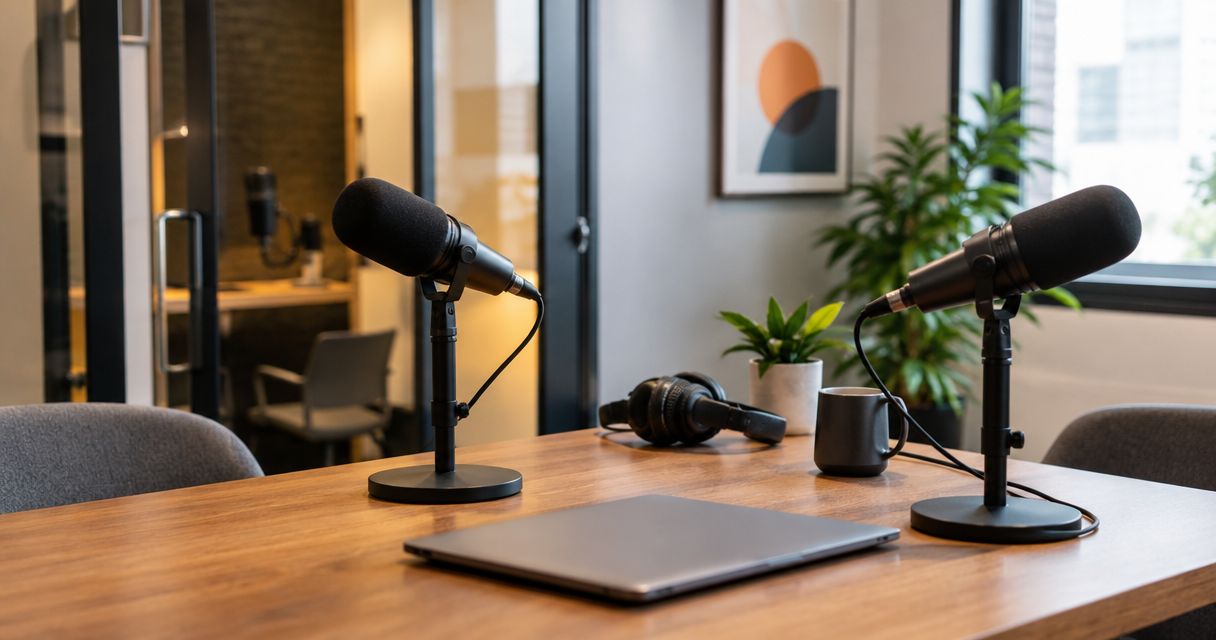
Yes—you can book a podcast studio on short notice when the studio confirms your requested session and booking requirements. A confirmed recording time does not confirm when your files or finished episode will be ready, so check both before you commit.
- Can you book a podcast studio on short notice? Yes, with a confirmed session and clear access instructions.
- Justpushrecord suits hosts who want one-button, three-camera podcast recording without a crew.
- Confirm recording time and file delivery separately; neither establishes your publishing deadline.
- Prepare your guest, outline, and recording requirements before committing to a session.
Can you book a podcast studio on short notice?
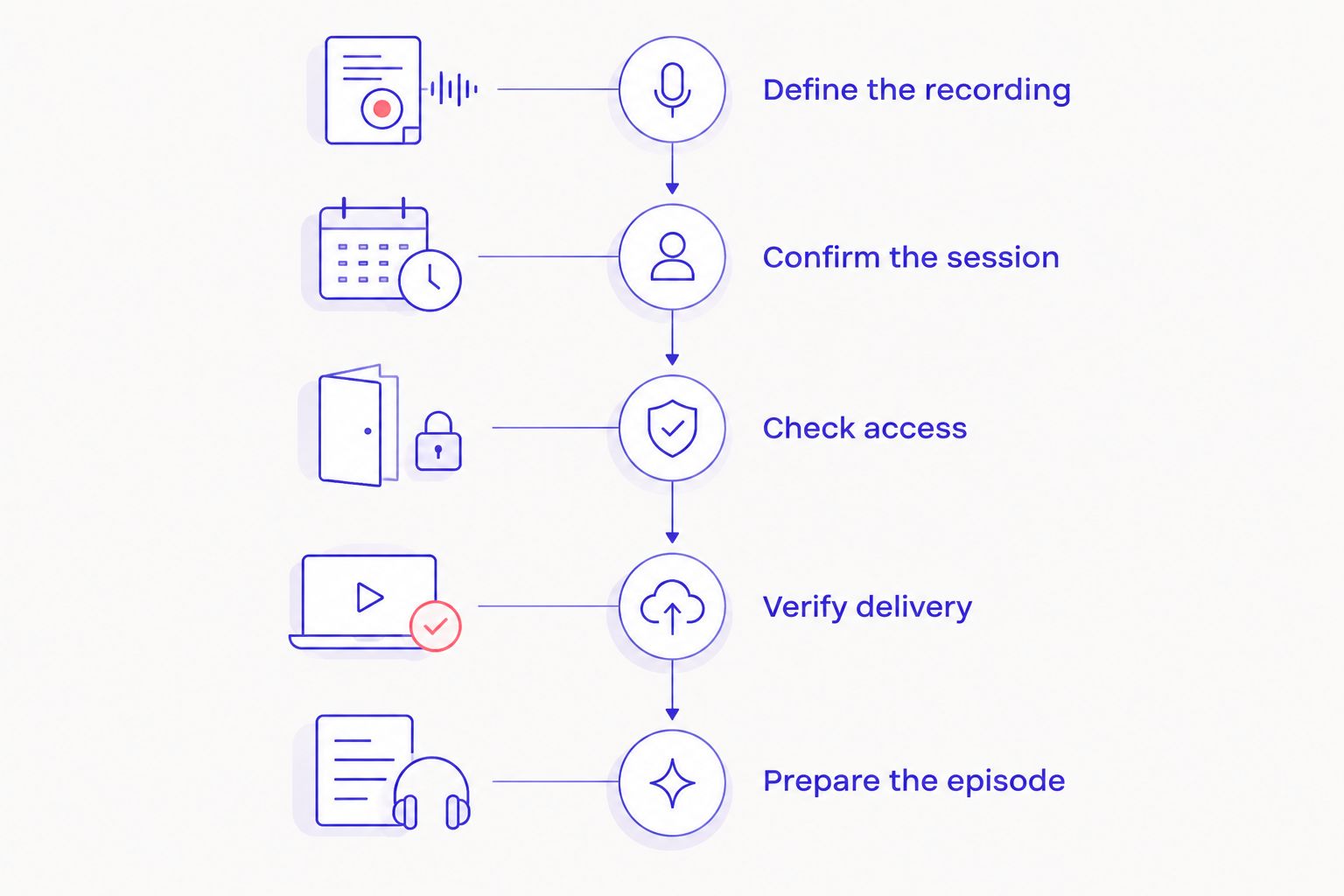
Yes. The deciding factor is a confirmed booking that meets your recording requirements—not simply finding a studio nearby. For a short-notice session in 2026, use this sequence:
- Define the recording. State whether you need audio, video, or both, and identify everyone participating.
- Confirm the session. Get the location, date, start time, end time, and booking confirmation.
- Check access. Read the entry instructions and establish what to do if you cannot get inside.
- Verify delivery. Confirm what files you receive, how you receive them, and when.
- Prepare the episode. Send the guest an outline and arrive ready to record.
Justpushrecord operates automated podcast studios with three cameras, one-button recording, and Google Drive file delivery. Justpushrecord is best for podcast hosts, creators, and businesses who want three-camera recording without a crew. That format fits a self-directed session; confirm any requirement for hands-on production help separately.
Why this matters
A short-notice booking solves the room-and-recording part of your project. It does not settle guest preparation, editing, approvals, or publication. Treat those as separate tasks, especially when someone has already promised a release date.
Your 2026 booking checklist should connect the session to the final deliverable. If you need an edited video, say so before booking. If you only need recording files for your editor, make that requirement explicit instead.
Book against the finished task, not just the start time. A confirmed session is useful only if its recording format and delivery arrangements support what you need next.
Which recording format fits your short-notice session?
Choose the format around how much direction you need during recording. An automated session and a session with production assistance solve different problems. Neither label alone establishes what a specific booking includes.
| Recording approach | Best for | Practical advantage | What to confirm |
|---|---|---|---|
| Automated, self-serve recording | Hosts comfortable directing their own conversation | You can record without assembling a crew | Entry instructions, operating steps, support arrangements, and file delivery |
| Recording with production assistance | Hosts who want hands-on direction or technical help | You can request assistance with the session | Who attends, what assistance includes, and whether it is part of the booking |
Justpushrecord's podcast studio model uses one button and three cameras. You still need someone to lead the conversation, introduce guests, and decide when to restart an answer. Automation handles the recording workflow; it does not choose your questions or approve your message.
If you need someone to coach delivery, manage a detailed shot plan, or make editorial decisions during the session, request that explicitly. Do not infer those services from the presence of cameras or microphones.
Why short-notice booking requirements vary
The right booking depends on what you need to record and how the session will run. These are the factors to resolve before committing:
- Location and travel. Confirm the actual studio address and whether everyone can reach it by the session start.
- Participants. State who will be in the room and whether anyone needs to join remotely. Ask the studio to confirm the arrangement.
- Recording format. Specify audio, video, or both. Also identify whether you need individual files or a finished edit.
- Production assistance. Separate self-serve recording from requests for an operator, producer, or delivery coaching.
- Access and session boundaries. Confirm entry instructions, the booked start and end times, and how preparation fits within them.
- Delivery and approval. Establish file handoff, editing responsibilities, and who must approve the episode before publication.
Keep these requirements in a single message. A clear request gives the studio something concrete to confirm and gives your team a shared record of the plan.
What should you send when requesting a last-minute booking?
Send the details needed to confirm the session. Avoid a vague request such as asking whether the studio can accommodate a podcast sometime today. State the recording task and your usable time window.
Use this checklist for your 2026 request:
- Preferred city and date.
- Acceptable start and finish times.
- Names of participants and who will attend in person.
- Audio, video, or combined recording requirements.
- Any remote participant or presentation requirements.
- Whether you need recording files, editing, or another deliverable.
- The deadline for receiving those deliverables.
- Any requirement for hands-on assistance.
Distinguish a requirement from a preference. If your guest can only attend at a particular time, say that. If your preferred camera arrangement is optional, say that too.
Then read the response against your request. An answer confirming the room and session time does not automatically confirm remote participation, editing, or every requested deliverable. Resolve unanswered requirements before making plans around them.
What should you check before confirming the booking?
Check the booking details, operating instructions, and terms that apply to your session. Read them while you still have time to ask questions. Do not wait until your guest is standing outside the studio.
Confirm the session boundaries
Make sure everyone has the same date, location, start time, and finish time. Check whether your preparation and wrap-up need to happen within the booked session. Plan the episode around those boundaries rather than assuming extra time.
Confirm how you get inside
Find the entry instructions and keep them accessible on your phone. Establish the contact or process for an access problem. Do not depend on a guest receiving information that was sent only to the person who booked.
Read the applicable terms
Check cancellation, rescheduling, and session-extension terms before committing. If your guest's attendance remains uncertain, understand those terms before you finalize the plan. Do not assume a short-notice booking has different rules.
Confirm what happens after recording
Identify the person who will receive the files and the person responsible for editing. Ask how delivery is communicated and what the handoff contains. This is also the point to resolve permissions for any shared folder.
How do you prepare an episode when time is tight?
Prepare a focused outline instead of trying to script every sentence. Write the episode's central question, the main discussion points, and the closing action. Send that outline to your guest before the session.
Your guest should know the audience, the purpose, and any subjects that are outside the discussion. For a business recording, identify claims that need checking and topics that need approval. Resolve those issues before the cameras start whenever possible.
Prepare the opening separately. Write down the guest's name, pronunciation, role, and the reason for the conversation. That gives you a clear start without requiring a fully scripted interview.
For a short-notice recording in 2026, keep the scope narrow enough to finish within your booking. Do not turn a planned interview into an unprepared product demonstration or presentation at the door. A new format introduces new requirements that deserve confirmation.
Bring an outline you can follow under pressure. A list of useful questions is more actionable than a collection of broad themes.
What should you do when you arrive?
Read and follow the studio's operating instructions before starting. Confirm that everyone understands the recording process and where they should sit. Keep food, drinks, bags, and unrelated equipment out of the working area as directed by the studio.
Check names, introductions, and the intended episode ending with your guest. Then follow the studio's recording-check procedure. If a playback or monitoring check is provided, use it before continuing with the full conversation.
During recording, leave a clear pause before restarting an answer. State the corrected answer completely rather than relying on a fragment that only makes sense with the mistake. That gives whoever edits the recording a clearer replacement.
Before leaving, follow the documented stop and completion steps. Do not assume that ending the conversation is the same as completing the recording workflow. Confirm what happens next and who should watch for the file handoff.
Can you record without hiring a crew?
Yes—Justpushrecord provides automated, one-button podcast recording without a crew. Its podcast studio format includes three cameras and Google Drive file delivery, so you do not need to assemble a camera crew for that recording model.
You still direct the content. Assign someone to lead the discussion, watch the session boundary, and note any answers that need repeating. If you need hands-on production assistance, confirm that requirement rather than treating it as part of self-serve recording.
Does a short-notice session mean same-day files?
No—a short-notice session does not establish a same-day file-delivery commitment. Confirm the recording deadline and delivery deadline separately, then identify any editing or approval work between receiving files and publishing.
Use the guide to getting podcast files the same day you record to frame your delivery questions. Ask about the specific files you need, not just when the session ends.
For your 2026 release plan, work backward from publication. Your editor needs the files before editing, and your approver needs the finished version before release. Do not announce a deadline that depends on an unconfirmed handoff.
FAQ
Can I book a podcast studio for today?
A same-day recording requires a confirmed booking for your requested session. Check the location, access instructions, recording requirements, and delivery arrangements before committing.
How far ahead do I need to book a podcast studio?
The required lead time depends on the studio's booking requirements and your session needs. Confirm the date directly and state any production assistance or special recording arrangements you require.
Can I record a video podcast without bringing a crew?
Yes. Justpushrecord offers automated, one-button, three-camera podcast recording without a crew, with files delivered through Google Drive. You remain responsible for leading and preparing the conversation.
What should I prepare for a last-minute podcast recording?
Prepare an episode outline, guest introduction, discussion questions, and a clear closing action. Confirm participant names and any claims that need approval before you record.
Does booking a studio include editing?
Do not treat editing as included unless your booking confirms it. Establish whether you receive recording files, an edited deliverable, or both, and confirm the delivery arrangements separately.
Can I publish immediately after my studio session?
Your publishing schedule depends on file delivery, editing, and any required approval. A confirmed recording session alone does not establish when a finished episode is ready to publish.
What if my guest needs to join remotely?
Confirm remote participation before booking the session. Describe the guest's role and ask the studio to confirm the recording arrangement rather than assuming it is included.
One last thing
Write down who receives the files before you record. A completed session still needs a clear handoff to become a published episode. Give your editor the episode brief, the intended output, and any corrections to watch for.
Short notice should change the size of your plan, not the clarity of it. Keep the conversation focused, confirm the recording requirements, and leave with a defined next step.


