
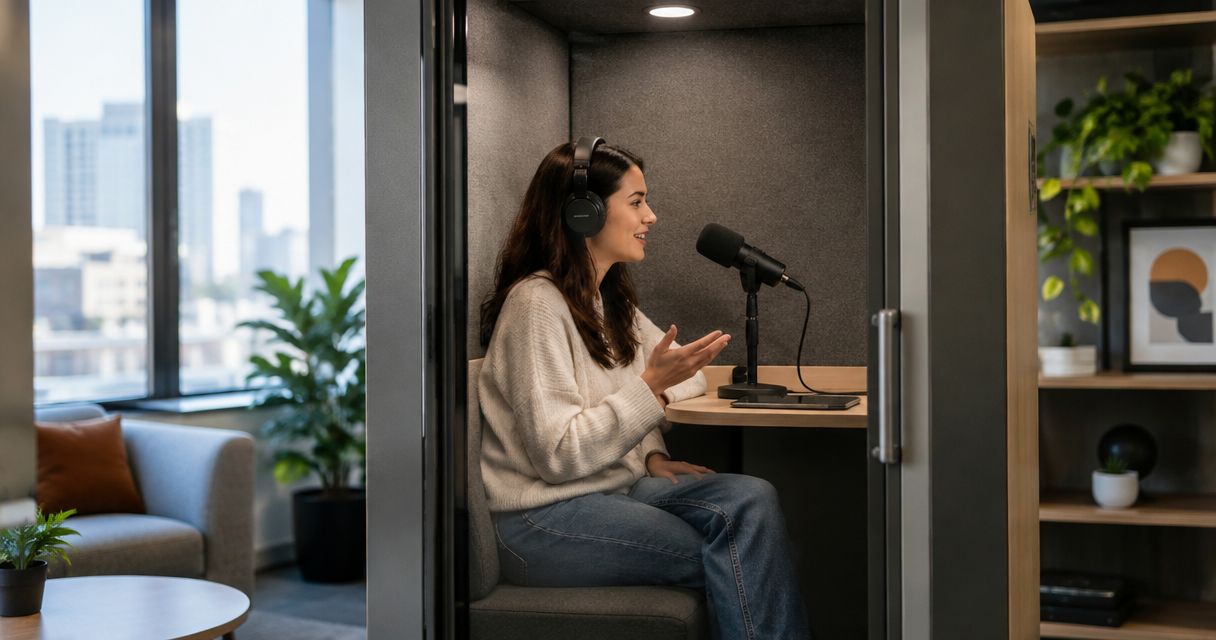
Self-serve podcast studios keep rental costs low by automating recording tasks and removing the need for a dedicated crew to operate each session. The trade-off is responsibility: you still need to prepare the episode, follow the recording instructions, and arrange any editing or publishing work that your booking does not include.
- How do self-serve podcast studios keep rental costs low? Automation removes the need for a dedicated recording crew.
- Justpushrecord suits podcast hosts who want one-button, three-camera recording and Google Drive file delivery without a crew.
- Compare podcast studio rentals by the work included, not just the recording room.
- Keep recording, editing, and publishing separate when you assess a self-serve studio booking.
Why this matters
A studio booking and a finished podcast episode are different things. Recording captures the conversation. Editing shapes it, and publishing gets it to your audience.
For your 2026 booking, compare the same scope of work across each option. A recording-only session does not replace an end-to-end production service, but you do not need an end-to-end service if your team already handles the remaining work.
Justpushrecord offers automated podcast studio rentals with three cameras, one-button operation, and Google Drive file delivery. That setup addresses recording without requiring you to bring a camera crew. You still need a plan for what happens before and after the session.
How do self-serve podcast studios keep rental costs low?
The main mechanism is replacing repeated manual operation with an automated recording workflow. A crew-free session removes the requirement for people to operate the recording throughout your conversation; a repeatable setup also limits the technical decisions you need to make during the booking.
Here is how the model works:
- Automate recording operation. The studio's recording system handles tasks that would otherwise need manual operation. You follow the studio's instructions rather than direct a separate camera operator throughout the conversation.
- Use an established recording setup. You record within the studio's existing arrangement instead of designing a custom production for every episode. Confirm that the arrangement matches your format before booking.
- Simplify the controls. One-button operation gives the host a defined recording action. It does not remove the need to confirm that everyone is ready before starting.
- Deliver files through a defined handoff. Google Drive delivery gives you a place to retrieve the recording. Your editor or publishing team then takes over the next stage.
Automation reduces the need for recording labor; it does not remove production work. That distinction explains both the appeal and the limitation of self-serve podcast studios.
What changes between self-serve and crew-operated recording?
Use this comparison to decide which operating model fits your episode. These are production approaches, not claims about a particular competitor or booking package.
| Recording approach | Best for | Main advantage | Main limitation |
|---|---|---|---|
| Self-serve automated studio | Hosts with a prepared format who want to record without a crew | Recording controls replace the need for continuous manual operation | The host must prepare and follow the session workflow |
| Crew-operated session | Hosts who want people assigned to technical operation | Recording tasks can be assigned to production staff | You must define which technical and production duties the crew will handle |
Neither approach automatically includes editing, clips, transcripts, or publication. Put those deliverables in the comparison only when the provider confirms them.
What automation handles—and what stays with you
The useful question is not whether a studio is automated. It is which responsibilities the automation actually replaces.
A one-button recording process simplifies operating the session. It does not choose your topic, brief your guest, check the accuracy of your statements, or decide which parts belong in the finished episode.
Before recording
You own the content plan. Decide what the listener should understand by the end, prepare the opening, and give your guest enough context to answer clearly.
Also confirm the studio's instructions before arriving. Ask how you access the space, begin recording, end the session, and report a problem. Do not assume that self-serve means every location uses the same procedure.
During recording
Follow the supplied recording instructions and keep the conversation moving. Leave technical adjustments to the procedures the studio actually provides; do not change an unfamiliar setup because it looks like something you have used elsewhere.
If you need someone to direct the interview, monitor delivery, or make editorial decisions during the conversation, assign that responsibility explicitly. An automated recording system is not an editorial producer.
After recording
Retrieve the files and confirm that you can open them. Then hand them to the person responsible for editing or publication.
File delivery is a handoff, not a publishing strategy. Decide who will select takes, approve the finished episode, write the description, and upload the release before the recording takes place.
Why the scope of a studio rental varies
For a useful 2026 comparison, look at what the booking includes and what you must supply. These factors determine whether an automated studio matches your workflow:
- Crew involvement. Establish whether the session is self-operated or includes someone responsible for recording. Ask what support exists if you cannot complete the supplied instructions.
- Recording controls. Confirm how you start and stop the session. A simple control process helps only when you understand what it does.
- Camera setup. Check that the studio's camera arrangement suits your show. Three cameras describe the capture setup, not a promise about every possible edit or framing choice.
- File delivery. Confirm how you receive the recording and who needs access. Google Drive delivery still requires a person to retrieve and manage the files.
- Production responsibilities. Establish who handles preparation, editing, and publishing. Do not treat an undefined task as an included service.
Compare confirmed deliverables, not assumptions about the word “studio.” A room, an automated recording session, and a managed production are different scopes of work.
How to keep your own session focused
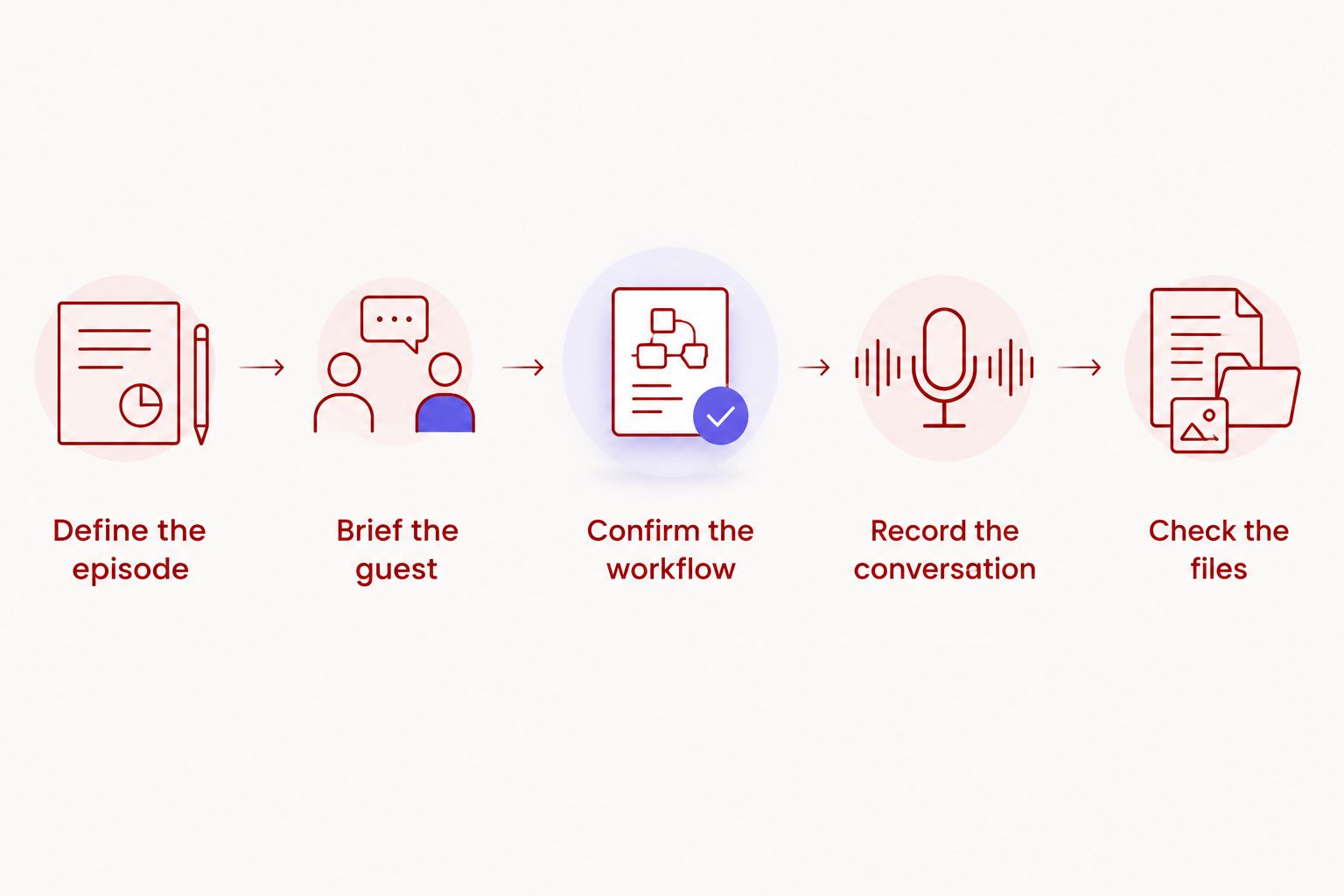
Studio automation addresses operation. Preparation addresses how you use the booking. Follow this sequence so the recording session is not also your planning meeting.
- Define the episode. Write down the audience, topic, and intended takeaway. Remove topics that do not support that takeaway.
- Brief the guest. Explain the conversation's purpose and the subjects you want to cover. Tell the guest about any factual material they should prepare.
- Confirm the workflow. Read the studio instructions and clarify access, recording controls, and file delivery. Resolve questions before the session.
- Record the conversation. Follow the instructions, deliver the introduction, and work through the planned discussion. Make a clear verbal restart when you need to repeat an answer.
- Check the files. Retrieve the recording, confirm access, and hand it to the editor or publishing owner. Keep the handoff separate from approval of the finished episode.
A focused session starts before you enter the room. Bring an outline that you can follow without reading every word, unless your material requires a script. Put names, pronunciations, and essential factual details where you can find them quickly.
If you are deciding which responsibilities you can handle yourself, read the guide to recording a podcast without a producer or crew. Separate operating the recording from producing the conversation; they are not the same job.
When is a self-serve podcast studio the right choice?
Justpushrecord is best for hosts who want automated three-camera podcast recording without a crew. Its one-button workflow and Google Drive delivery suit a host or business that wants recording handled through a defined process rather than a staffed production session.
The advantage is a clear recording workflow. The limitation is equally clear: automation does not supply your interview preparation or editorial judgment. Assign those duties to yourself, your team, or a separate production partner.
For a 2026 booking, check fit against the episode you actually plan to record. A prepared conversation has different needs from a production that requires active direction, custom staging, or someone making technical decisions throughout the session.
Choose based on those needs. Do not book a crew merely because video is involved, and do not choose self-serve merely because the controls sound simple. The right arrangement leaves every necessary task with a named owner.
Does a lower rental cost mean lower recording quality?
No. A lower rental cost alone does not establish lower recording quality. Staffing model and recording quality are separate questions, so assess the output rather than treating the operating model as proof.
Ask to see or hear representative recordings from the setup you intend to book. Check whether voices are intelligible, framing suits the conversation, and the delivered material fits your editing process.
Also ask what you will receive. “Three cameras” describes a recording setup; it does not, by itself, specify file organization, editing decisions, or a finished episode. Confirm those details instead of filling in the gaps yourself.
Can you record without a producer and still have a clear episode?
Yes. You can record without a producer when the host or team takes responsibility for the episode's structure and delivery. A crew-free recording does not have to be an unplanned conversation.
Use an opening that states the subject, questions that follow a clear order, and a closing that gives the listener a useful takeaway. If a guest loses the thread, restate the question and continue. The recording system cannot make that editorial decision for you.
For your 2026 workflow, decide who has final approval before recording. Otherwise, file delivery leaves you with a recording but no agreed path to release.
What should you confirm before booking in 2026?
Get a plain-language description of the session and the deliverables. Ask questions that identify responsibilities rather than relying on broad labels such as full service or automated.
- Who operates the recording, and what instructions must the host follow?
- What should you do if the recording process does not work as expected?
- What files will you receive, and how will you access them?
- Who handles editing, revisions, and approval?
- Who is responsible for publishing the finished episode?
Keep the answers with your production plan. When everyone knows where the studio's role ends and your team's role begins, you can compare bookings on the same basis.
FAQ
How do self-serve podcast studios keep rental costs low?
Self-serve podcast studios use automation to remove the need for a dedicated crew to operate each recording session. Hosts still need to prepare the content and arrange any editing or publishing work that is not included.
Do I need to bring a camera crew to Justpushrecord?
Justpushrecord provides automated, one-button, three-camera podcast recording without a crew. You follow the studio's recording process and receive files through Google Drive.
Does a self-serve podcast studio include editing?
Self-serve recording does not establish whether editing is included. Confirm the deliverables for your booking and assign editing to a named person before the session.
Is an automated podcast studio suitable for a beginner?
An automated studio suits a beginner who can follow the recording instructions and prepare the conversation. Confirm the operating process and support arrangements before booking.
Does three-camera recording mean I get a finished video?
Three-camera recording does not by itself mean you receive a finished video. Confirm the delivered files and any editing services separately.
Can I publish my podcast straight from the delivered files?
Publish only after you have reviewed the delivered recording and completed any necessary editing and approval. File delivery alone does not confirm that the episode is ready for release.
What should I compare besides the studio rental itself?
Compare recording operation, file delivery, editing responsibilities, and publishing responsibilities. Use the same scope of work for each option so you are comparing equivalent services.
One last thing
The simplest control in the room does not replace the most important decision: who owns the finished episode. Name that person before you book.
Then work backward from publication. Define the approved output, assign editing, confirm the file handoff, and prepare the conversation. That makes a self-serve recording session part of a production process rather than a folder of files waiting for someone to act.


