
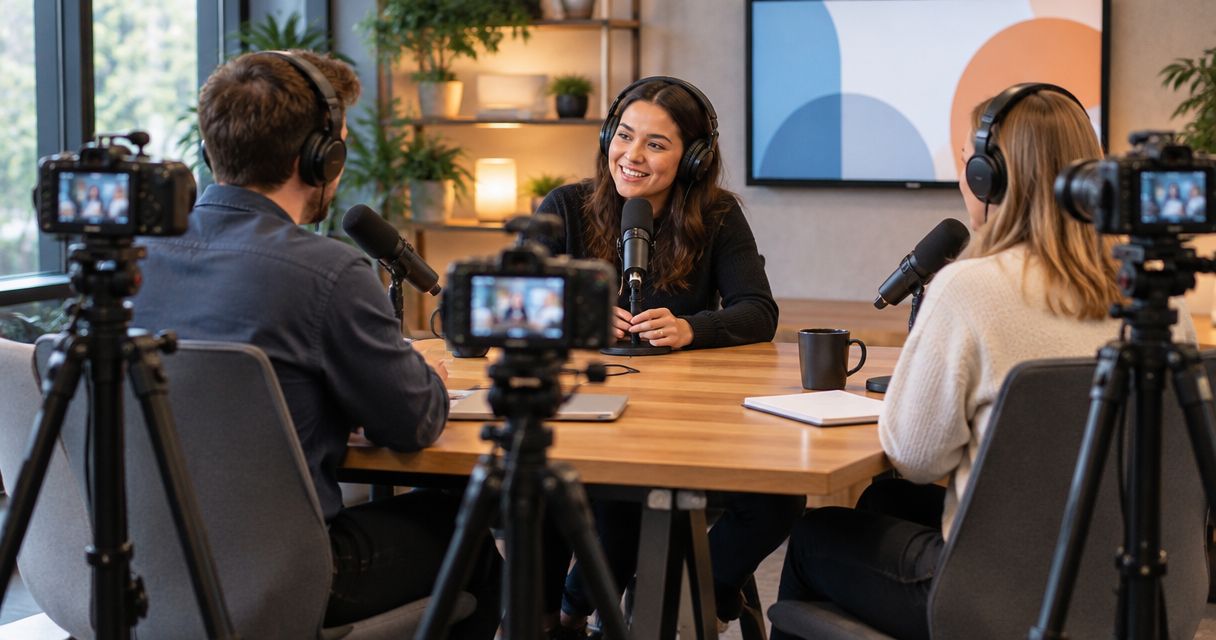
A three-camera podcast setup is worth it in 2026 when you publish video interviews and need separate views of the host, guest, and conversation. It is unnecessary for an audio-only show, and recording more angles still leaves you with editing, file management, and publishing work.
- Is a three-camera podcast setup worth it? Yes for video interviews; no for an audio-only publishing plan.
- Use one wide shot and separate host and guest shots when planning a two-person interview.
- Justpushrecord offers automated, three-camera podcast recording for hosts who want to record without a crew.
- Choose camera coverage around your publishing plan, not around the largest equipment list.
Is a three-camera podcast setup worth it in 2026?
Yes for a video interview that needs speaker close-ups and a shared view. No if you will only publish audio. The useful comparison is not camera count alone. It is what each recording format lets you publish and what you must do afterward.
| Recording option | Best for | Main advantage | Main limitation |
|---|---|---|---|
| Audio-only | Shows with no video publishing plan | Keeps production focused on the conversation and sound | Provides no recorded video for episodes or clips |
| One camera | Solo presenters or interviews that work in a shared frame | Gives you a straightforward video recording to edit | Leaves you with one original viewpoint |
| Three cameras | Interviews needing host, guest, and shared coverage | Gives an editor different views of the same conversation | Requires a plan for selecting and managing angles |
Camera count and recording location are separate decisions. You can choose the coverage first, then decide whether to build a setup or rent a room. The guide to whether renting a podcast studio is worth it addresses that second decision.
Why this matters
A camera should have a job. A wide view establishes who is speaking to whom. An individual view lets viewers see an expression without searching across the frame. Another angle gives the editor a different view when the conversation changes direction.
None of that replaces a useful subject, clear speech, or a prepared host. For your 2026 podcast plan, decide what viewers need to see before deciding how much equipment to use. If the picture adds nothing to the episode, adding more pictures does not solve the problem.
The practical question is simple: will you use the extra coverage in something you actually publish? If the answer is no, keep the recording simpler.
One camera: best for a straightforward video format
One camera is a sensible choice when the presenter stays in one position and the episode does not depend on another person's reactions. A solo explanation, direct-to-camera introduction, or interview framed as a shared shot can work this way.
Choose one camera when a single composition carries the whole episode. You have fewer views to review, and your editing decisions stay focused on the content rather than switching angles.
The trade-off is flexibility. If the original frame includes both speakers, you do not also have separately composed close-ups. Cropping can change the framing, but the usable result depends on the source image and the export you need. Check that before relying on it.
Ask yourself whether an unbroken view feels appropriate for the subject. A calm discussion does not need a cut every time someone speaks. An intentional single shot is a format choice, not an incomplete version of a multicamera show.
Three cameras: best for interview coverage
For a two-person interview, a useful starting plan is 1 wide shot plus 2 individual shots. That gives you 3 camera angles with distinct purposes. It is a planning example, not a promise about any studio's layout.
- Wide shot: Shows the relationship between the speakers and provides a shared view.
- Host shot: Shows the host asking questions, listening, and responding.
- Guest shot: Shows the guest explaining an idea or reacting to a question.
The benefit is choice. An editor can stay on a speaker, show a relevant reaction, or return to the shared frame. The limitation is that someone still needs to decide which view belongs in the finished episode.
Do not assume three cameras automatically cover every format. A panel needs a different coverage plan from a host-and-guest conversation. Confirm that the proposed framing includes everyone who needs to be visible.
Also check the intended clip format. A landscape interview and a vertical excerpt need different framing decisions. Before recording, make sure your intended crop keeps faces and important gestures in view.
Why the value of three cameras varies
The same setup can be useful for one show and unnecessary for another. These factors determine whether the additional coverage has a clear purpose:
- Publishing format: Full video episodes use camera coverage directly. An audio-only release does not.
- Conversation structure: Host-and-guest exchanges give individual views a clear role. A solo presentation needs a different reason for extra angles.
- Clip plan: Separate speaker views give you framing choices, but you still need to select excerpts and prepare exports.
- Editing responsibility: Decide who chooses angles, checks sound, handles revisions, and delivers the finished episode.
- Recording workflow: A self-serve session and a crew-led production place different responsibilities on the host.
- Delivery requirements: Confirm the files and versions you need rather than assuming camera count describes the deliverables.
For a 2026 launch, write these requirements before comparing recording options. A short production brief makes the decision more concrete than an equipment list does. It also gives you specific questions to ask before booking.
How to decide before you book
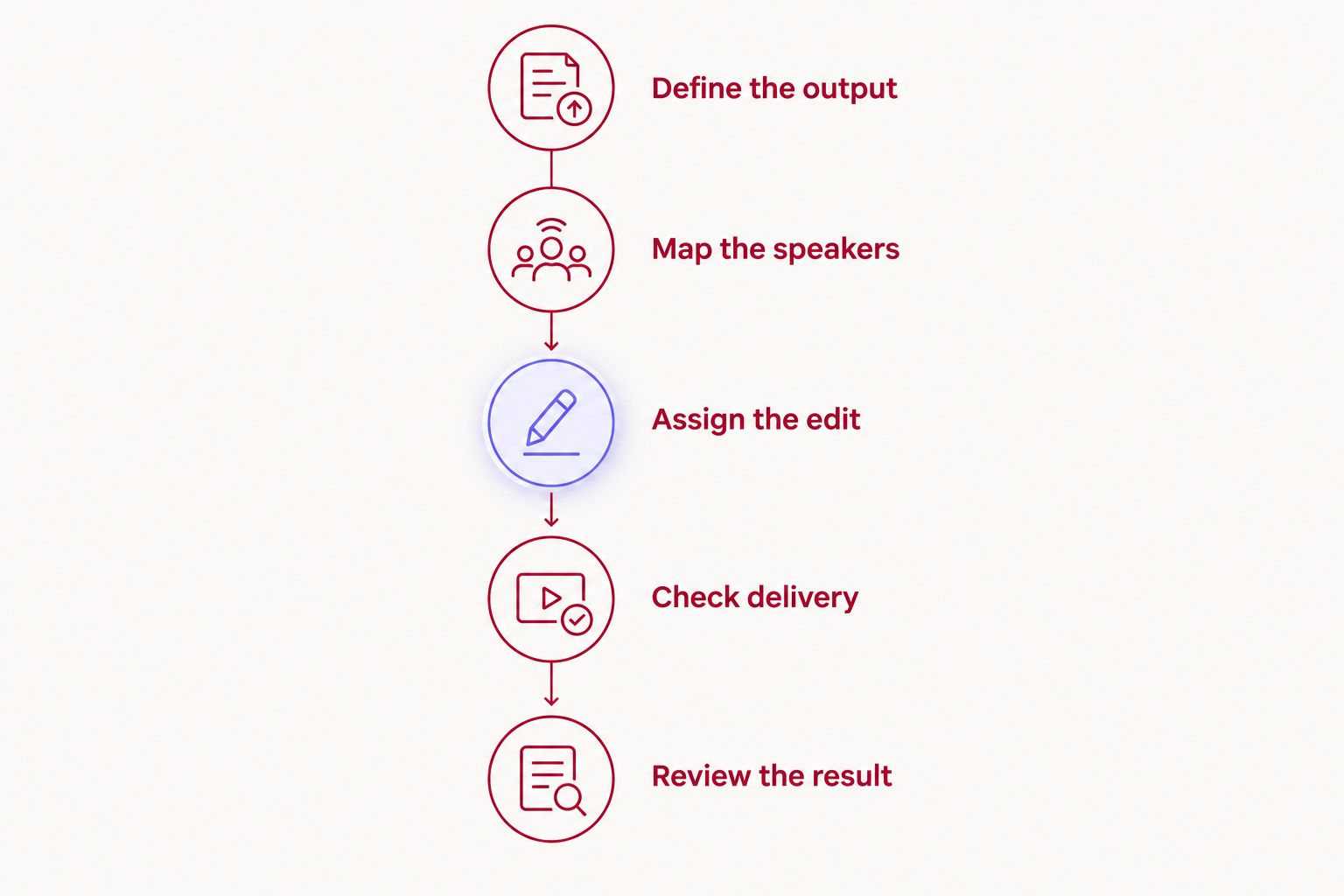
Use this sequence to turn a general preference for video into a workable recording plan. Each step should produce a decision you can explain to your guest or editor.
- Define the output. Name what you will publish: an audio episode, a full video episode, short excerpts, or a combination. Do not add deliverables simply because cameras are present.
- Map the speakers. Identify who needs an individual view and when a shared frame matters. Check the actual seating and framing before treating the camera count as sufficient.
- Assign the edit. Name the person responsible for turning the recording into publishable material. Recording and editing are separate jobs, even when the recording process is automated.
- Check delivery. Confirm what files you receive, how you access them, and what your editor needs. Ask about audio tracks, camera files, and any edited versions without assuming they are included.
- Review the result. Judge the finished episode against your original output plan. Keep the extra coverage only if it serves something you want viewers to watch.
Bring the brief to the booking decision. A useful request describes your speakers, intended exports, and editing needs. Asking only for three cameras leaves those details unresolved.
When an automated studio fits
An automated studio fits when you want to record without operating a camera setup yourself. Justpushrecord offers self-serve, one-button, three-camera podcast recording, with files delivered through Google Drive. Its stated locations include Austin, Atlanta, Dallas, Houston, Charlotte, and Phoenix.
Justpushrecord is best for podcast hosts, creators, and businesses who want three-camera recording without a crew. That is the fit: automated recording rather than a host managing the equipment during the conversation.
The boundary matters too. A crew-free recording session does not put a producer in the room to shape your questions or direct your guest. Prepare the topic, explain the format, and decide who handles the recording after delivery. Confirm any editing or other services separately.
For a 2026 booking, check the selected location's session instructions and delivery details. Google Drive delivery tells you where files arrive; it does not, by itself, specify the complete editing workflow or a delivery deadline.
Plan your studio recording
Review self-serve, one-button, three-camera recording before choosing your session.
What three cameras do not solve
Three cameras do not fix unclear questions, an unfocused discussion, or a guest who has not been briefed. They record those problems from more viewpoints. Prepare the conversation first.
They also do not remove the need to check sound. Listen to a test recording and confirm the recording procedure before starting the main conversation. A visually useful angle cannot make unclear speech easier to understand.
Finally, more coverage does not tell you where to cut. Switching views should help the audience follow the conversation, see a meaningful reaction, or move through an edit. Do not switch angles merely to prove that you recorded them.
Use that rule when reviewing your 2026 episodes. If an angle has no clear function in the finished video, reconsider its framing or whether you need it at all.
Do I need three cameras for a solo podcast?
One camera is enough when a single view supports your solo format. Additional views need a specific job, such as showing a demonstration or providing a deliberately different composition.
Start with the information the viewer needs. If you remain seated and speak directly to the audience, do not add camera coverage without deciding how the extra view improves the presentation.
Does three-camera recording mean I get an edited episode?
Three-camera recording describes capture, not a guaranteed finished edit. Confirm whether the deliverable includes separate camera recordings, a selected-angle version, edited audio, captions, or clips.
Write down who handles each required output. This prevents a recording decision from becoming an unfinished publishing task after the session.
Can I use three-camera footage for social clips?
Three-camera footage gives you different views to choose from for social clips. It does not automatically identify the strongest excerpt or make every composition suitable for a vertical export.
Plan the framing and choose excerpts that make sense without the full episode. Give the editor a clear target format rather than asking for clips without specifying how you will use them.
FAQ
Is a three-camera podcast setup worth it for beginners?
A three-camera podcast setup is worth it for beginners who have a clear video interview format and an editing plan. Beginners making an audio-only show do not need cameras to deliver that format.
What's the best camera setup for a two-person podcast?
A useful three-camera plan for a two-person podcast is one wide shot and separate host and guest shots. One shared camera is also a valid choice when the episode works in a single frame.
Will three cameras make my podcast look better?
Three cameras provide more viewpoints, not a guarantee of better video. Framing, lighting, the conversation, and editing still determine whether those viewpoints are useful.
Can I record a three-camera podcast without a crew?
Yes. Justpushrecord offers automated, one-button, three-camera podcast recording without a crew, with files delivered through Google Drive. Prepare your conversation and confirm the session instructions before recording.
Do I need to buy three cameras before starting a video podcast?
No. You can choose a studio recording workflow instead of buying a camera setup. Decide what coverage and deliverables you need before choosing between equipment ownership and studio rental.
What should I ask a studio before booking a multicamera podcast?
Ask how the speakers will be framed, what files you receive, and who handles editing. Also confirm the recording procedure, delivery arrangements, and whether your intended video formats fit the setup.
One last thing
The listening shot deserves a place in your camera plan. A guest's expression during a question, or a host's reaction to an answer, can be the reason to choose an individual view instead of the wide shot.
Do not frame only for the person currently speaking. Check how each participant looks while listening, too. For your 2026 production plan, give every camera a purpose before you press record.


