
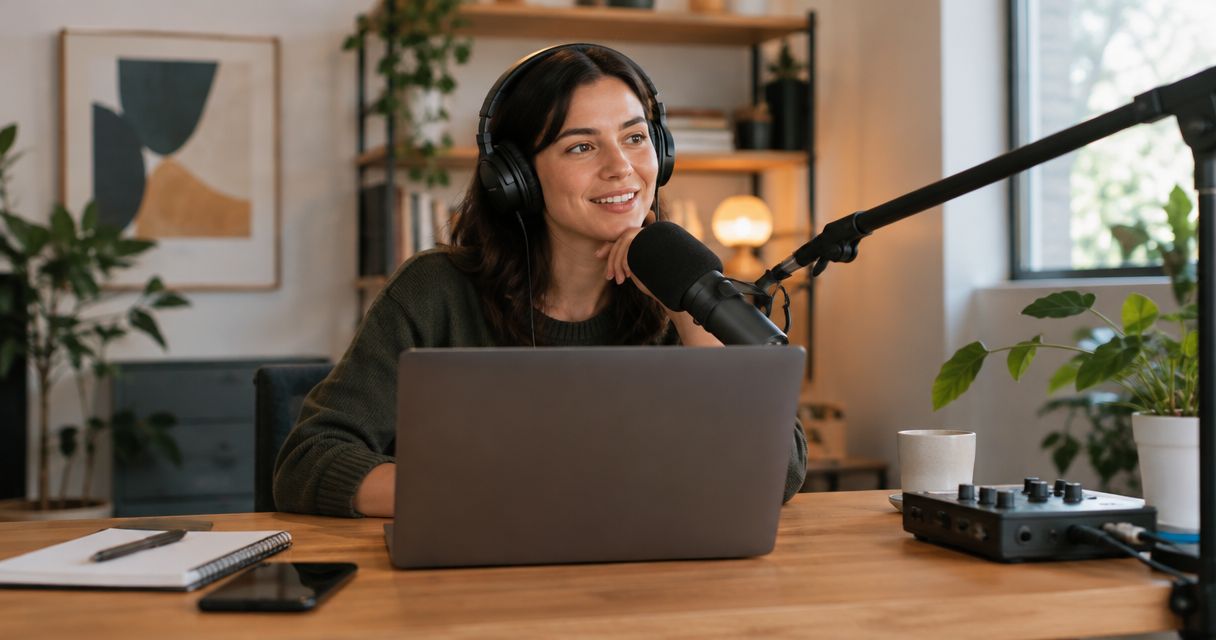
Starting a podcast in 2026 means budgeting for recording, editing, hosting, and publishing—not just a microphone or a studio session. Your total depends on what you already own, whether you need video, and which tasks you handle yourself. Build your budget around a finished episode, not recording equipment alone.
- How much does it cost to start a podcast? Budget setup, recording, editing, hosting, and publishing together.
- Justpushrecord suits hosts who want self-serve podcast studio recording with three cameras and no crew.
- Home recording gives you control over equipment; studio rental replaces equipment ownership with session bookings.
- Separate launch expenses from recurring episode expenses before choosing your recording setup.
How much does it cost to start a podcast in 2026?
Your startup budget is the sum of your initial setup and the work required to publish your launch episodes. Your ongoing budget covers each subsequent episode plus recurring services. Keep those totals separate so an affordable first recording does not hide an unsustainable production schedule.
For a self-serve option, Justpushrecord provides automated podcast studio rentals with three cameras, one-button recording, and Google Drive file delivery. Recording is one stage of the budget; decide who handles the files afterward.
Use this breakdown to build your own estimate from current quotes and the equipment you already have.
| Budget category | What to include | How to evaluate it |
|---|---|---|
| Initial setup | Equipment you need, show artwork, and reusable production assets | Separate purchases from services you will keep paying for |
| Recording | Your recording space, equipment, or studio booking | Check exactly what the session includes |
| Editing | Audio cleanup, content cuts, video assembly, and revisions | Define the finished deliverables before requesting a quote |
| Hosting and distribution | Your podcast hosting service and publishing workflow | Check current terms and required features |
| Supporting content | Episode descriptions, transcripts, artwork, and clips | Include only the assets you intend to publish |
| Your time | Planning, guest coordination, recording, review, and upload | Assign an owner to every task |
Startup budget = initial setup + launch recording + launch post-production + launch publishing.
Ongoing episode budget = recording + post-production + publishing work + allocated recurring services.
These formulas keep the comparison consistent. A recording-only quote and a finished-episode quote cover different work.
Why this matters
A podcast budget is a production decision. Buying equipment gives you recording tools, but you still need a place to record, a repeatable workflow, and someone responsible for publication.
For your 2026 launch, define the output before choosing the setup. An audio interview, a full video episode, and a collection of social clips require different work. Budgeting backward from those outputs prevents you from buying tools that do not solve your actual production needs.
The practical test is simple: can you explain how a recorded conversation becomes a published episode? If the answer stops at downloading files, your budget is unfinished.
Home recording: budget for ownership and operation
Best for: hosts who want control over their equipment and recording schedule. Home recording puts the setup in your hands. You choose the space, operate the equipment, and maintain the workflow.
Start with an inventory. List the computer, microphone, headphones, recording software, and usable space you already have, then identify what the planned show still requires. Do not turn a shopping list into a requirement list.
Include the work around the equipment:
- Preparing the room and checking background noise.
- Setting up microphones and monitoring the recording.
- Testing the complete signal path before an interview.
- Organizing files and keeping backup copies.
- Learning or outsourcing editing and publishing.
The advantage is control. The trade-off is responsibility: you manage the setup, troubleshoot problems, and keep it ready for the next session.
Before committing to equipment purchases, record a sample in the actual room. Listen to the result rather than judging the setup by the equipment specifications alone.
Studio rental: budget for sessions and finished deliverables
Best for: hosts who prefer booking a recording space to managing a home setup. A studio rental changes the budget from equipment ownership to scheduled recording sessions. The scope of the booking still needs checking.
Ask what the booking includes and what you receive afterward. Do not treat access to a room, recording equipment, technical support, file delivery, and editing as interchangeable services.
Confirm these details before booking:
- Whether the setup supports your planned participants and format.
- Whether you operate the equipment or receive production assistance.
- Which audio and video files you receive.
- Whether editing is included or handled separately.
- What booking, access, and cancellation terms apply.
The advantage is a defined place to record. The trade-off is that you must coordinate the booking, travel, guests, and post-production workflow.
Use the podcast studio rental cost guide to structure the rental side of your comparison. Keep the recording booking separate from the cost of turning its files into publishable material.
Which recording approach fits your budget?
Compare the work you retain, not just the equipment you receive. Neither approach removes the need to prepare the episode or publish it.
| Approach | Best for | Main advantage | Responsibility to budget for |
|---|---|---|---|
| Home recording | Hosts who want direct control over equipment and scheduling | You build and operate your own setup | Room preparation, equipment operation, maintenance, and post-production |
| Studio rental | Hosts who want a booked recording environment | You use a recording space without building that space at home | Booking coordination, travel, checking inclusions, and post-production |
Keep the intended output identical when comparing these approaches. A home-recorded audio episode and a studio-recorded video episode are different production plans, not a direct budget comparison.
Also separate preference from necessity. If video serves a defined publishing plan, include it. If you have no owner or destination for the video, resolve that before paying for the work around it.
Why podcast startup costs vary
Your 2026 podcast budget changes when the production requirements change. These factors explain the differences without relying on a generic startup figure:
- Existing equipment. Inventory what you can use before deciding what you need to buy or rent.
- Audio or video. Video adds a visual production and editing workflow to the audio workflow.
- Recording location. Home recording requires you to manage the space; studio recording requires booking coordination.
- Editing scope. A straightforward cleanup and a detailed content edit are different assignments. Describe the work precisely.
- Publishing assets. Transcripts, clips, artwork, and episode descriptions need an owner if they are part of your plan.
- Production cadence. Your release schedule determines how often recording, editing, review, and publishing recur.
Treat these as choices to specify, not reasons to expand the project automatically. A focused format is easier to budget than an undefined promise to create content everywhere.
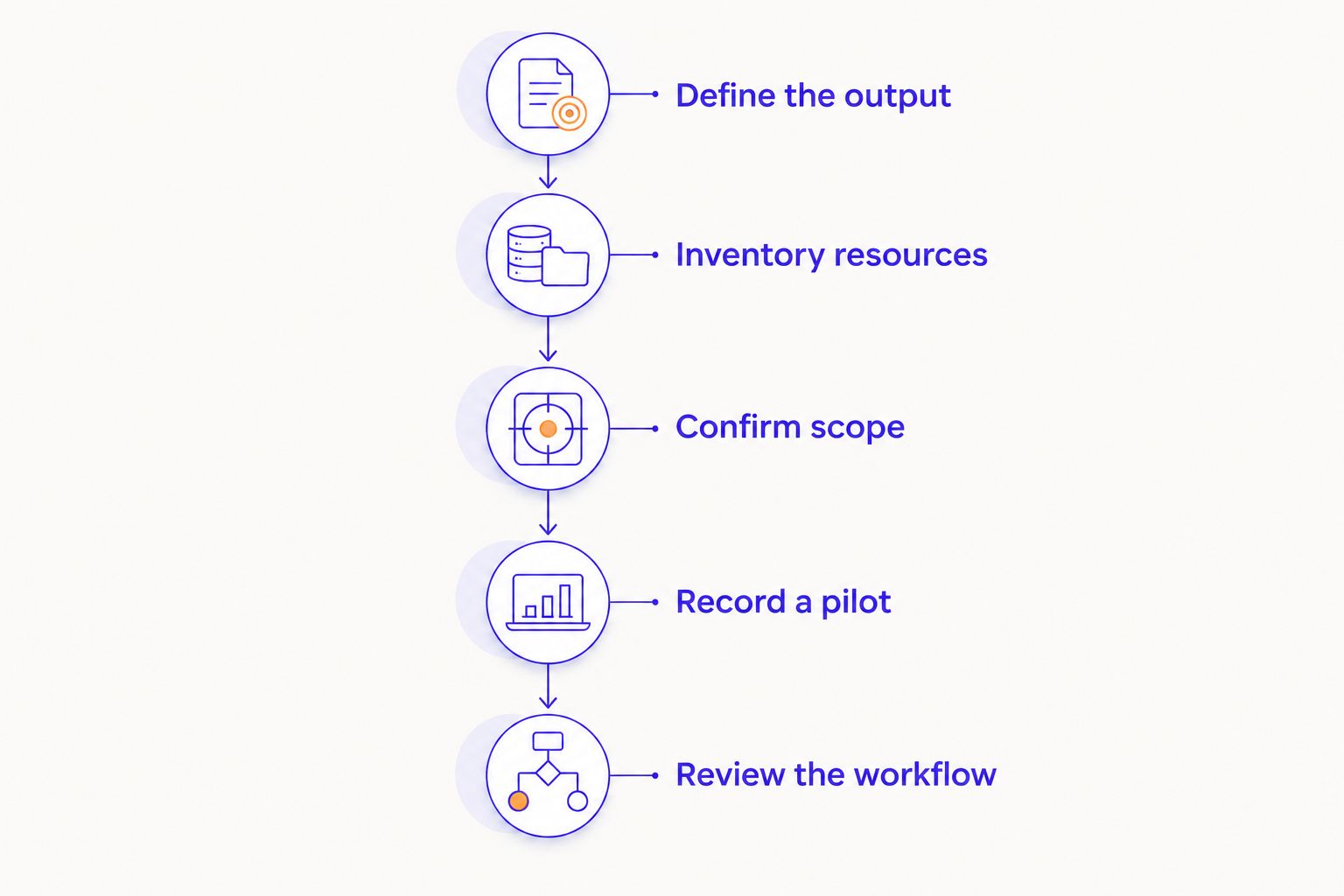
How do you build a podcast startup budget?
Build your 2026 budget in production order. Start with the episode you intend to publish, then identify the resources needed to produce it.
Define the output
Write a short production brief. State whether the show is audio-only or video, who participates, where recording happens, and which finished assets you need.
Be specific about the main episode before adding extras. A clip package should have a publishing purpose, not simply appear because clips are available.
Inventory resources
List equipment, space, software, and skills you already have. Identify the person responsible for each stage, including tasks you plan to handle yourself.
Your own work belongs in this inventory. It is not a supplier invoice, but it still requires time in your schedule.
Confirm scope
Request quotes against the same brief. Ask suppliers to identify inclusions, exclusions, deliverables, and revision terms.
Keep equipment purchases, recording sessions, and ongoing services on separate lines. That makes the launch commitment distinct from the recurring commitment.
Record a pilot
Take a pilot through the complete workflow: prepare, record, edit, review, and prepare it for publication. Note any missing task or unclear handoff.
Use the pilot to check the plan, not just the sound. A usable recording still needs an editing owner, a file location, and a publishing process.
Review the workflow
Update the budget after the pilot. Remove unused extras and add work that the initial brief missed.
Then decide whether the workflow fits your release schedule. Choose the process you can repeat, not just the setup you can purchase.
What does an automated studio change in the budget?
Justpushrecord is best for podcast hosts who want self-serve, three-camera recording without a crew. Its automated podcast studios use one button to record and deliver files through Google Drive.
That defines the recording arrangement. You still need to decide who prepares the conversation, reviews the footage, edits the episode, and publishes the result.
The benefit of Justpushrecord's podcast studio model is that you do not need to bring a crew to operate the recording session. The trade-off is that a self-serve recording workflow does not replace your editorial decisions or publishing responsibilities.
Before booking, match the recording service to your production brief. Confirm the current booking details directly, and make a separate plan for every task outside the recording session.
Is recording or editing the bigger budget decision?
Recording and editing need separate budget lines because they produce different outputs. Recording creates source material; editing turns that material into the episode you intend to publish.
Define the edit before asking for estimates. Specify whether you need audio cleanup, content cuts, video assembly, captions, clips, or some combination of those tasks.
Do not request a generic podcast edit and assume everyone means the same thing. A written deliverable list gives you a useful basis for comparing proposals.
Should you launch with audio or video?
Choose audio or video based on where you intend to publish and what your audience needs to see. Do not add video solely because a recording setup supports it.
If video is part of your 2026 plan, assign responsibility for reviewing footage, assembling the episode, and preparing the final files. Three cameras provide source footage; they do not decide which shot belongs in the finished episode.
FAQ
How much does it cost to start a podcast in 2026?
Your podcast startup budget combines initial setup, launch recording, post-production, and publishing. Build the total from your existing resources and current quotes for a defined set of deliverables.
What should I include in my podcast budget besides equipment?
Include recording space, editing, hosting, publishing assets, and your production time. Separate launch expenses from work and services that recur with each episode.
Is recording at home better than renting a podcast studio?
Home recording fits hosts who want control over their equipment and schedule; studio rental fits hosts who prefer a booked recording environment. Compare the same finished output and identify the work you retain with each approach.
Do I need video to start a podcast?
You do not need video for an audio-only podcast. Add video when it serves a specific publishing plan and you have assigned the editing and review work.
Does an automated recording session include editing?
Do not assume an automated recording session includes editing. Check the current service scope and confirm who turns the delivered recordings into a finished episode.
Who is Justpushrecord's podcast studio rental for?
Justpushrecord's podcast studio rental suits hosts, creators, and businesses who want automated, self-serve recording without a crew. The studios use three cameras, one-button recording, and Google Drive file delivery.
How do I avoid buying podcast equipment I do not need?
Define your format and test your existing setup before purchasing additional equipment. Use a pilot episode to identify actual recording or workflow problems rather than buying against a generic checklist.
One last thing
The most useful budget test happens after recording. Take a pilot all the way to a publication-ready file, then list every handoff required to get there.
A recording setup can look complete while the production process remains unfinished. Before committing to a recurring schedule, know who owns the next step after the files arrive.


