
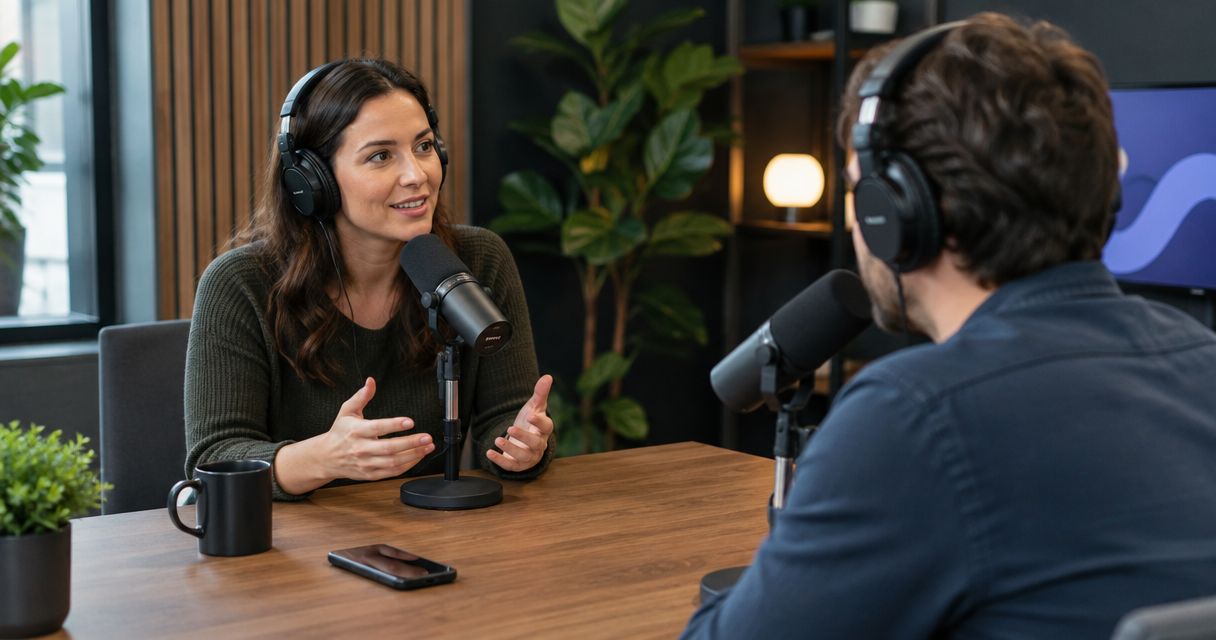
Yes—booking a podcast studio for one episode is worth it when the session solves a specific recording problem, such as capturing an in-person interview or producing video without building your own setup. For a one-off recording in 2026, the deciding factor is the usable episode you need; travel, preparation, editing, and publishing still need a plan.
- Is it worth booking a podcast studio for one episode? Yes, when the recording needs justify the booking.
- Justpushrecord offers self-serve podcast recording with three cameras, one button, and Google Drive file delivery.
- Record at home when your existing setup already produces the audio and video you need.
- Confirm session access, recording formats, file delivery, and editing responsibilities before booking.
Is it worth booking a podcast studio for just one episode?
Book the studio when it removes a real production obstacle. Skip it when your current setup already meets the brief. A single episode does not need to become a recurring show to justify a dedicated recording session.
Start with the difference between your current setup and the recording you need. The home recording versus studio guide addresses that decision in more detail.
| Recording option | Best for | Main benefit | Main trade-off |
|---|---|---|---|
| Your existing home setup | A solo episode or familiar format you can already record reliably | You use a space and workflow you know | You remain responsible for the room, equipment, and recording |
| A self-serve studio | An in-person conversation with a host comfortable leading the session | You use an established recording setup without bringing a crew | You must understand the operating instructions and direct the conversation |
| A staffed studio | A session that needs hands-on production support | You can arrange technical or production assistance | You must confirm exactly what the staff will handle |
These are different working arrangements, not a quality ranking. A familiar home setup can be the right choice. A staffed room can be unnecessary for a straightforward conversation. Match the arrangement to the work.
Why this matters
A one-off episode still has a complete production cycle. Someone has to prepare the topic, record the conversation, check the files, finish the edit, and publish the result. Renting a room addresses only the parts included in the booking.
For your 2026 recording plan, separate capture from completion. Capture produces the recording files. Completion turns those files into the episode your audience receives. Do not assume a studio booking includes both.
The practical question is not whether one episode is enough. It is whether the booking helps you finish an episode you otherwise could not record as intended.
When a single studio session makes sense
You need an in-person guest conversation
A studio is a sensible choice when your guest will be with you and your usual space does not suit the conversation. You can arrange the session around a defined topic instead of building a recording setup for a single visit.
Confirm the guest's attendance before committing to the session. Agree on the subject, explain the recording format, and send practical arrival instructions. A prepared guest matters more than a long question list.
You need video as well as audio
Video adds decisions about framing, lighting, seating, and what appears behind each speaker. A studio booking makes sense when you need a recording environment rather than a new collection of equipment.
Check the actual output before booking. Multiple cameras do not, by themselves, tell you whether you receive separate recordings, a combined edit, or a finished episode. Ask what is recorded and what is delivered.
You want to avoid building a temporary setup
A one-off recording does not automatically justify buying equipment or rearranging your workspace. Renting an existing setup is an alternative when you have a defined recording task and no continuing need for the equipment.
Justpushrecord is best for hosts, creators, and businesses seeking self-serve, three-camera podcast recording without a crew. Its automated studios use one-button recording and deliver files through Google Drive. The trade-off is the self-serve format: plan to lead your conversation rather than assume a producer will direct it.
When recording at home is the better choice
Use your existing setup when it already produces the recording you need. A studio should solve a problem, not create a new workflow without a reason.
Home recording is a practical choice for a solo episode when you already know how to capture clear audio in your room. It also keeps the session in a familiar environment. You still need to test the recording and check the finished files.
Do not book a studio to compensate for an undefined topic. A better room cannot decide what the episode is about, prepare your guest, or explain why someone should listen.
Before booking, finish this sentence: “The studio is necessary because…” If the answer names a concrete recording requirement, continue. If it only describes how you hope the session will feel, clarify the episode first.
Why the value of one studio episode varies
The value depends on the recording brief and the work around it. Use these factors to make the decision:
- Your existing setup: Identify what your current room and equipment cannot do for this episode.
- The recording format: Decide whether you need audio, video, or both before choosing a space.
- Guest logistics: Check whether the location and arrival arrangements work for everyone attending.
- Your support needs: Separate operating the recording system from directing the conversation.
- The delivery requirements: Confirm the files you need and who will turn them into a publishable episode.
- The publishing purpose: Name the audience and intended use so the recording has a clear destination.
These factors work together. A convenient room with the wrong output does not meet the brief. Neither does a suitable recording setup that your guest cannot reach.
How to prepare for a one-episode studio booking
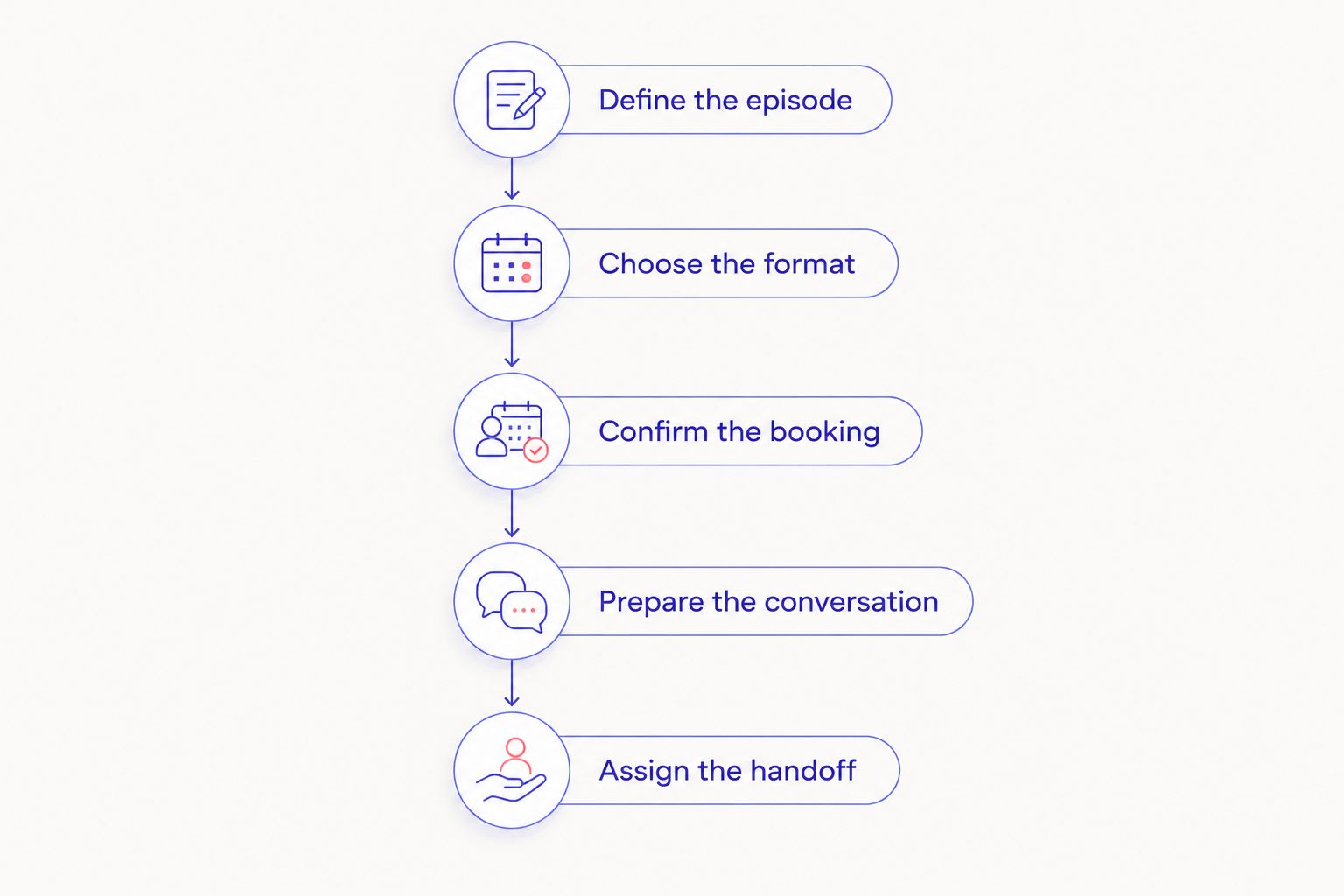
Use this sequence for a 2026 booking. Finish the planning before you arrive so the session is spent recording rather than deciding what to make.
1. Define the episode
Write a short brief covering the audience, topic, guest, and intended outcome. State whether the episode is a standalone interview, a pilot, or part of an existing show.
Keep the brief specific enough to guide decisions. “Discuss the business” is broad. “Explain the decision behind a product launch” gives the host and guest a shared subject without scripting every answer.
2. Choose the format
Decide whether you need audio only or audio and video. Then identify where the finished episode will appear. Your publishing destination determines which export requirements you need to check.
Do not assume that a video recording automatically includes ready-to-post social clips. Treat the episode and any shorter edits as separate deliverables unless the booking explicitly includes them.
3. Confirm the booking
Check the location, access instructions, session boundaries, recording process, and support arrangements. Ask which parts of the visit count toward the booked session, including setup and packing up.
For a Justpushrecord podcast studio booking, the stated workflow is automated recording with 3 cameras, 1 button, and Google Drive file delivery. Confirm the requirements of your chosen location rather than treating that summary as a complete session specification.
4. Prepare the conversation
Give the guest the topic and the main areas you want to cover. Prepare an opening question, useful follow-ups, and a closing point. Use an outline unless the material genuinely requires exact wording.
Rehearse names, technical terms, and any required statements. Resolve questions about sensitive subjects before the session rather than surprising your guest during the recording.
5. Assign the handoff
Name the person who will receive, check, and organize the files. Decide who handles editing, review, and publication. Make those responsibilities explicit even if the same person does everything.
Keep a copy of the original recording before making edits. A clear handoff prevents a successful session from becoming an unfinished folder of files.
What should you confirm before booking just one episode?
For 1 episode, get a clear answer to each question below before committing. Use the studio's current booking information and ask directly where the details are unclear.
- What recording formats does this location support?
- How does entry work, and what happens when the session ends?
- What do you need to do to start and stop recording?
- Is technical help available, and how do you reach it?
- Which files will you receive, and how will you access them?
- Does the booking include editing, or only recording?
- What are the current cancellation and rescheduling terms?
Get answers about the actual booking, not just the room. Equipment descriptions explain what is present. They do not necessarily explain your responsibilities, the delivered files, or the support available during your visit.
For a 2026 session with a publishing deadline, verify delivery timing directly. Do not build a release schedule around an assumed turnaround.
Can one studio episode become several pieces of content?
One episode can supply material for shorter clips, written summaries, and follow-up posts when the conversation contains useful standalone sections. Those additional pieces still require selection, editing, and review.
Plan the main episode first. Ask clear questions and let the guest finish the thought before moving on. That gives an editor material to work with without forcing every answer into a promotional sound bite.
Do not count hypothetical clips as a guaranteed return on the booking. Name the extra pieces you actually intend to produce and assign someone to make them.
Can you record one episode without committing to a series?
One episode can stand alone as an interview, a business conversation, or a pilot. You do not need a recurring publishing schedule to give a specific conversation a useful purpose.
If the recording is a pilot, decide what you want to learn. That might be whether the host can sustain the format or whether the topic supports a focused conversation. Judge the pilot against that question, not against an established show's entire production system.
Before booking in 2026, confirm the current booking terms rather than assuming that a single session requires—or rules out—any further commitment.
FAQ
Is it worth booking a podcast studio for one episode?
Yes, when the studio solves a specific recording problem that your existing setup does not. Choose it for a defined need, such as an in-person video conversation, rather than simply to make the session feel more official.
Should I rent a studio for my first podcast episode?
Rent a studio for your first episode if you have a clear topic, a prepared host, and a reason to use the recording setup. If you are still deciding what the show is about, make an informal practice recording first.
Do I need a producer for a one-off podcast episode?
You do not need a producer for every one-off episode. A self-serve studio suits a host who can follow the recording instructions and lead the conversation; arrange hands-on support when the session requires it.
Can I record video and audio during the same session?
You can record video and audio in a studio equipped for both. Confirm the recording formats and delivered files for the location before booking.
Does a podcast studio booking include editing?
Editing is included only when the booking explicitly says so. Confirm whether you receive recording files, an edited episode, or both, and assign any remaining production work.
Is Justpushrecord a self-serve podcast studio?
Justpushrecord offers automated, self-serve podcast recording studios with three cameras, one-button recording, and Google Drive file delivery. The service serves hosts, creators, and businesses who want to record without a crew.
Can I publish immediately after leaving the studio?
Do not assume your episode is ready to publish when the recording ends. Confirm file delivery, check the recording, and complete any required editing and review before release.
One last thing
Choose the person responsible for finishing the episode before choosing the recording date. That decision connects the booking to a published result.
Your 2026 studio session does not need to launch a series or produce a library of clips. It needs to capture the conversation you planned and reach the audience you chose. Book around that outcome.


