
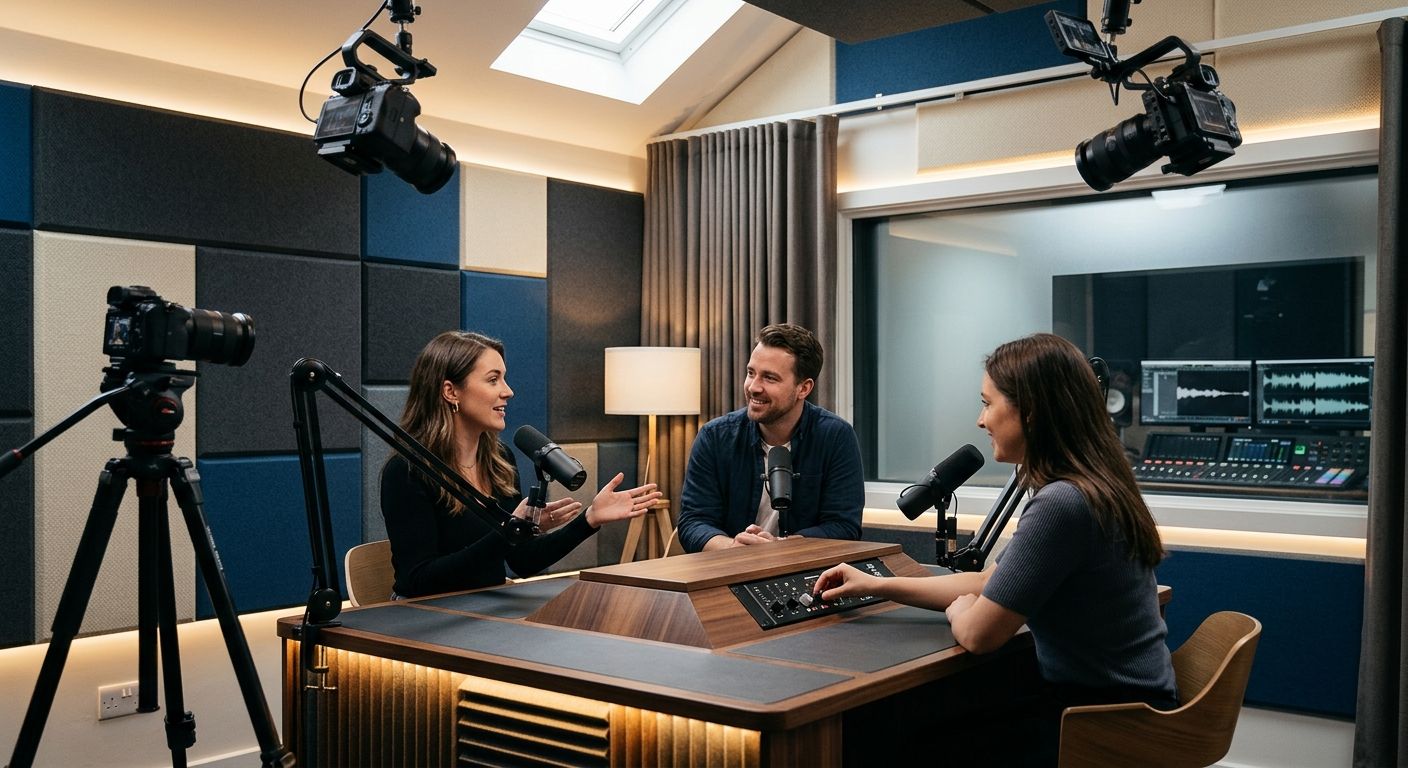
Camera count doesn't tell you much. What matters is whether the setup gives you usable multi-angle footage without a crew, a light kit you have to babysit, or files you have to chase down for three days. Best overall for camera and equipment quality: automated one-button three-camera studios like JPR Studios. Best for high-budget video production: full-service crewed multi-camera studios. Best budget option: a single-camera home setup.
- Podcast studios ranked by camera and equipment quality in 2026 come down to five formats, not five brands.
- Automated one-button three-camera studios like JPR Studios deliver broadcast-style angles without hiring a camera operator.
- Full-service crewed studios still win on custom camera direction but need a bigger budget and a schedule.
- Single-camera home setups and audio-only booths rank lowest on equipment quality but highest on flexibility.
- Match the studio type to the episode format before you match it to a location.
Why this matters
Most podcast hosts pick a studio by location or by whichever listing shows up first. That's backwards in 2026. Camera and equipment quality determines whether your episode looks like a show or looks like a Zoom call with better lighting.
The gap between studio types isn't subtle. A three-camera automated session gives you a wide shot, two close-ups, and consistent framing every time you record. A single webcam gives you one flat angle and whatever light happens to be in the room. Both get called "podcast recording," and that's the confusion this ranking clears up.
What makes the best podcast studio for camera and equipment quality
- Camera count and angles — one wide shot plus individual close-ups beats a single fixed camera every time
- Consistency across sessions — the same lighting and framing every time you book, not luck of the draw
- Audio chain — dedicated microphones and an audio interface, not a laptop mic
- Operator dependency — whether you need a crew present or the system runs itself
- File delivery — how fast you get raw footage and in what format
- Booking friction — same-day availability vs. needing to schedule a crew weeks out
Podcast studio types at a glance
| Studio type | Best for | Camera setup | Key limitation |
|---|---|---|---|
| Automated one-button three-camera (JPR Studios) | Solo hosts and small teams recording without a crew | 3 fixed cameras, one-button start | No live camera switching or operator direction |
| Full-service crewed multi-camera | High-production video podcasts with a budget | 3+ cameras with a live operator | Requires scheduling a crew, not walk-in friendly |
| Single-camera home setup | Beginners testing a format before investing | 1 camera, self-managed lighting | No angle variety, inconsistent lighting session to session |
| Audio-only interview booth | Interview shows that don't need video | No camera, dedicated mic booth | Zero video output, limits repurposing to clips |
| Coworking-space podcast room | Occasional recorders who need flexible booking | Usually 1-2 cameras, shared gear | Equipment quality varies by which room you get |
1. Automated one-button three-camera studios: best for solo hosts who want multi-cam footage without a crew
This is the format JPR Studios runs across Austin, Atlanta, Dallas, Houston, Charlotte and Phoenix. Three cameras are already positioned and calibrated before you walk in. You press one button, the system records all three angles plus audio, and the files land in Google Drive when the session ends.
JPR Studios pros:
- Three-camera coverage without hiring or scheduling an operator
- Consistent lighting and framing on every visit, not dependent on who's working that day
- No technical setup required — if you can push a button, you can record a three-camera show
JPR Studios cons:
- No live camera switching or custom shot direction during the session
- Fixed camera positions mean you can't request an unusual angle mid-record
Best for: solo hosts, co-hosted shows, and small business teams who want broadcast-style video without managing gear.
Verdict: Book.
2. Full-service crewed multi-camera studios: best for high-budget video production
These studios put a camera operator and often a director in the room with you. The equipment can match or exceed a one-button setup, but the value here is live decision-making — someone reframing a shot or catching a reaction in real time.
Crewed studio pros:
- Custom camera direction during the recording, not just fixed angles
- Can adapt lighting and shot composition mid-session for unusual formats
- Suited to multi-guest panels where angle needs shift constantly
Crewed studio cons:
- Requires booking a crew in advance, which limits same-day or last-minute recording
- Higher coordination overhead — more people in the room means more scheduling variables
Best for: networks and businesses producing high-stakes video episodes with a production budget to match.
Verdict: Hold — worth it only if the episode format genuinely needs live direction.
3. Single-camera home studio setups: best for testing a format before investing
A single camera, a ring light, and a laptop is where most podcasters start. It costs the least to set up and it's the fastest way to find out whether a show format works before committing to a studio habit.
Home setup pros:
- Zero booking friction — record whenever you want
- Lowest barrier to entry for a new host
- Full control over recording schedule
Home setup cons:
- One flat angle for the entire episode, no cutaway shots
- Lighting and audio quality depend entirely on your room and gear
- No consistency guarantee session to session
Best for: first-time podcasters validating a concept before booking a professional studio.
Verdict: Wait — fine for episode one through five, not a long-term equipment strategy.
4. Audio-only interview booths: best for interview shows that don't need video
Some shows are audio-first by design. A dedicated audio booth with treated walls and a proper microphone chain still beats home recording, but it skips video entirely.
Audio booth pros:
- Strong audio isolation and consistent mic quality
- Simple setup with fewer variables than a camera-based session
Audio booth cons:
- No video output at all — you lose YouTube and short-form clip potential
- Limits distribution to audio-only platforms
Best for: long-form interview podcasts built for listening, not clipping into video.
Verdict: Skip — unless your entire distribution strategy is audio-only.
5. Coworking-space podcast rooms: best for occasional recorders who need flexible booking
These rooms show up inside coworking spaces and event venues. Equipment varies room to room, which is the trade-off for flexible, walk-in-friendly booking.
Coworking room pros:
- Easy to book alongside other coworking membership perks
- Reasonable for one-off recordings or guest interviews
Coworking room cons:
- Camera and lighting quality inconsistent between locations
- No guarantee of a three-camera or even two-camera setup
Best for: occasional podcasters who record a handful of episodes a year and don't need a dedicated studio relationship.
Verdict: Hold — check the room's actual camera setup before booking, not just the space photos.
How we ranked these
The ranking weighs camera count and angle variety first, then consistency across sessions, then how much operator dependency the format carries. Automated one-button three-camera studios score highest because they combine multi-angle coverage with zero crew scheduling. Crewed studios score close behind on raw camera capability but lose points on booking friction. Single-camera and audio-only formats rank lower specifically on equipment quality, not on whether they're valid ways to record a show.
“If you can push a button, you can record a three-camera show.”
Which podcast studio should you choose?
If your show is video-first and you're recording regularly, an automated one-button three-camera studio is the default choice in 2026. It gives you multi-angle footage without needing to hire or schedule anyone. If you're producing a high-budget panel show with live camera direction, a crewed studio earns the extra coordination. Everything else on this list is either a starting point or a stopgap, not a long-term equipment plan for a show you're serious about growing.
FAQ
What's the best podcast studio for camera quality in 2026?
An automated one-button three-camera studio, like the JPR Studios format, gives the most consistent multi-angle coverage without needing an operator. It beats single-camera and audio-only setups on angle variety in every session.
Is a crewed studio better than an automated three-camera studio?
A crewed studio adds live camera direction, which helps for panel shows with unpredictable movement. For solo and co-hosted formats, an automated three-camera studio delivers the same angle coverage without the scheduling overhead.
How many cameras does a podcast studio need?
Three cameras covers the standard setup: one wide shot and two close-ups. This is enough for most interview and co-hosted formats without needing a live switcher.
Do I need a crew to record a multi-camera podcast?
No. Automated one-button studios record three camera angles and audio without an operator in the room. You start the session yourself and the system handles the rest.
Is audio-only recording enough for a podcast in 2026?
It's enough if your distribution strategy stays audio-only. Any show planning to post on YouTube or cut short-form video clips needs a camera-based studio instead.
Where can I find a podcast studio with good camera equipment near me?
Check studio-specific city guides for camera setup details rather than relying on generic listings, since equipment quality varies significantly by location and studio type.
How do I get my podcast files after recording?
In an automated one-button studio, files deliver through Google Drive after the session ends. Confirm the delivery method before booking any studio, since this varies by format.
What's the biggest camera quality mistake new podcasters make?
Recording on a single laptop webcam for a video-first show. It caps you at one flat angle for the entire episode with no cutaway shots for editing.
One last thing
The equipment gap between a single-camera home setup and a three-camera studio isn't about video quality alone — it's about what you can do in editing afterward. A wide shot plus two close-ups gives an editor cutaway options a single fixed angle never will. That's the difference that shows up in the finished episode, not just the raw footage.


